







Question: 1. Write a MATLAB function that takes a matrix, a row number and a scalar as arguments and multiplies each element of the row of
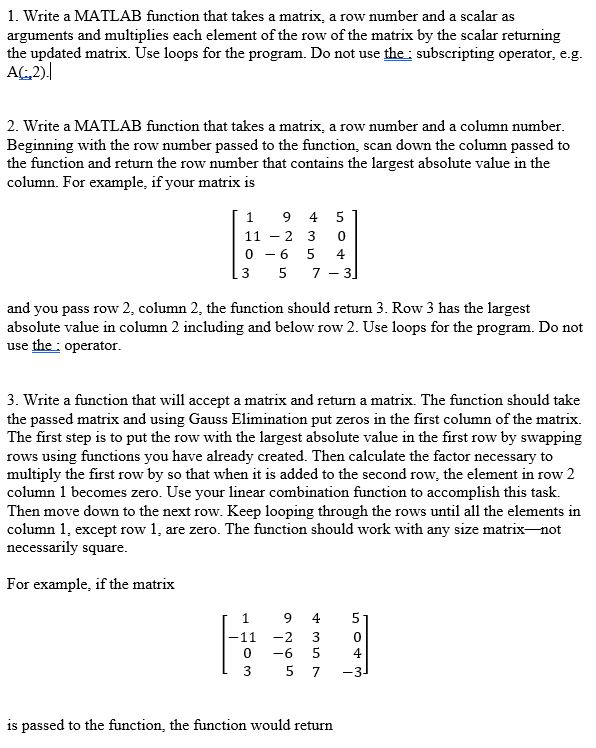
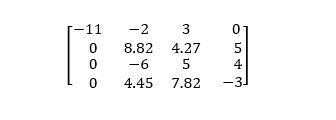
1. Write a MATLAB function that takes a matrix, a row number and a scalar as arguments and multiplies each element of the row of the matrix by the scalar returning the updated matrix. Use loops for the program. Do not use the : subscripting operator, e.g A2). 2. Write a MATLAB function that takes a matrix, a row number and a column number Beginning with the row number passed to the function, scan down the column passed to the function and return the row number that contains the largest absolute value in the column. For example, if your matrix is 1 9 4 5 11-2 3 0 0-6 5 4 3 5 7-3 and you pass row 2, column 2, the function should return 3. Row 3 has the largest absolute value in column 2 including and below row 2. Use loops for the program. Do not use the: operator 3. Write a function that will accept a matrix and return a matrix. The function should take the passed matrix and using Gauss Elimination put zeros in the first column of the matrix. The first step is to put the row with the largest absolute value in the first row by swapping rows using functions you have already created. Then calculate the factor necessary to multiply the first row by so that when it is added to the second row, the element in row 2 column 1 becomes zero. Use your linear combination function to accomplish this task. Then move down to the next row. Keep looping through the rows until all the elements in column 1, except row 1, are zero. The function should work with any size matrix--not necessarily square For example, if the matrix 1 9 4 5 0 -6 5 4 3 5 73 is passed to the function, the function would return
Step by Step Solution
There are 3 Steps involved in it

Get step-by-step solutions from verified subject matter experts
 Study Help