





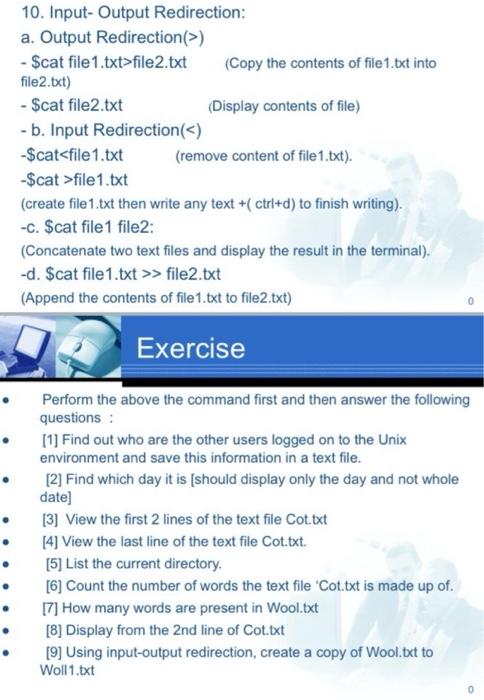
Question: 10. Input-Output Redirection: a. Output Redirection(>) - Scat file 1.txt>file2.txt (Copy the contents of file 1.txt into file2.txt) - $cat file2.txt (Display contents of file)
 10. Input-Output Redirection: a. Output Redirection(>) - Scat file 1.txt>file2.txt (Copy

10. Input-Output Redirection: a. Output Redirection(>) - Scat file 1.txt>file2.txt (Copy the contents of file 1.txt into file2.txt) - $cat file2.txt (Display contents of file) - b. Input Redirection() -Scatfile1.txt (create file1.txt then write any text +(ctrl+d) to finish writing). -C. $cat file 1 file2: (Concatenate two text files and display the result in the terminal). -d. $cat file1.txt >> file2.txt (Append the contents of file1.txt to file2.txt) Exercise Perform the above the command first and then answer the following questions : [1] Find out who are the other users logged on to the Unix environment and save this information in a text file. [2] Find which day it is (should display only the day and not whole date] [3] View the first 2 lines of the text file Cot.txt [4] View the last line of the text file Cot.txt. [5] List the current directory. [6] Count the number of words the text file 'Cot.txt is made up of. [7] How many words are present in Wool.txt [8] Display from the 2nd line of Cot.txt [9] Using input-output redirection, create a copy of Wool.txt to Woll1.txt

Step by Step Solution

There are 3 Steps involved in it

1 Expert Approved Answer
Step: 1 Unlock blur-text-image
Question Has Been Solved by an Expert!

Get step-by-step solutions from verified subject matter experts

Step: 2 Unlock
Step: 3 Unlock

Students Have Also Explored These Related Databases Questions!