







Question: 10) Run the code. ORG 100h MOV AL, VAR1 ; check value of VAR1 by moving it to AL. LEA BX, VAR1 ; get address
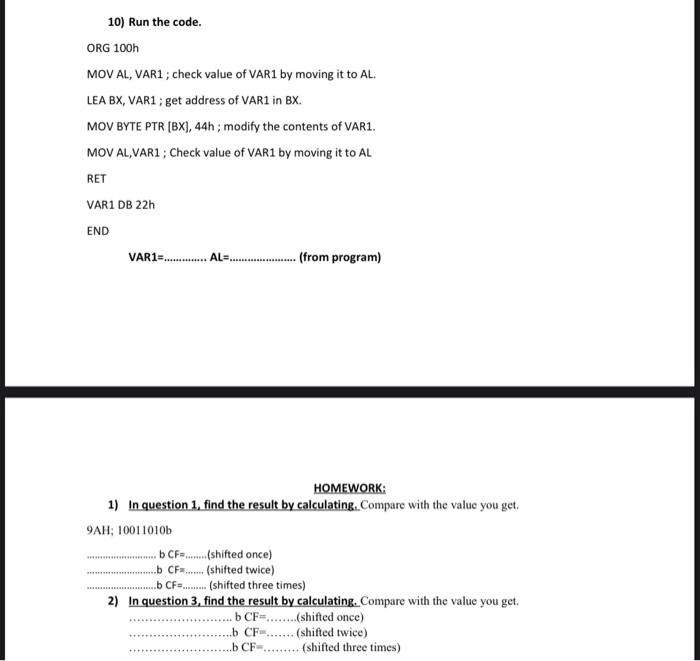
10) Run the code. ORG 100h MOV AL, VAR1 ; check value of VAR1 by moving it to AL. LEA BX, VAR1 ; get address of VAR1 in BX. MOV BYTE PTR [BX], 44h; modify the contents of VAR1. MOV AL,VAR1 ; Check value of VAR1 by moving it to AL RET VAR1 DB 22h END VAR1 = AL= (from program) HOMEWORK: 1) In question 1 , find the result by calculating. Compare with the value you get. 9AH;10011010b bCF= (shifted once) b CF= (shifted twice) bCF=. (shifted three times) 2) In question 3 , find the result by calculating. Compare with the value you get. b CF=. (shifted once) b CF= (shifted twice) b CF= (shifted three times) 10) Run the code. ORG 100h MOV AL, VAR1 ; check value of VAR1 by moving it to AL. LEA BX, VAR1 ; get address of VAR1 in BX. MOV BYTE PTR [BX], 44h; modify the contents of VAR1. MOV AL,VAR1 ; Check value of VAR1 by moving it to AL RET VAR1 DB 22h END VAR1 = AL= (from program) HOMEWORK: 1) In question 1 , find the result by calculating. Compare with the value you get. 9AH;10011010b bCF= (shifted once) b CF= (shifted twice) bCF=. (shifted three times) 2) In question 3 , find the result by calculating. Compare with the value you get. b CF=. (shifted once) b CF= (shifted twice) b CF= (shifted three times)
Step by Step Solution
There are 3 Steps involved in it

Get step-by-step solutions from verified subject matter experts
 Study Help