







Question: 100% Normal text Noto Sans 10 + BIVA GO = = : - EE 2 3 Create a PSD file (800px x 600px, landscape, 72dpi,
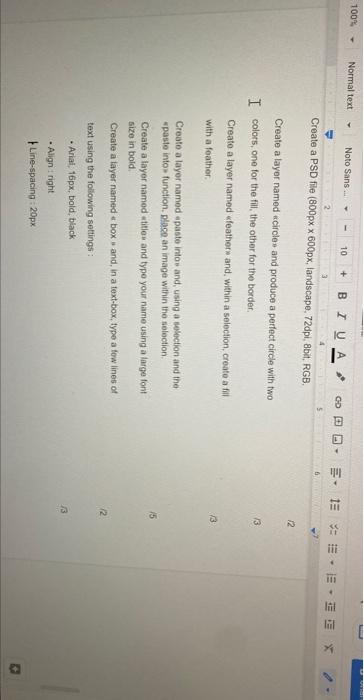
100% Normal text Noto Sans 10 + BIVA GO = = : - EE 2 3 Create a PSD file (800px x 600px, landscape, 72dpi, 8bit, RGB, 12 Create a layer named circles and produce a perfect circle with two I colors, one for the fill the other for the border. 13 Create a layer named feathers and within a selection, create a fil with a feather 13 15 Create a layer named paste into and, using a selection and the paste into function, place an image within the selection Create a layer named title and type your name using a large font size in bold Create a layer named a box and, in a text-box, type a few lines of text using the following settings Arial, 16px, bold, black 12 3 Align: right Line-spacing: 20px
Step by Step Solution
There are 3 Steps involved in it

Get step-by-step solutions from verified subject matter experts
 Study Help