







Question: 10.18 LAB: Plant information (ArrayList) Given a base Plant class and a derived Flower class, complete main() to create an ArrayList called myGarden. The ArrayList
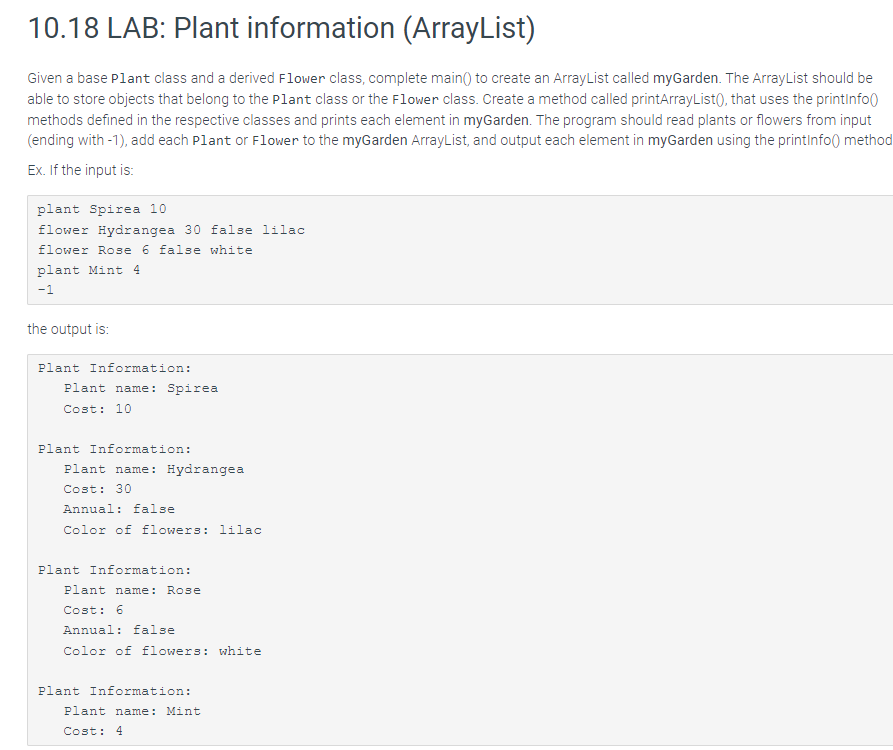
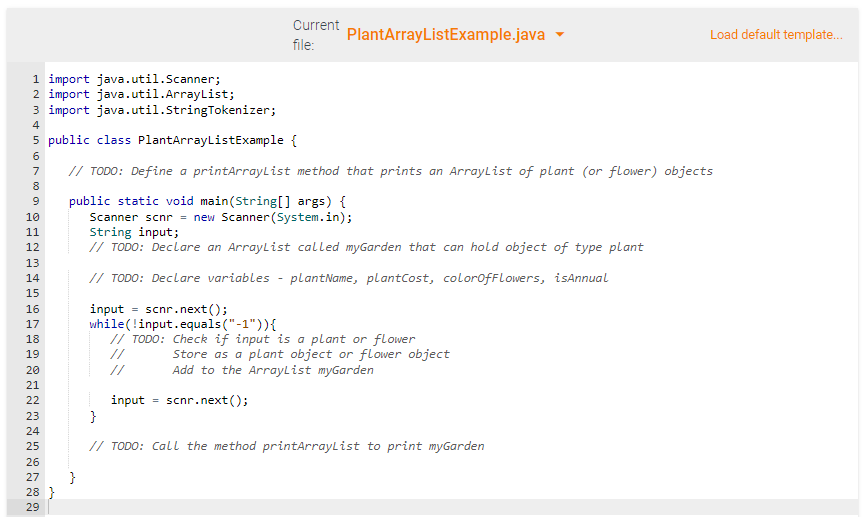
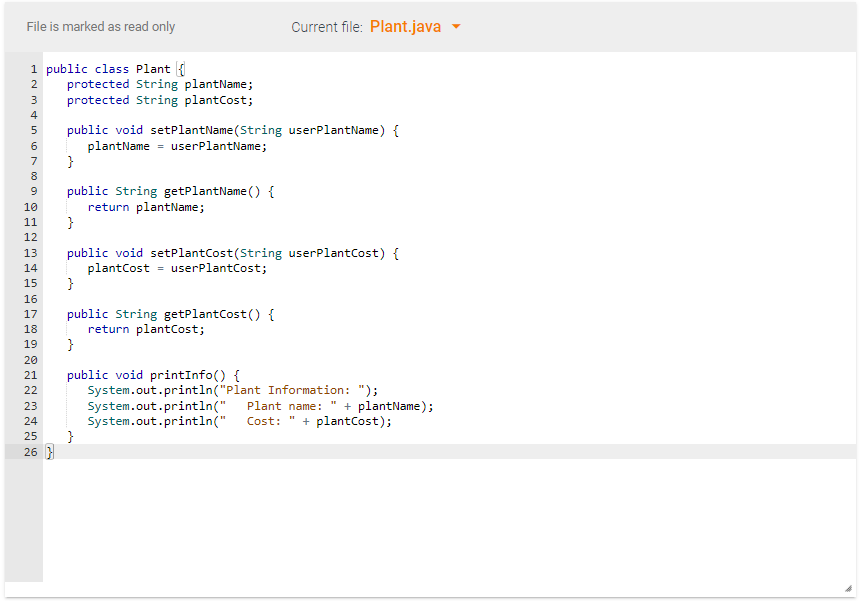
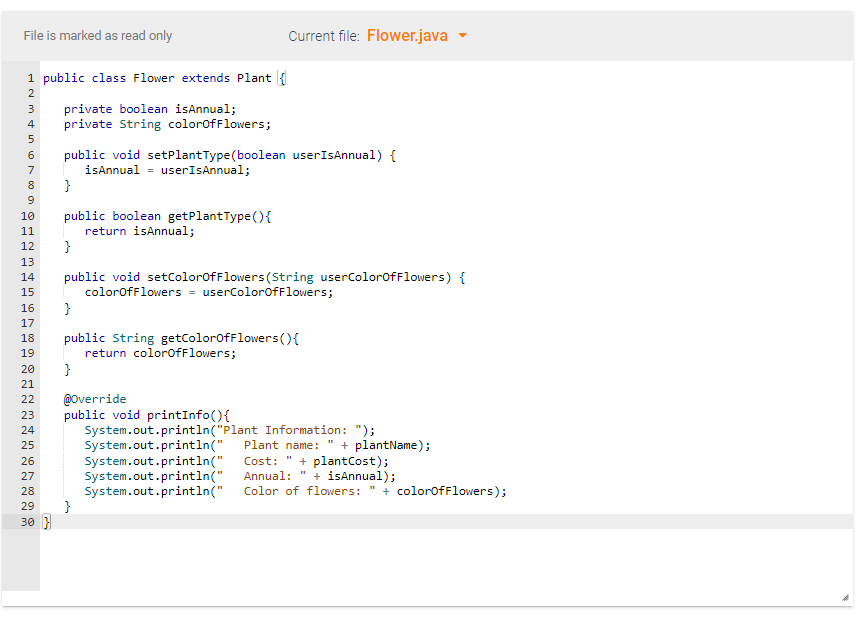
10.18 LAB: Plant information (ArrayList) Given a base Plant class and a derived Flower class, complete main() to create an ArrayList called myGarden. The ArrayList should be able to store objects that belong to the plant class or the Flower class. Create a method called printArrayList(), that uses the printinfo methods defined in the respective classes and prints each element in myGarden. The program should read plants or flowers from input (ending with -1), add each Plant or Flower to the myGarden ArrayList, and output each element in myGarden using the printinfo() method Ex. If the input is: plant Spirea 10 flower Hydrangea 30 false lilac flower Rose 6 false white plant Mint 4 - 1 the output is: Plant Information: Plant name: Spirea Cost: 10 Plant Information: Plant name: Hydrangea Cost: 30 Annual: false Color of flowers: lilac Plant Information: Plant name: Rose Cost: 6 Annual: false Color of flowers: white Plant Information: Plant name: Mint Cost: 4 Current file: PlantArrayListExample.java Load default template... 1 import java.util.Scanner; 2 import java.util.ArrayList; 3 import java.util.StringTokenizer; 4 6 7 8 9 10 11 12 13 14 5 public class PlantArrayListExample { // TODO: Define a printArrayList method that prints an ArrayList of plant (or flower) objects public static void main(String[] args) { Scanner scnr = new Scanner(System.in); String input; // TODO: Declare an ArrayList called myGarden that can hold object of type plant // TODO: Declare variables plantName, plantcost, colorOfFlowers, isAnnual 15 input = scnr.next(); while (!input.equals("-1")){ // TODO: Check if input is a plant or flower Store as a plant object or flower object Add to the ArrayList myGarden 16 17 18 19 20 21 22 23 24 25 26 27 28 } 29 input scnr.next(); } // TODO: Call the method printArrayList to print myGarden e } File is marked as read only Current file: Plant.java 1 public class Plant 1 2 protected String plantName; 3 protected String plantCost; public void setPlantName(String userPlantName) { plantName = userPlantName; } public String getPlantName() { return plantName; } 4 5 6 7 8 9 10 11 12 13 14 15 16 17 18 19 20 21 public void setPlantCost(String userPlantCost) { plantCost = userPlantcost; } public String getPlantCost() { return plant Cost; } public void printInfo() { System.out.println("Plant Information: "); System.out.println(" Plant name: + plantName); System.out.println(". Cost: " + plantCost); } 22 23 24 25 26 ) File is marked as read only Current file: Flower.java 1 public class Flower extends Plant 1 private boolean isAnnual; private String colorofFlowers; min 000 public void setPlantType(boolean userIsAnnual) { isAnnual - userIsAnnual; } public boolean getPlantType() { return isAnnual; } 2 3 4 5 6 7 8 9 10 11 12 13 14 15 16 17 18 19 20 21 22 23 24 25 26 27 28 29 30 ) public void setColorof Flowers (String userColorofFlowers) { colorofFlowers = userColorOfFlowers; } public String getcolorofFlowers() { return colorOfFlowers; } SNSAS @Override public void printInfo() { System.out.println("Plant Information: "); System.out.println(" Plant name: + plantName); System.out.println(" Cost: + plantCost); System.out.println(" Annual: + isAnnual); System.out.println(" Color of flowers: + colorofFlowers); } HI j
Step by Step Solution
There are 3 Steps involved in it

Get step-by-step solutions from verified subject matter experts
 Study Help