







Question: 11 Linux Labs Download VM e Workstat n 12 Player for persona a. Using your preferred Internet browser, navigate tohttps://www.vmware.com/products/player b. Scroll down to locate
11 Linux Labs Download VM e Workstat n 12 Player for persona a. Using your preferred Internet browser, navigate tohttps://www.vmware.com/products/player b. Scroll down to locate and dick the link to "Download Workstation 12 player for personal use (Figure 6-6) 2, Figure 6-6 This link will allow you to download vMware workstation 12 Player. Workstation 12 Player Free for Personal Use Workstat on t2Payer s licensed for commercial virtual machines. If you simply want to loam al home in a Source: VMware Workstation 12 player a. Click the "Download" button for the version that matchrs your operating system b. Perform an MD5 hash comparison on the dovunloaded file to verify its integrity. nstall VMware workstation 12 Player. 3. Download the Kali Linux VMware image from offensive Security: vigatce to https://www.offe referred Internet brow security.com/kalHinux-vmware-virtualboo-lmage-download/ b. Click the link to download either the 64-bit or 32-bit version, depending on your system specifications. (Freure -7) Figure 6-7 Download the Kali Linux VMware image version that works with your system specification Prebuilt Kali Linux VMware Images bet VM Torrent tit v Torrent 20s Source: O sive Seoul SHA1 hash he downloaded file to fy its integrity. b. Use zip to extract the files. 5. Load the Ka VM into VMware: Launch VMware Workstat on 12 player, b. click the option to "open a Virtual Machine C. Navigate to the cation of the extracted Kali Linux fold from Hands-on project 4 d. Locate and open the file Ral-Linux-2016. 6. Launch Kali Li VMware: Double-click "Kal-LAnux-2016,I-vm-omaxp" n VMware to play the virtual machine. [Figure 6-8) Username: root 7. Figure 6-8 Kali Linux launched in a. To shut down Kali Unux In VMware, click the power icon In the top right comer and select Power OI". b, Wait for the shutdown proces o complete before closing out of VMware Explore th a. Start Kali Linux In VMware. b. Select "Applications rom the top menu and explore the too available. c. Prepare a one-paragraph summarydetalling at least three tools that would be useful in a forensic investigation. Dxplain the use of each tool a. Start Kall LInux In VMware. b. Open a tel c, Run and document the output of the following commands: d. Prepare a one-paragraph summary detailing the output for each command. e. Use the help and to explore the syntax and options of the following commands: dd-help grep -help md5sum -help v. sha um -help vi. file-help f, Prepare a one-paragraph summary detailing the output and forensic use of each command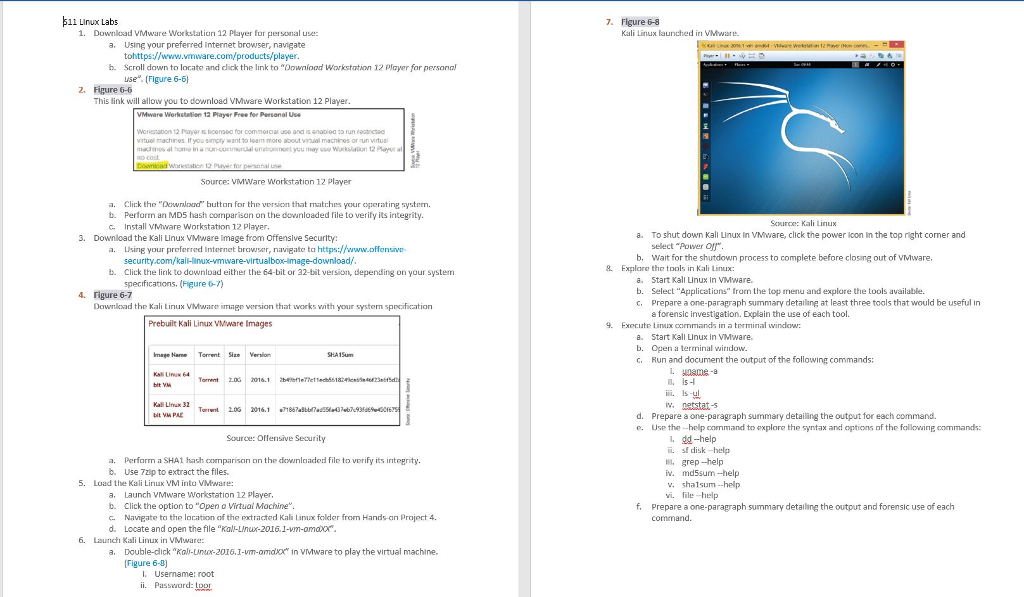
Linux Labs Download VMware Workstation 12 Player for personal use: Using your preferred Internet browser, navigate tohttps://www.vmware.com/products/player. Scroll down to locate and dick the link to "Download Workstation 12 player for personal use (Figure 6-6) Figure 6-6 This link will allow you to download VMware workstation 12 Player. Click the "Download" button for the version that matches your operating system. Perform an MD5 hash comparison on the downloaded file to verify its integrity. Install VMware workstation 12 Player. Download the Kali Linux VMware image from offensive Security: Using your preferred internet browser, naviagte to https://www.offensive.security.com/kali-linux-vmware-virtualboo-image-download/Click the link to download either the 64-bit or 32-bit version, depending on your system specifications. (Figure 6-7) Figure 6-7 Download the Kali Linux VMware image version that works with your system specification Perform a SHA1 hash comparison on the downloaded file to verify its integrity. Use zip to extract the files. Load the Ka VM into VMware: Launch VMware Workstation 12 player, click the option to "open a Virtual Machine. Navigate to the location of the extracted Kali Linux fold from Hands-on project 4 Locate and open the file "Kali-Linux-2016.1-vm-amdxx" Launch Kali Linux in VMware: Double-click "Kal-Linux-2016, 1-vm-omdxx" in VMware to play the virtual machine. [Figure 6-8] Username: root password: loor Figure 6-8 Kali Linux launched in VMware. To shut down Kali Linux in VMware, click the power icon in the top right corner and select Power Off". Wait for the shutdown process to complete before closing out of VMware. Explore the tool in Kali Linux: Start Kali Linux in VMware. Select "Applications icon the top menu and explore the tools available. Prepare a one-paragraph summary detailing at least three tools that would be useful in a forensic investigation. Explain the use of each tool Execute Linux commands in a terminal window: Start Kall Linux in VMware. Open a terminal window. Run and document the output of the following commands: uname-a is-l is-ul netstat-s Prepare a one-paragraph summary detailing the output for each command. Use the help and to explore the syntax and options of the following commands: dd-help sl disk-help grep -help md5sum -help shalsum -help file-help Prepare a one-paragraph summary detailing the output and forensic use of each command. Linux Labs Download VMware Workstation 12 Player for personal use: Using your preferred Internet browser, navigate tohttps://www.vmware.com/products/player. Scroll down to locate and dick the link to "Download Workstation 12 player for personal use (Figure 6-6) Figure 6-6 This link will allow you to download VMware workstation 12 Player. Click the "Download" button for the version that matches your operating system. Perform an MD5 hash comparison on the downloaded file to verify its integrity. Install VMware workstation 12 Player. Download the Kali Linux VMware image from offensive Security: Using your preferred internet browser, naviagte to https://www.offensive.security.com/kali-linux-vmware-virtualboo-image-download/Click the link to download either the 64-bit or 32-bit version, depending on your system specifications. (Figure 6-7) Figure 6-7 Download the Kali Linux VMware image version that works with your system specification Perform a SHA1 hash comparison on the downloaded file to verify its integrity. Use zip to extract the files. Load the Ka VM into VMware: Launch VMware Workstation 12 player, click the option to "open a Virtual Machine. Navigate to the location of the extracted Kali Linux fold from Hands-on project 4 Locate and open the file "Kali-Linux-2016.1-vm-amdxx" Launch Kali Linux in VMware: Double-click "Kal-Linux-2016, 1-vm-omdxx" in VMware to play the virtual machine. [Figure 6-8] Username: root password: loor Figure 6-8 Kali Linux launched in VMware. To shut down Kali Linux in VMware, click the power icon in the top right corner and select Power Off". Wait for the shutdown process to complete before closing out of VMware. Explore the tool in Kali Linux: Start Kali Linux in VMware. Select "Applications icon the top menu and explore the tools available. Prepare a one-paragraph summary detailing at least three tools that would be useful in a forensic investigation. Explain the use of each tool Execute Linux commands in a terminal window: Start Kall Linux in VMware. Open a terminal window. Run and document the output of the following commands: uname-a is-l is-ul netstat-s Prepare a one-paragraph summary detailing the output for each command. Use the help and to explore the syntax and options of the following commands: dd-help sl disk-help grep -help md5sum -help shalsum -help file-help Prepare a one-paragraph summary detailing the output and forensic use of each command
Step by Step Solution
There are 3 Steps involved in it

Get step-by-step solutions from verified subject matter experts
 Study Help