







Question: 11. Using the circle icon, you should type before the diameter value. 12. The Tangent, Tangent, Radius option for a circle requires 13. The polygon
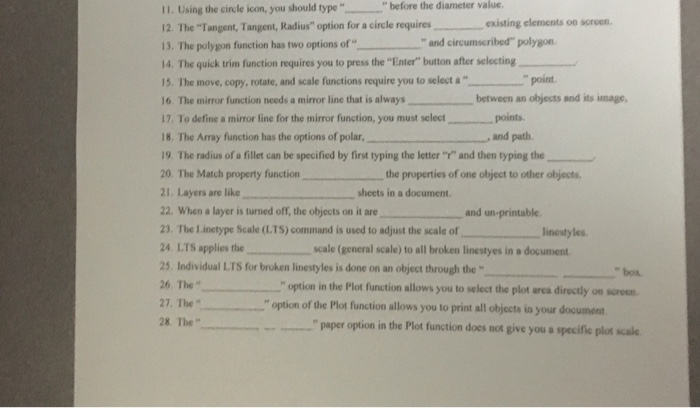
11. Using the circle icon, you should type before the diameter value. 12. The "Tangent, Tangent, Radius" option for a circle requires 13. The polygon function has two options of 14. The quick trim function requires you to press the "Enter" button after selecting 15. Ihe move, copy, rotate, and scale functions require you to select a point. 16 The mirror function needs a mirror line that is always between an otjects and its image, 17. To define a mirror line for the mirror function, you must select points. 18. The Array function has the options of polar, 19. The radius of a fillet can be specified by first typing the letter "" and then typing the 20, The Match property function the properties of one object to other objects. 21. Layers are like 22. When a layer is turned om, the objects on it are 23. The Linetype Scale (LTS) command is used to adjust the scale of 24 LTS applies the scale (general scale) to all broken linestyes in document 25. Individual LTS for broken linestyles is done on an object through the 26 The " 27, The " 28. The" existing elements on scren and circumscribed" polygon , and path sheets in a document. and un-printable. linestyles "box " option in the Plot function allows you to select the plot area directly on scrocn "option of the Plot function allows you to print all objects in your document ion in the Plot function does not give you a specific plot scale
Step by Step Solution
There are 3 Steps involved in it

Get step-by-step solutions from verified subject matter experts
 Study Help