



Question: 11. We will use a simulator mlfq.py to see how MLFQ behaves. The simulator and README can be found on this page: http://pages.cs.wisc.edu/remzi/OSTEP/Homework/homework.html. The simulator
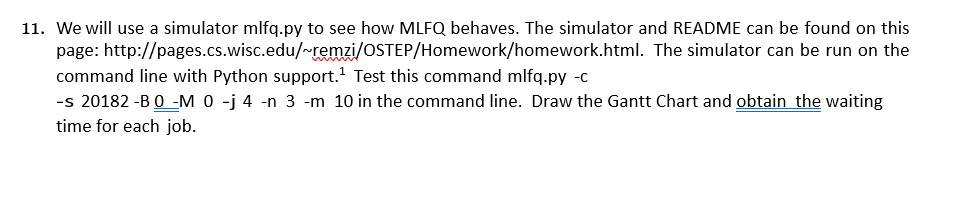
11. We will use a simulator mlfq.py to see how MLFQ behaves. The simulator and README can be found on this page: http://pages.cs.wisc.edu/remzi/OSTEP/Homework/homework.html. The simulator can be run on the command line with Python support.1 Test this command mlfq.py -c s 20182 -B0-M 0 -j 4 -n 3 -m 10 in the command line. Draw the Gantt Chart and obtain the waiting time for each job. 11. We will use a simulator mlfq.py to see how MLFQ behaves. The simulator and README can be found on this page: http://pages.cs.wisc.edu/remzi/OSTEP/Homework/homework.html. The simulator can be run on the command line with Python support.1 Test this command mlfq.py -c s 20182 -B0-M 0 -j 4 -n 3 -m 10 in the command line. Draw the Gantt Chart and obtain the waiting time for each job
Step by Step Solution
There are 3 Steps involved in it

Get step-by-step solutions from verified subject matter experts