







Question: 111/p4umberMach.html and numberMach.js . A) Create a Number Machine web page, with this xkcd image on it: B) Add a factorial button to the Number
111/p4umberMach.html and numberMach.js.
A) Create a Number Machine web page, with this xkcd image on it: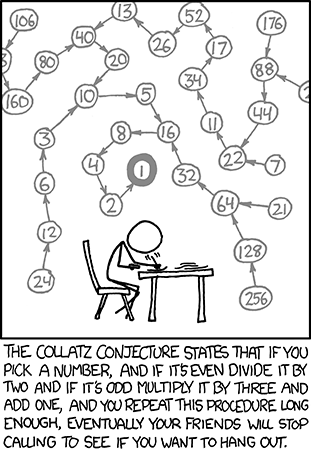
B) Add a factorial button to the Number Machine. C) Add an n choose k button to the Number Machine. D) Add a factorization button to the Number Machine
E) Add a prime? button to the Number Machine The results of the above buttons should display in a separate
div, similar to the String Machine.
factorial should display: N! = XXX - where N is the input number and XXX is the result of calling the factorial() function with N.
n choose k should display: There are XXX possible combinations of choosing K items out of N total. N and K are the inputs to the nChooseK() function and XXX is the result.
factorization should display: [ ... ] are the factors of N.
prime? should display: N is/is not a Prime number.
13 52 76 40 26 88 /60 44 16 (60 64 2I 128 256 PICK ANUMBER, AND F TSEMEN DIVIDE ITBY TWO AND IF ITS ODD MULTIPLY ITBY THREE AND ADD ONE AND YOUREPEAT THIS PROCEDURE LONG ENOUGH, EVENTUALLY YOUR FRIENDS WLL STOP CALUNG TO SEE IF YOU WANT TO HANG OUT
Step by Step Solution
There are 3 Steps involved in it

Get step-by-step solutions from verified subject matter experts
 Study Help