



Question: 12 A 1 Practice 12 (e use the symbols in the margin to expand question details; use the symbol to hide detalls) 2 1 Function
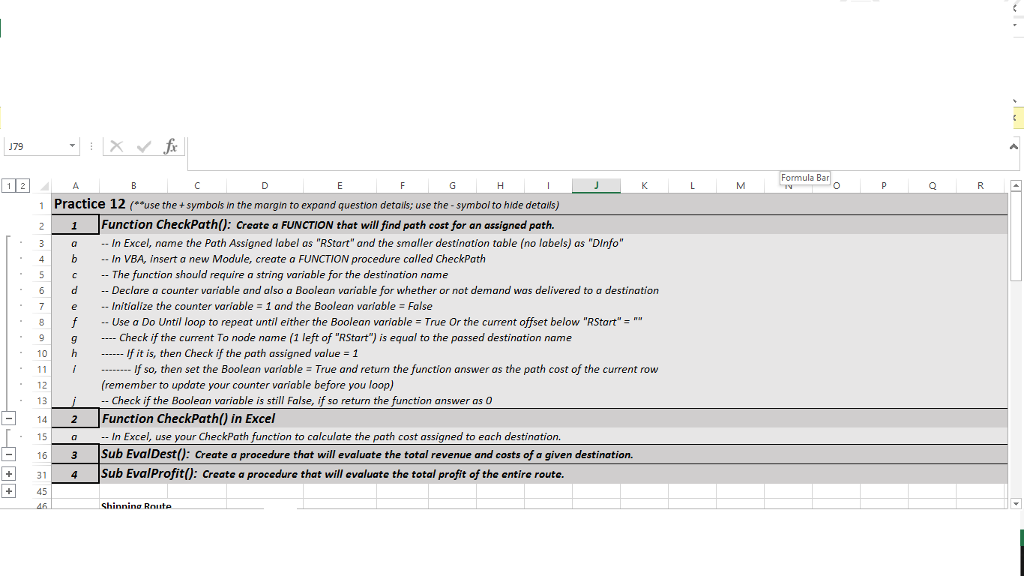
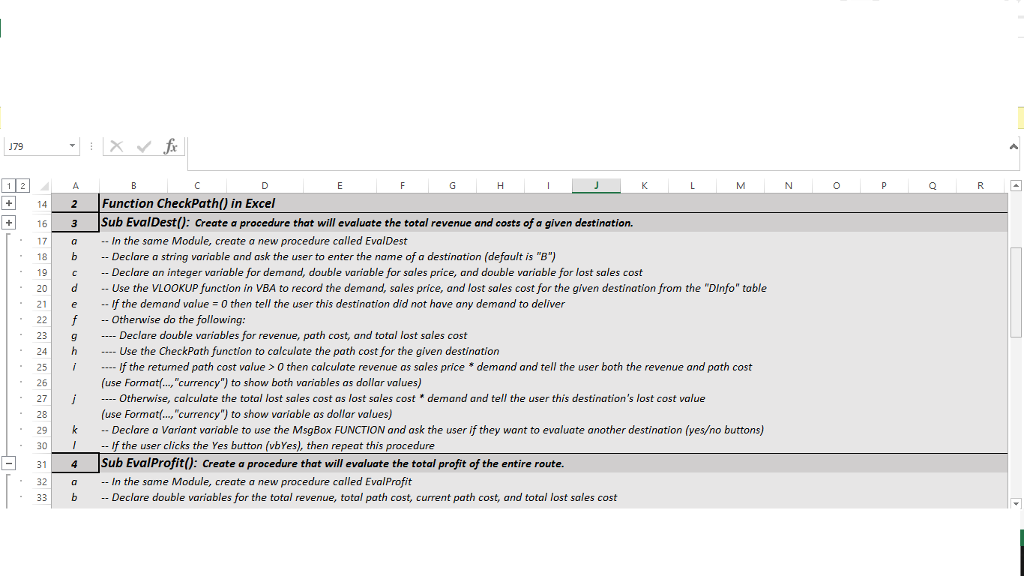
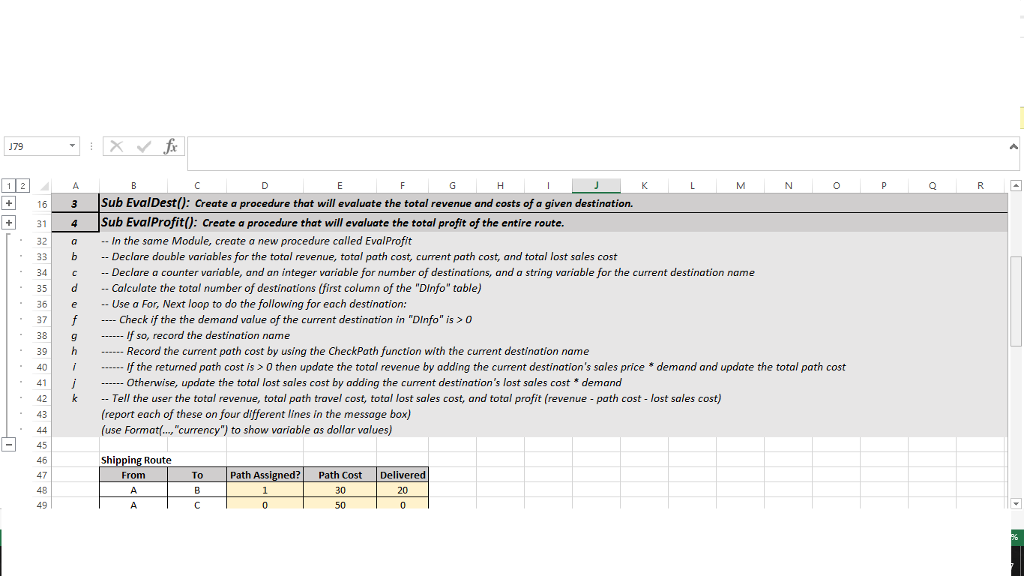
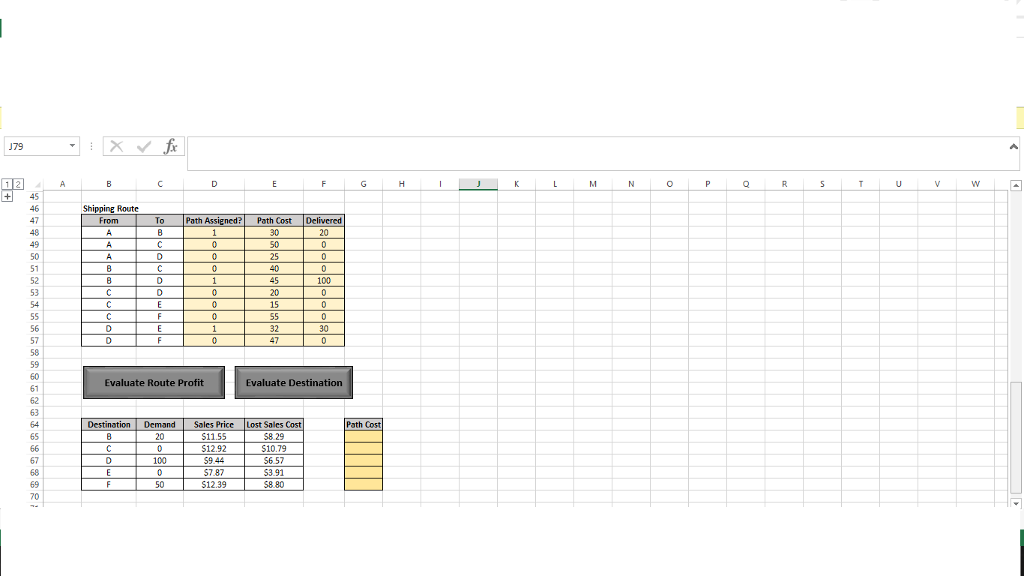
12 A 1 Practice 12 (e use the symbols in the margin to expand question details; use the symbol to hide detalls) 2 1 Function CheckPathl): create a FUNCTION that will find path cost for an assigned path. a In Excel, name the Path Assigned label as "RStart" and the smaller destination table (no labels) as "DInfo" 4 b In VBA, insert a new Module, create a FUNCTION procedure called CheckPath The function should require a string variable for the destination name 6 d Declare a counter variable and also a Boolean variable for whether or not demand was delivered to a destination e Initialize the counter variable 1 and the Boolean variable False f Use a Do Until loop to repeat until either the Boolean variable True or the current offset below "RStart" Check if the current To node name (1 left of "RStart') is equal to the passed destination name h If it is, then Check if the path assigned value -1 10 If so, then set the Boolean variable True and return the function answer as the path cost of the current row (remember to update your counter variable before you loop) 12 Check if the Boolean variable is still False, if so return the function answer as 0 13 14 2 Function checkpath() in Excel use your CheckPath function to calculate the path cost assigned to each destination 15 n Excel 16 3 Sub EvalDestU: Create a procedure that will evaluate the total revenue and costs of a given destination. 4 Sub Eval Profit0: create a procedure that will evaluate the total profit of the entire route. 45 Shinning Route ormula B
Step by Step Solution
There are 3 Steps involved in it

Get step-by-step solutions from verified subject matter experts