



Question: 13ab0c&launchCode=q... # O - 0x SIMS 2 Share 1.00 Point: XL Step 5.4.2: Create a P ivotTable from Related Tables From within the dataset on
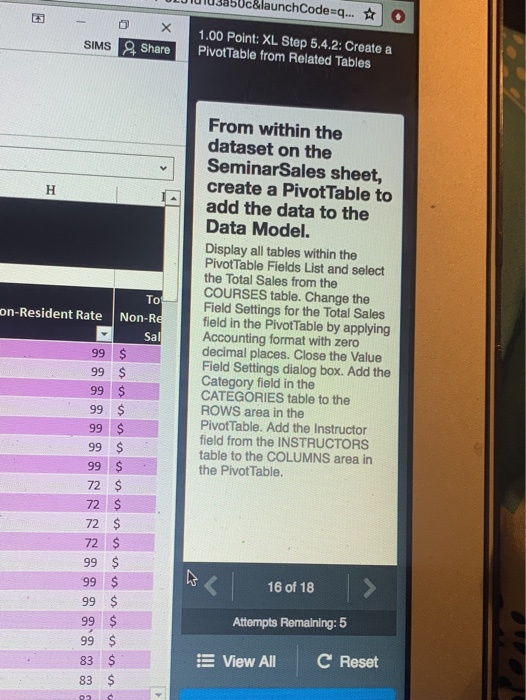
13ab0c&launchCode=q... # O - 0x SIMS 2 Share 1.00 Point: XL Step 5.4.2: Create a P ivotTable from Related Tables From within the dataset on the SeminarSales sheet, create a Pivot Table to add the data to the Data Model. Display all tables within the Pivot Table Fields List and select the Total Sales from the COURSES table. Change the Field Settings for the Total Sales field in the PivotTable by applying Accounting format with zero decimal places. Close the Value Field Settings dialog box. Add the Category field in the CATEGORIES table to the ROWS area in the Pivot Table. Add the Instructor field from the INSTRUCTORS table to the COLUMNS area in the Pivot Table. on-Resident Rate Non-Re Sal 99 $ 99 $ 99 $ 99 $ 72 $ 99 $ 99 $ 99 $ 99 $ ho 16 of 18 > Attempts Remaining: 5 83 $ View All C Reset 13ab0c&launchCode=q... # O - 0x SIMS 2 Share 1.00 Point: XL Step 5.4.2: Create a P ivotTable from Related Tables From within the dataset on the SeminarSales sheet, create a Pivot Table to add the data to the Data Model. Display all tables within the Pivot Table Fields List and select the Total Sales from the COURSES table. Change the Field Settings for the Total Sales field in the PivotTable by applying Accounting format with zero decimal places. Close the Value Field Settings dialog box. Add the Category field in the CATEGORIES table to the ROWS area in the Pivot Table. Add the Instructor field from the INSTRUCTORS table to the COLUMNS area in the Pivot Table. on-Resident Rate Non-Re Sal 99 $ 99 $ 99 $ 99 $ 72 $ 99 $ 99 $ 99 $ 99 $ ho 16 of 18 > Attempts Remaining: 5 83 $ View All C Reset
Step by Step Solution
There are 3 Steps involved in it

Get step-by-step solutions from verified subject matter experts