







Question: 14. Click your name- Add shape below- Guy Beauchamp. 15. Add shape After-Luyin Wu.. 16. Click Balwinder Rai- Add Shape below - Keri- Ann Mahar
14. Click your name- Add shape below- Guy Beauchamp. 15. Add shape After-Luyin Wu.. 16. Click Balwinder Rai- Add Shape below - Keri- Ann Mahar always click the box above before clicking standard ..17. Ensure Standard Layout..18. To add a staff position(Controller), insert shape- rectangle. Key names, titles...19. To show a dotted- line reporting relationship between two shapes, right click line styles, and then click the Dash type that you want. Place... 20. Change the Smartart style if you wish. Design tab...21. Change Colours- Click Arrow.
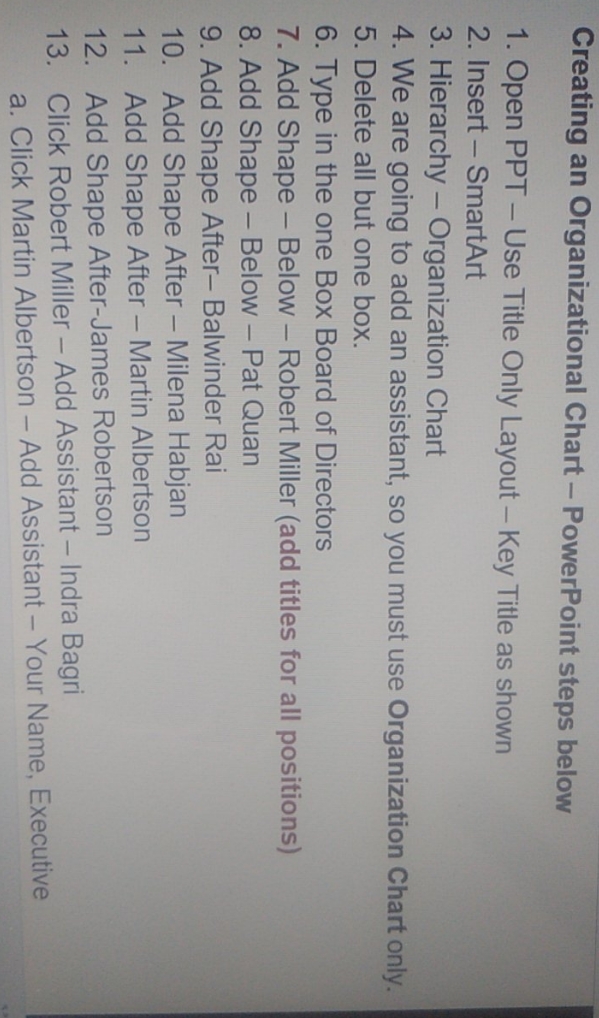
Creating an Organizational Chart - PowerPoint steps below 1. Open PPT - Use Title Only Layout - Key Title as shown 2. Insert - SmartArt 3. Hierarchy - Organization Chart 4. We are going to add an assistant, so you must use Organization Chart only. 5. Delete all but one box. 6. Type in the one Box Board of Directors 7. Add Shape - Below - Robert Miller (add titles for all positions) 8. Add Shape - Below - Pat Quan 9. Add Shape After- Balwinder Rai 10. Add Shape After - Milena Habjan 11. Add Shape After - Martin Albertson 12. Add Shape After-James Robertson 13. Click Robert Miller - Add Assistant - Indra Bagri a. Click Martin Albertson - Add Assistant - Your Name, Executive
Step by Step Solution
There are 3 Steps involved in it

Get step-by-step solutions from verified subject matter experts
 Study Help