







Question: (1.6 Calculate the flexible spending deduction. a. Reference the appropriate cell in the employee information section of the model. b. Notice that the flexible spending
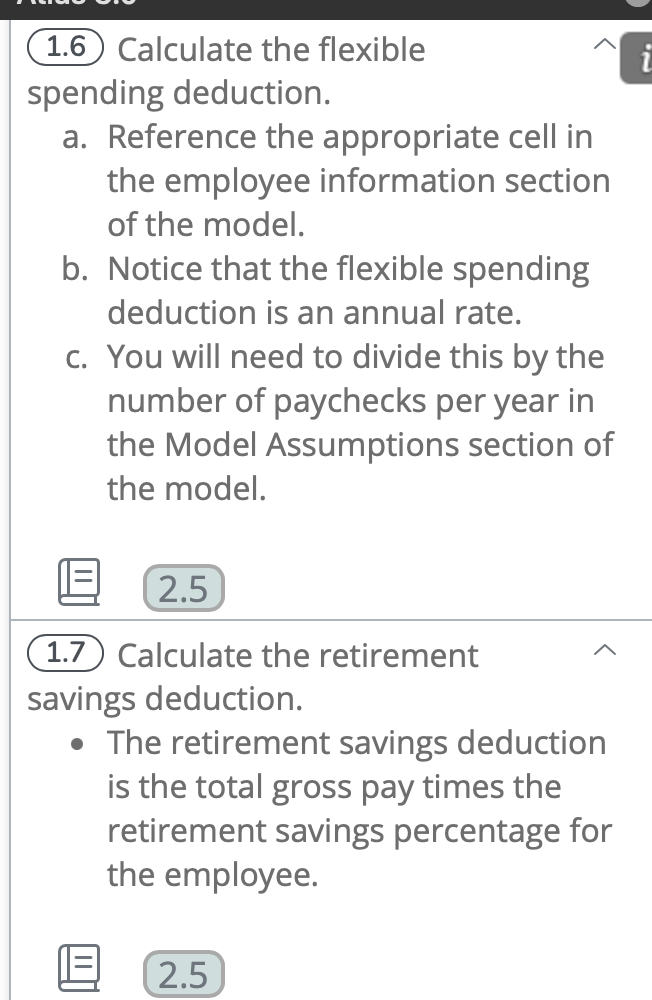
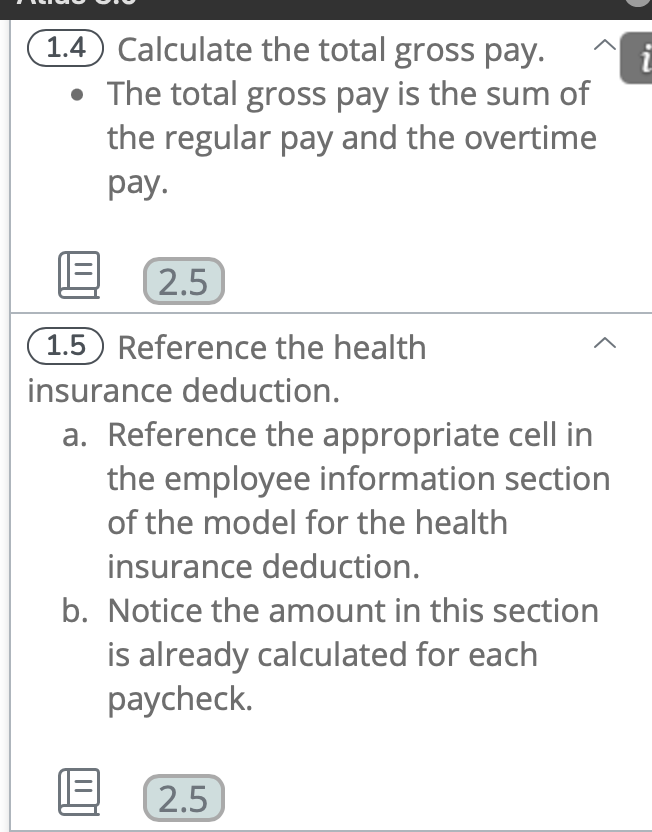
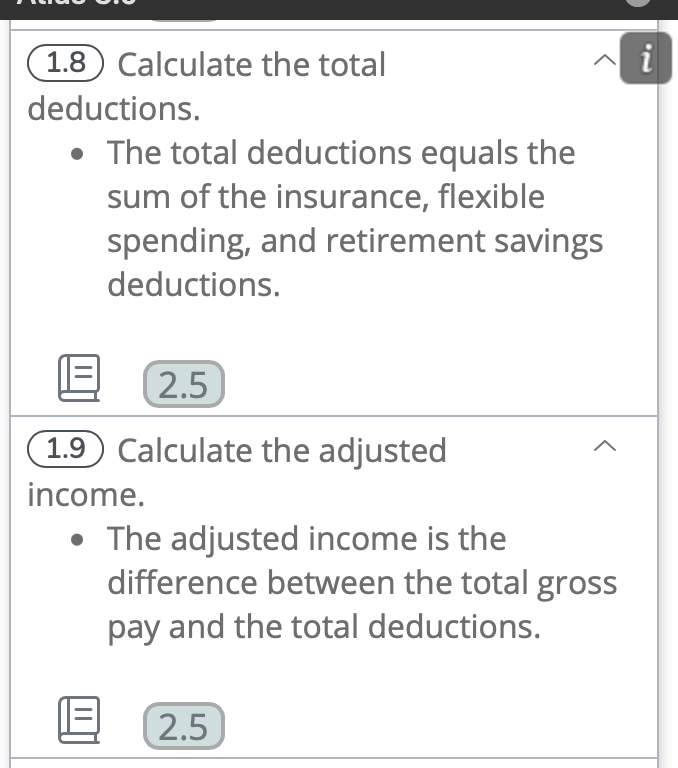
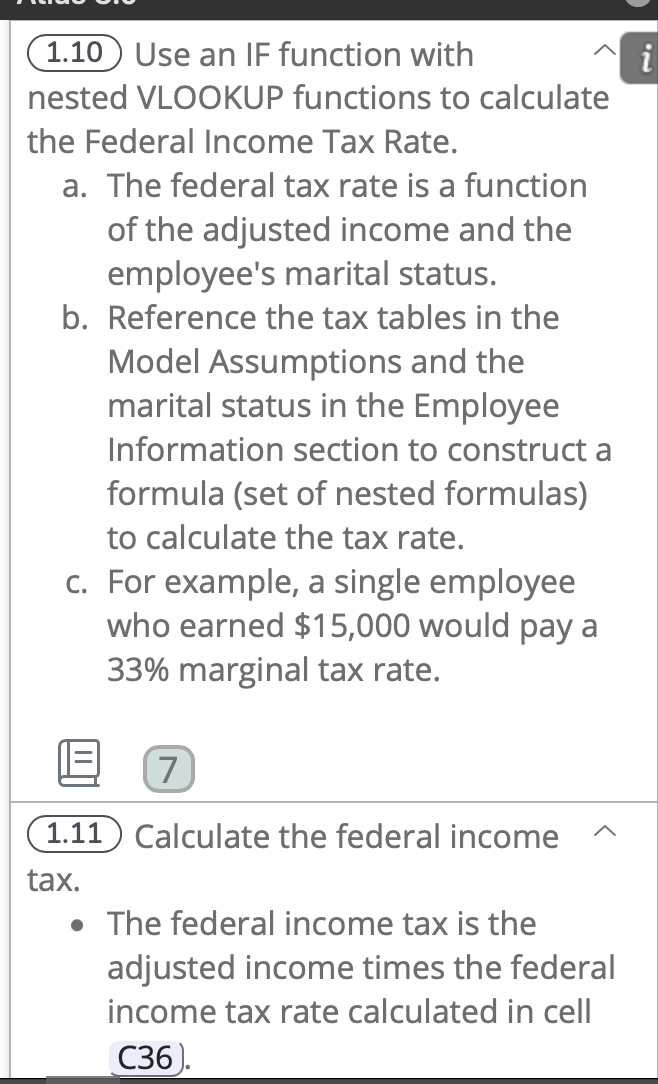
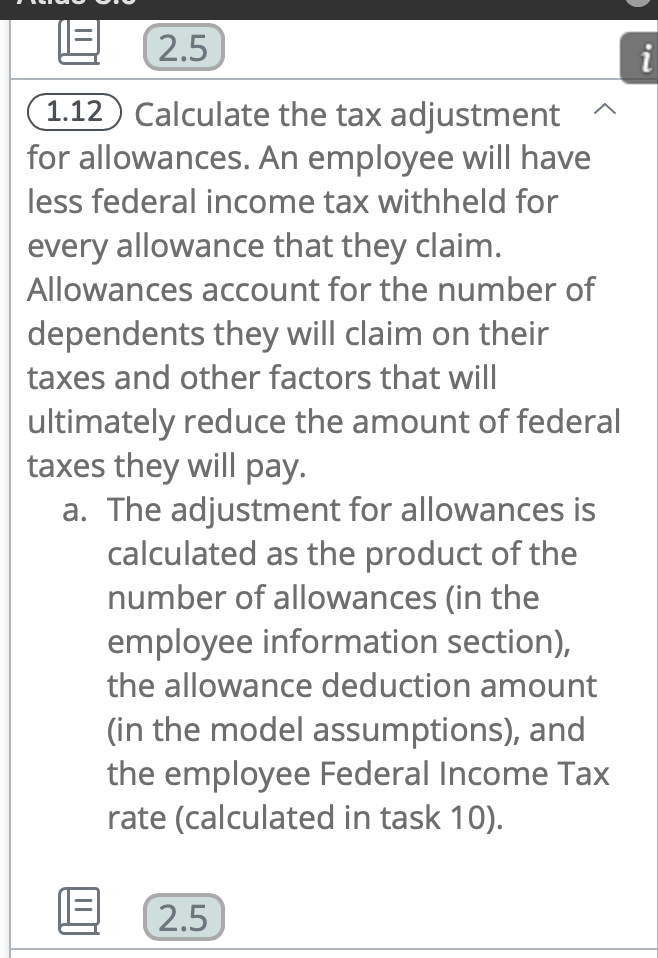
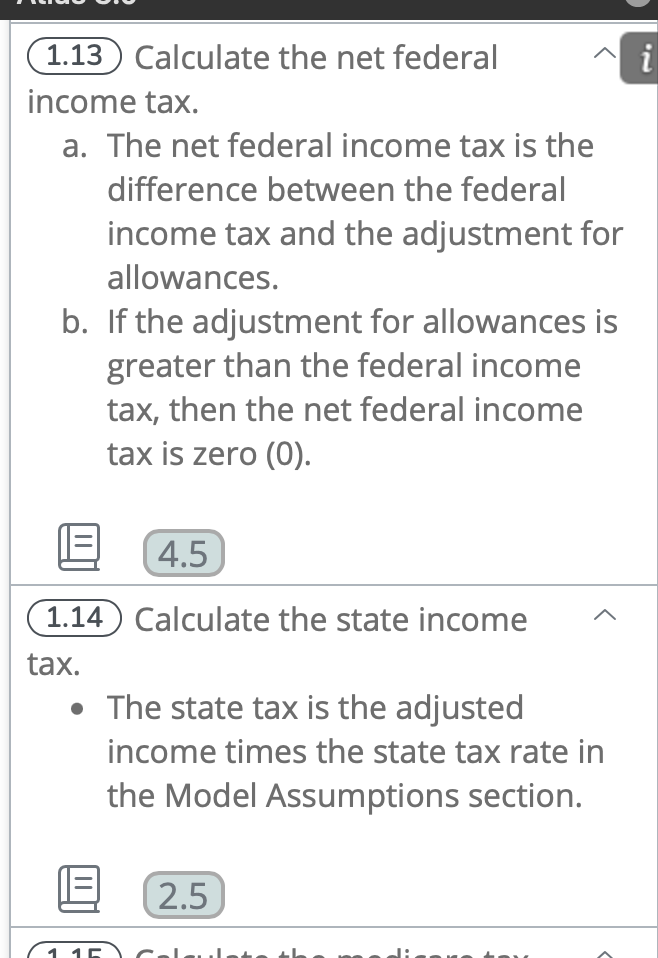
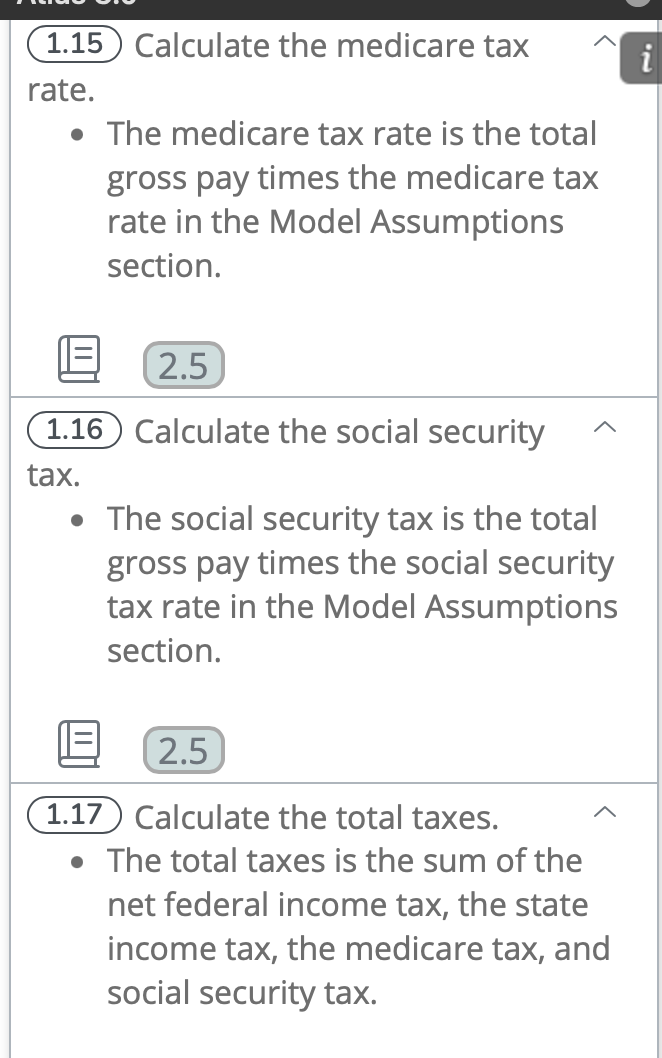
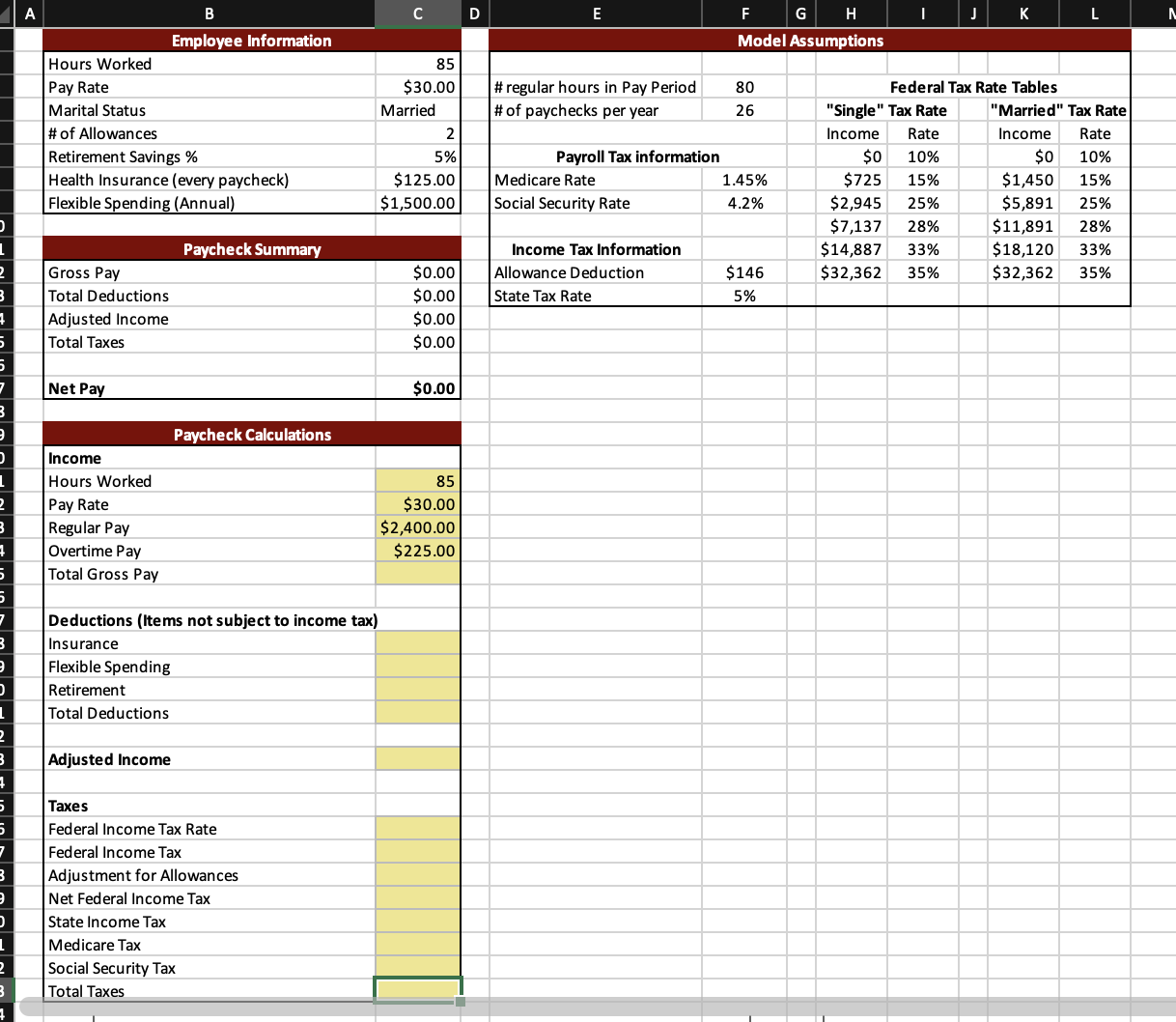
(1.6 Calculate the flexible spending deduction. a. Reference the appropriate cell in the employee information section of the model. b. Notice that the flexible spending deduction is an annual rate. c. You will need to divide this by the number of paychecks per year in the Model Assumptions section of the model. (1.7) Calculate the retirement savings deduction. - The retirement savings deduction is the total gross pay times the retirement savings percentage for the employee. (1.4) Calculate the total gross pay. - The total gross pay is the sum of the regular pay and the overtime pay. (1.5) Reference the health insurance deduction. a. Reference the appropriate cell in the employee information section of the model for the health insurance deduction. b. Notice the amount in this section is already calculated for each paycheck. (1.8 Calculate the total deductions. - The total deductions equals the sum of the insurance, flexible spending, and retirement savings deductions. (1.9 Calculate the adjusted income. - The adjusted income is the difference between the total gross pay and the total deductions. (1.10 Use an IF function with nested VLOOKUP functions to calculate the Federal Income Tax Rate. a. The federal tax rate is a function of the adjusted income and the employee's marital status. b. Reference the tax tables in the Model Assumptions and the marital status in the Employee Information section to construct a formula (set of nested formulas) to calculate the tax rate. c. For example, a single employee who earned $15,000 would pay a 33% marginal tax rate. 1.11 Calculate the federal income tax. - The federal income tax is the adjusted income times the federal income tax rate calculated in cell (36). (1.12 Calculate the tax adjustment for allowances. An employee will have less federal income tax withheld for every allowance that they claim. Allowances account for the number of dependents they will claim on their taxes and other factors that will ultimately reduce the amount of federal taxes they will pay. a. The adjustment for allowances is calculated as the product of the number of allowances (in the employee information section), the allowance deduction amount (in the model assumptions), and the employee Federal Income Tax rate (calculated in task 10 ). (1.13 Calculate the net federal income tax. a. The net federal income tax is the difference between the federal income tax and the adjustment for allowances. b. If the adjustment for allowances is greater than the federal income tax, then the net federal income tax is zero (0). (1.14 Calculate the state income tax. - The state tax is the adjusted income times the state tax rate in the Model Assumptions section. (1.15 Calculate the medicare tax rate. - The medicare tax rate is the total gross pay times the medicare tax rate in the Model Assumptions section. (1.16 Calculate the social security tax. - The social security tax is the total gross pay times the social security tax rate in the Model Assumptions section. (1.17 Calculate the total taxes. - The total taxes is the sum of the net federal income tax, the state income tax, the medicare tax, and social security tax. A B C D E F G H I J L Model Assumptions \begin{tabular}{|l|r|} \hline Hours Worked & 85 \\ \hline Pay Rate & $30.00 \\ \hline Marital Status & Married \\ \hline \# of Allowances & 2 \\ Retirement Savings \% & $125.00 \\ \hline Health Insurance (every paycheck) & $1,500.00 \\ \hline Flexible Spending (Annual) & \end{tabular} \begin{tabular}{|l|r|r|r|r|r|r|} \hline & & & & & \\ \hline & \# regular hours in Pay Period & 80 & & \multicolumn{3}{|c|}{ Federal Tax Rate Tables } \\ \hline \multicolumn{1}{|c|}{ \# of paychecks per year } & 26 & & "Single" Tax Rate & \multicolumn{1}{|c|}{ "Married" Tax Rate } \\ \multicolumn{1}{|c|}{ Payroll Tax information } & & Income & Rate & Income & Rate \\ \hline Medicare Rate & 1.45% & $0 & 10% & $0 & 10% \\ \hline Social Security Rate & 4.2% & $2,945 & 25% & $5,891 & 25% \\ \hline \multicolumn{1}{|c|}{ Income Tax Information } & & $7,137 & 28% & $11,891 & 28% \\ \hline Allowance Deduction & $146 & $32,362 & 35% & $32,362 & 35% \\ \hline State Tax Rate & 5% & & & & & \\ \hline \end{tabular} \begin{tabular}{|l|r|} \hline \multicolumn{2}{|c|}{ Paycheck Summary } \\ \hline Gross Pay & $0.00 \\ \hline Total Deductions & $0.00 \\ \hline Adjusted Income & $0.00 \\ \hline Total Taxes & $0.00 \\ \hline Net Pay & $0.00 \\ \hline \end{tabular} \begin{tabular}{|l|} \hline \multicolumn{1}{|c|}{ Paycheck Calculations } \\ \hline Income \\ Hours Worked \\ Pay Rate \\ Regular Pay \\ Overtime Pay \\ Total Gross Pay \\ \hline Deductions (Items not subject to income tax) \\ \hline Insurance \\ \hline Flexible Spending \\ \hline Retirement \\ \hline Total Deductions \\ \hline Adjusted Income \\ \hline Taxes \\ \hline Federal Income Tax Rate \\ \hline Federal Income Tax \\ \hline Adjustment for Allowances \\ \hline Net Federal Income Tax \\ \hline State Income Tax \\ Medicare Tax \\ \hline Social Security Tax \\ \hline Total Taxes \\ \hline \end{tabular} \begin{tabular}{|r|} \hline 85 \\ $30.00 \\ $2,400.00 \\ $225.00 \\ \hline \end{tabular}
Step by Step Solution
There are 3 Steps involved in it

Get step-by-step solutions from verified subject matter experts
 Study Help