





Question: 16. Match each time entry with its serial decimal number. Create Customized Conditional Formatting Rules 17. Identify the inaccurate statement regarding conditional formatting. A. When
16. Match each time entry with its serial decimal

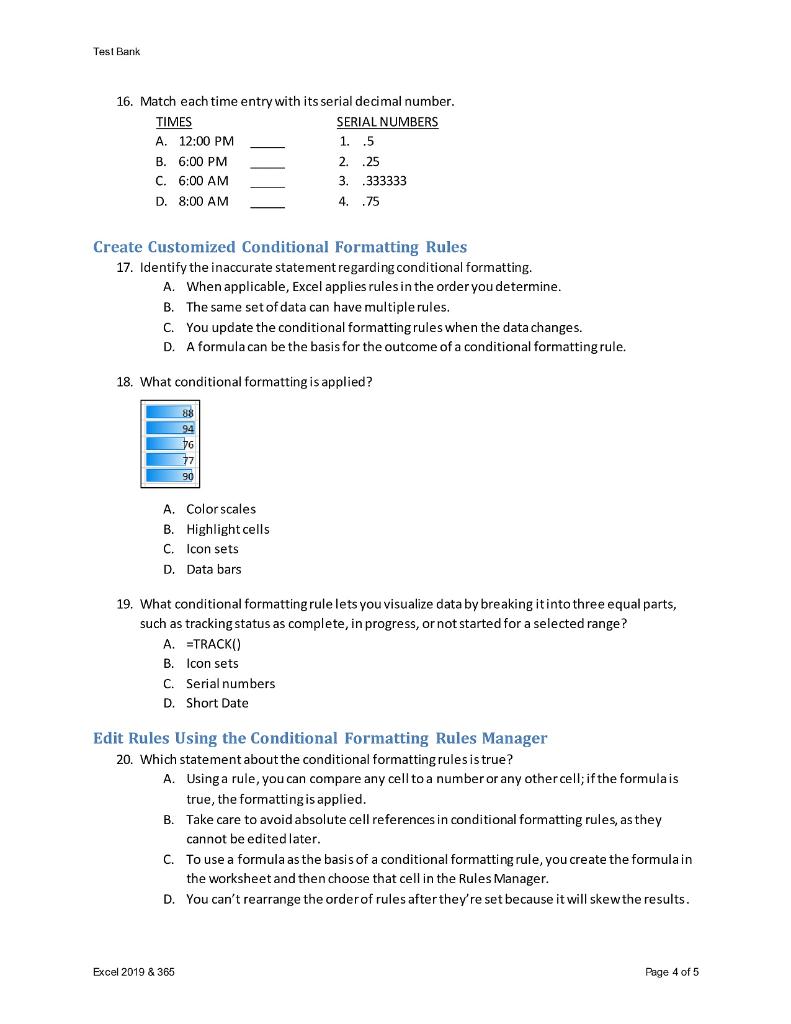
16. Match each time entry with its serial decimal number. Create Customized Conditional Formatting Rules 17. Identify the inaccurate statement regarding conditional formatting. A. When applicable, Excel applies rules in the order you determine. B. The same set of data can have multiple rules. C. You update the conditional formatting rules when the data changes. D. A formula can be the basis for the outcome of a conditional formatting rule. 18. What conditional formatting is applied? A. Colorscales B. Highlight cells C. Icon sets D. Data bars 19. What conditional formatting rule lets you visualize data by breaking it into three equal parts, such as tracking status as complete, in progress, or not started for a selected range? A. =TRACK() B. Icon sets C. Serial numbers D. Short Date Edit Rules Using the Conditional Formatting Rules Manager 20. Which statement about the conditional formatting rules is true? A. Using a rule, you can compare any cell to a number or any other cell; if the formula is true, the formatting is applied. B. Take care to avoid absolute cell references in conditional formatting rules, as they cannot be edited later. C. To use a formula as the basis of a conditional formatting rule, you create the formula in the worksheet and then choose that cell in the Rules Manager. D. You can't rearrange the order of rules after they're set because it will skew the results

Step by Step Solution

There are 3 Steps involved in it

1 Expert Approved Answer
Step: 1 Unlock blur-text-image

Question Has Been Solved by an Expert!

Get step-by-step solutions from verified subject matter experts

Step: 2 Unlock
Step: 3 Unlock

Students Have Also Explored These Related General Management Questions!