







Question: 18. Turtle Graphics: Hypnotic Pattern Use a loop with the turtle graphics library to draw the design shown in Figure 4-15 On Python code with
18. Turtle Graphics: Hypnotic Pattern
Use a loop with the turtle graphics library to draw the design shown in Figure 4-15 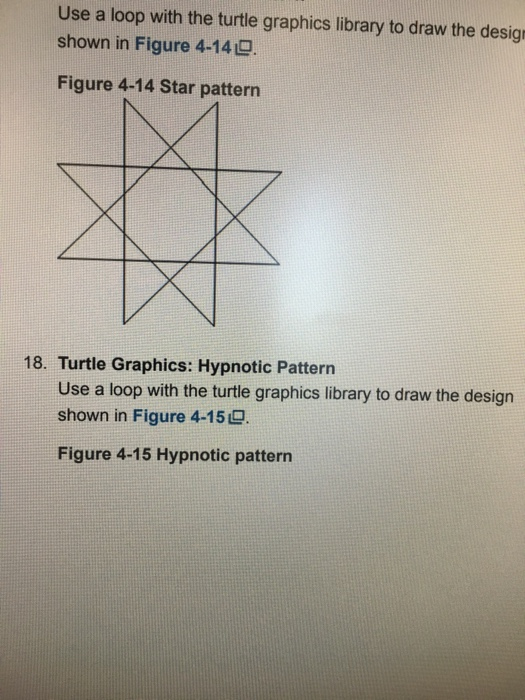
On Python code with Turtle
18. Turtle Graphics: Hypnotic Pattern
use a loop with the turtle graphics library to draw the design shown in Figure 4-15
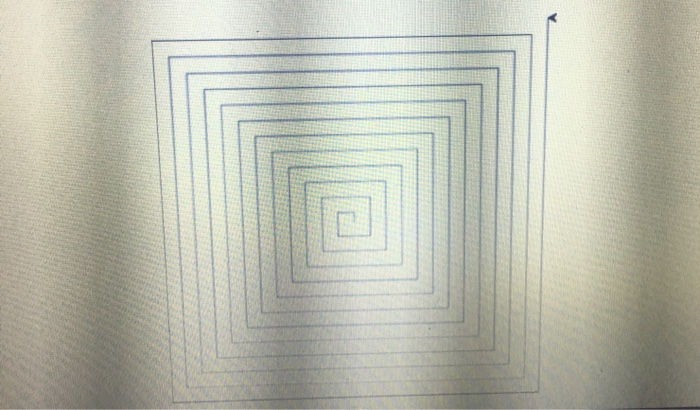
Use a loop with the turtle graphics library to draw the design shown in Figure 4-140. Figure 4-14 Star pattern 18. Turtle Graphics: Hypnotic Pattern Use a loop with the turtle graphics library to draw the design shown in Figure 4-159 Figure 4-15 Hypnotic pattern 18. Turtle Graphics: Hypnotic Pattern Use a loop with the turtle graphics library to draw the design shown in Figure 4-150 Figure 4-15 Hypnotic pattern
Step by Step Solution
There are 3 Steps involved in it
1 Expert Approved Answer
Step: 1 Unlock

Question Has Been Solved by an Expert!
Get step-by-step solutions from verified subject matter experts
Step: 2 Unlock
Step: 3 Unlock
 Study Help