







Question: 1.copying content ( text file ) 2.pasting content (Into another section of document) 3 cut (delete ) content 4 getting help in windows 5undo an
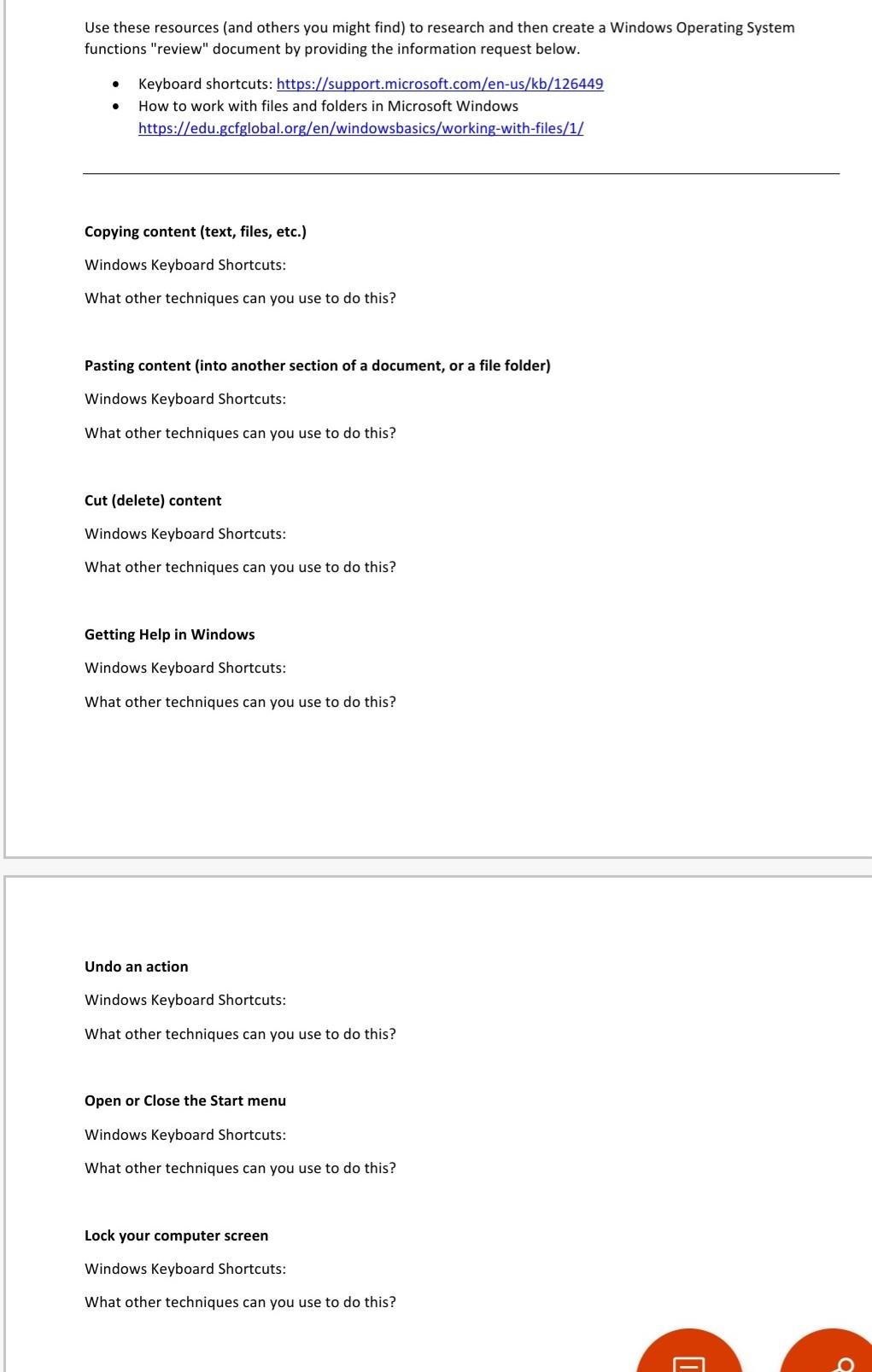
1.copying content ( text file ) 2.pasting content (Into another section of document) 3 cut (delete ) content 4 getting help in windows 5undo an action 6 open or close the start menu 7 lock your computer screen
windows keyboard shortcuts what other techniques can be used on the above questions.
Use these resources (and others you might find) to research and then create a Windows Operating System functions "review" document by providing the information request below. - Keyboard shortcuts: https://support.microsoft.com/en-us/kb/126449 - How to work with files and folders in Microsoft Windows https://edu.gcfglobal.org/en/windowsbasics/working-with-files/1/ Copying content (text, files, etc.) Windows Keyboard Shortcuts: What other techniques can you use to do this? Pasting content (into another section of a document, or a file folder) Windows Keyboard Shortcuts: What other techniques can you use to do this? Cut (delete) content Windows Keyboard Shortcuts: What other techniques can you use to do this? Getting Help in Windows Windows Keyboard Shortcuts: What other techniques can you use to do this? Undo an action Windows Keyboard Shortcuts: What other techniques can you use to do this? Open or Close the Start menu Windows Keyboard Shortcuts: What other techniques can you use to do this? Lock your computer screen Windows Keyboard Shortcuts: What other techniques can you use to do this? Use these resources (and others you might find) to research and then create a Windows Operating System functions "review" document by providing the information request below. - Keyboard shortcuts: https://support.microsoft.com/en-us/kb/126449 - How to work with files and folders in Microsoft Windows https://edu.gcfglobal.org/en/windowsbasics/working-with-files/1/ Copying content (text, files, etc.) Windows Keyboard Shortcuts: What other techniques can you use to do this? Pasting content (into another section of a document, or a file folder) Windows Keyboard Shortcuts: What other techniques can you use to do this? Cut (delete) content Windows Keyboard Shortcuts: What other techniques can you use to do this? Getting Help in Windows Windows Keyboard Shortcuts: What other techniques can you use to do this? Undo an action Windows Keyboard Shortcuts: What other techniques can you use to do this? Open or Close the Start menu Windows Keyboard Shortcuts: What other techniques can you use to do this? Lock your computer screen Windows Keyboard Shortcuts: What other techniques can you use to do this
Step by Step Solution
There are 3 Steps involved in it

Get step-by-step solutions from verified subject matter experts
 Study Help