







Question: 1). Modify the code for the project using the command Selection. Print Out Copies:=1, Collate:=True below the line Range(C2:E16).Select (indented so that it is left
1). Modify the code for the project using the command Selection. Print Out Copies:=1, Collate:=True below the line Range("C2:E16").Select (indented so that it is left aligned with the line above it).
2). In the VBA Editor, delete any empty comment lines or blank lines in the code, and then copy the entire HalfDay_Ticket macro including the Sub statement to the End Sub statement. Paste the code into cell A1 of Sheet2. The VBA code should appear in cells A1:A7 when pasted.
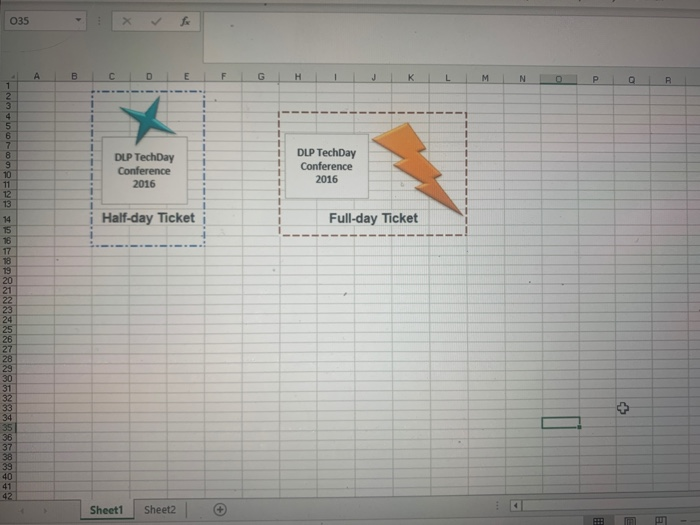
3). Turn on Design Mode. On Sheet1, draw an ActiveX command button control from cells I17:K18. Using the Properties pane, set the name of the button to Full Day Ticket, the height to 23.25, and the width to 150. Set the caption to Print Full-day Ticket.
|
4.View the code for the command button. Above the?Private Sub FullDayTicket_Click()?statement, type the following two comments. Be sure to include a space between the text and the quotation mark.' FullDayTicket Command Button' Prints Full-day Ticket Immediately below the?Sub FullDayTicket_Click()?statement, press TAB and type (on two lines):Range("H4:L15").SelectSelection.PrintOut Copies:=1, Collate:=True5.Return to Excel and then deselect Design Mode. Click the Print Full-day Ticket button to run the macro. Ensure that the ticket prints as expected.6.In the VBA Editor, delete any empty comment lines or blank lines in the code, and then copy the entire FullDayTicket code including the first comment to the?End Sub?statement. Paste the code into cell A12 of Sheet2 in this workbook. The VBA code will appear in cells A12:A17 when pasted. |
035 1234567830123 H56789201222425 26 27 28 23 01 2 33583180=2 9 23 29 30 31 32 34 36 37 39 40 41 42 A B C x D DLP TechDay Conference 2016 fx Sheet1 Sheet2 E Half-day Ticket G 1 t 1 H DLP TechDay Conference 2016 K Full-day Ticket L 1 1 1 1 1 1 1 1 M E N 0 P Q R Im E
Step by Step Solution
3.33 Rating (183 Votes )
There are 3 Steps involved in it
1 Possible point 10000 2 Possible point 10000 3 Possible point 15000 4 Pos... View full answer

Get step-by-step solutions from verified subject matter experts
 Study Help