







Question: 1st) For a SportsTeamRoster program in Java, please review the code, debug and highlight corrections. Specifically, I have two errors that I haven't been able
1st) For a SportsTeamRoster program in Java, please review the code, debug and highlight corrections. Specifically, I have two errors that I haven't been able to fix to get it to compile in Eclipse IDE. Thank you.
Line 1: Syntax error on token(s), misplaced construct(s).
Line 168: Syntax error. Insert "while (expression); to complete DoStatement.
What do these error messages mean? I don't understand them. Can you put in bold or highlight what code corrections I need to make?
2nd) I've posted screenshots of what code I currently have in Eclipse IDE.
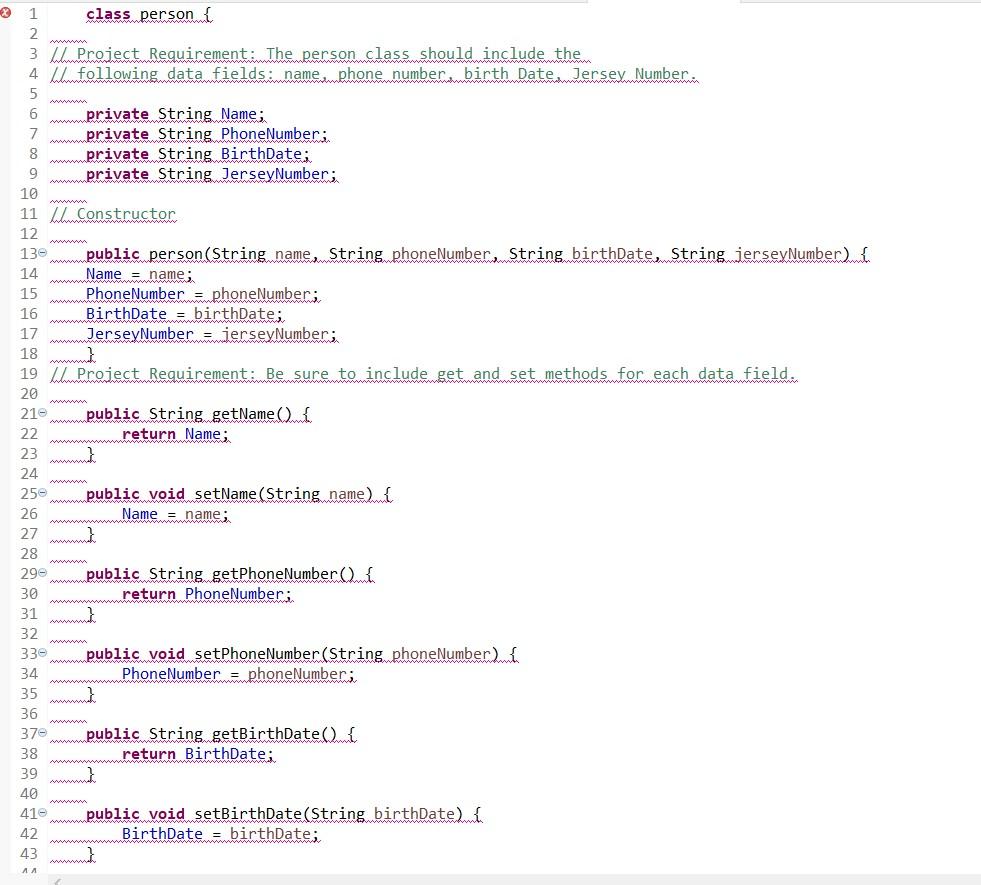
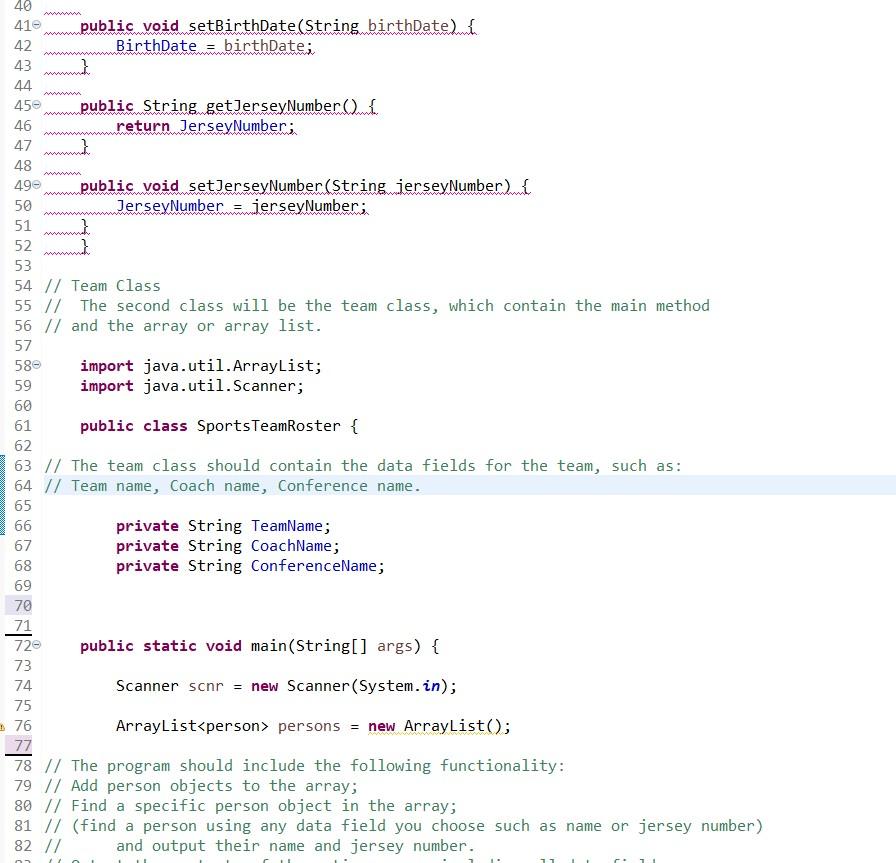
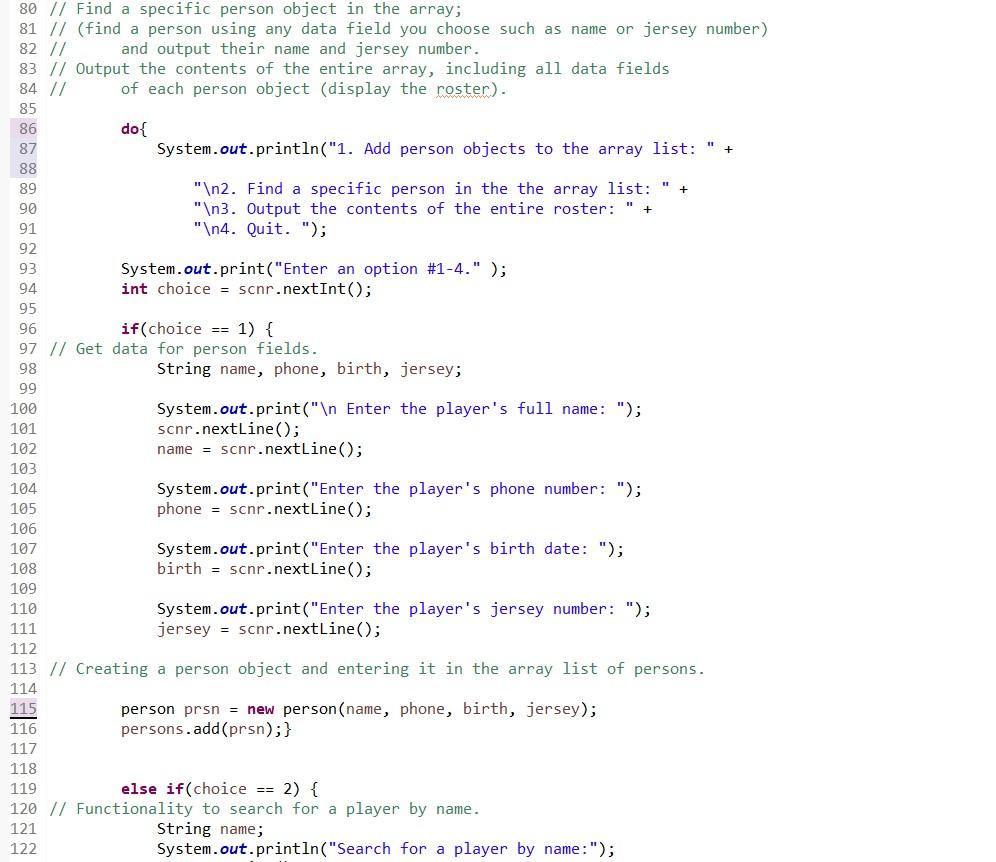
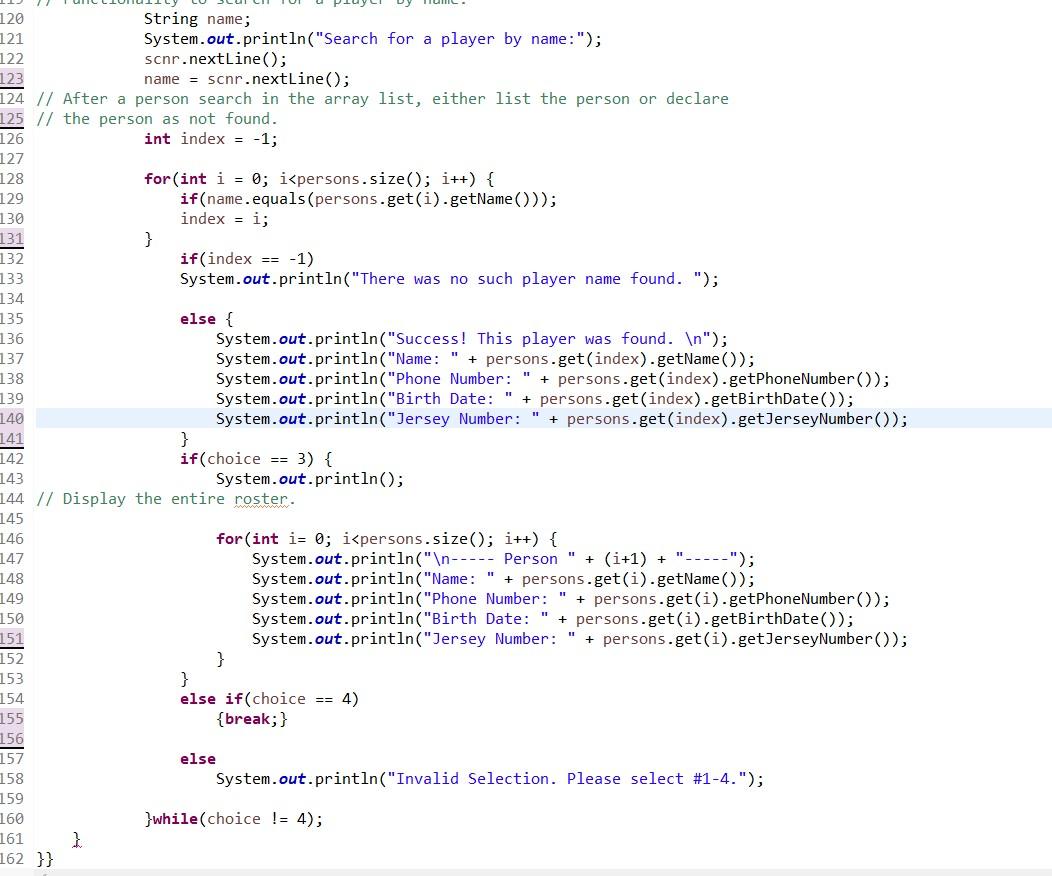 3rd) Here's the copy and paste code:
class person { // Project Requirement: The person class should include the // following data fields: name, phone number, birth Date, Jersey Number. private String Name; private String PhoneNumber; private String BirthDate; private String JerseyNumber; // Constructor public person(String name, String phoneNumber, String birthDate, String jerseyNumber) { Name = name; PhoneNumber = phoneNumber; BirthDate = birthDate; JerseyNumber = jerseyNumber; } // Project Requirement: Be sure to include get and set methods for each data field. public String getName() { return Name; } public void setName(String name) { Name = name; } public String getPhoneNumber() { return PhoneNumber; } public void setPhoneNumber(String phoneNumber) { PhoneNumber = phoneNumber; } public String getBirthDate() { return BirthDate; } public void setBirthDate(String birthDate) { BirthDate = birthDate; } public String getJerseyNumber() { return JerseyNumber; } public void setJerseyNumber(String jerseyNumber) { JerseyNumber = jerseyNumber; } }
// Team Class // The second class will be the team class, which contain the main method // and the array or array list. import java.util.ArrayList; import java.util.Scanner;
public class SportsTeamRoster { // The team class should contain the data fields for the team, such as: // Team name, Coach name, Conference name. private String TeamName; private String CoachName; private String ConferenceName;
public static void main(String[] args) { Scanner scnr = new Scanner(System.in); ArrayList ============================================================ 4th) Here are the program requirements in full: Write a program that will contain an array of person class objects. The program should include two classes: 1) One class will be the person class. 2) The second class will be the team class, which contain the main method and the array or array list. The person class should include the following data fields; Be sure to include get and set methods for each data field. The team class should contain the data fields for the team, such as: The program should include the following functionality.
1 class personi 2 3 Wh Project Requirement. The person class should include the 4 Whfollowing data fields.name.mphone number birth Date.dersey Number: 5 6 private String Name; 7 private String Phone Number; 8 private String BirthDate: 9 private String Jersey Number; 10 11 Constructor 12 136 public person(String name String phoneNumberamString birthDate String jerseyNumber) mi 14 Name = name; 15 Phone Number = phoneNumber; 16 BirthDate = birthDate; 17 JerseyNumber.mierseyNumber: 18 } 19 Project Requirement: Be sure to include get and set methods for each data field. 20 21- public String getName() { 22 return Name; 23 } 24 250 public void setName(String name) 26 Name = name; 27 } 28 29 public String getPhoneNumber(mi 30 return Phone Number; 31 } 32 330 public void setPhone Number (String phoneNumber) 34 Phone Number = phoneNumber: 35 36 370 public String getBirthDate(){ 38 return BirthDate; 39 } 40 410 public void setBirthDate(String birthDate) 42 BirthDate = birthDate: 43 40 410 public void setBirthDate(String birthDateln 42 BirthDate ambirthDate: 43 m 44 450 public String getJerseyNumber(mi 46 return JerseyNumber: 47 } 48 490 public void setJerseyNumber (String jerseyNumber me 50 JerseyNumber.mierseyNumber: 51 ma 52 53 54 // Team Class 55 // The second class will be the team class, which contain the main method 56 // and the array or array list. 57 import java.util.ArrayList; import java.util.Scanner; 580 59 60 61 public class Sports TeamRoster { 62 63 // The team class should contain the data fields for the team, such as: 64 // Team name, Coach name, Conference name. 65 66 private String TeamName; 67 private String CoachName; 68 private String ConferenceName; 69 70 71 720 public static void main(String[] args) { 73 74 Scanner scnr = new Scanner(System.in); 75 76 ArrayList
Step by Step Solution
There are 3 Steps involved in it

Get step-by-step solutions from verified subject matter experts
 Study Help