







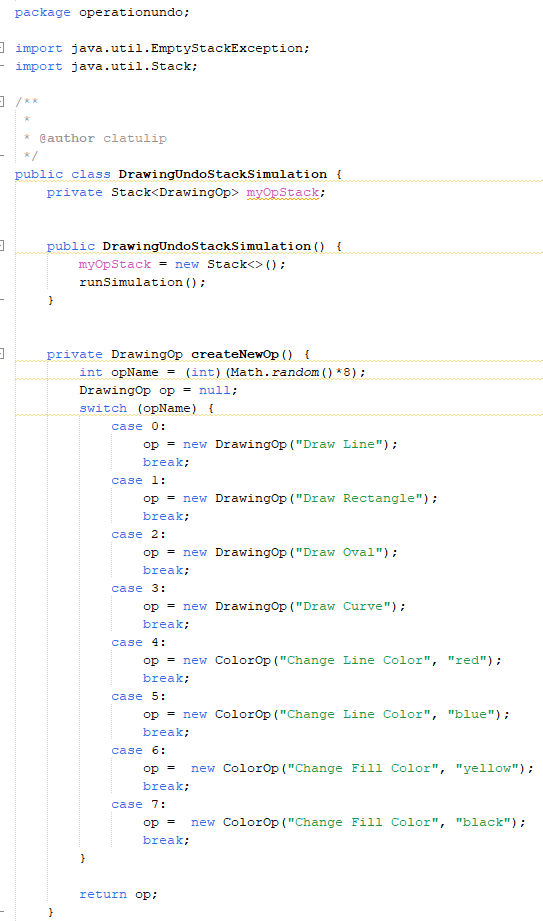
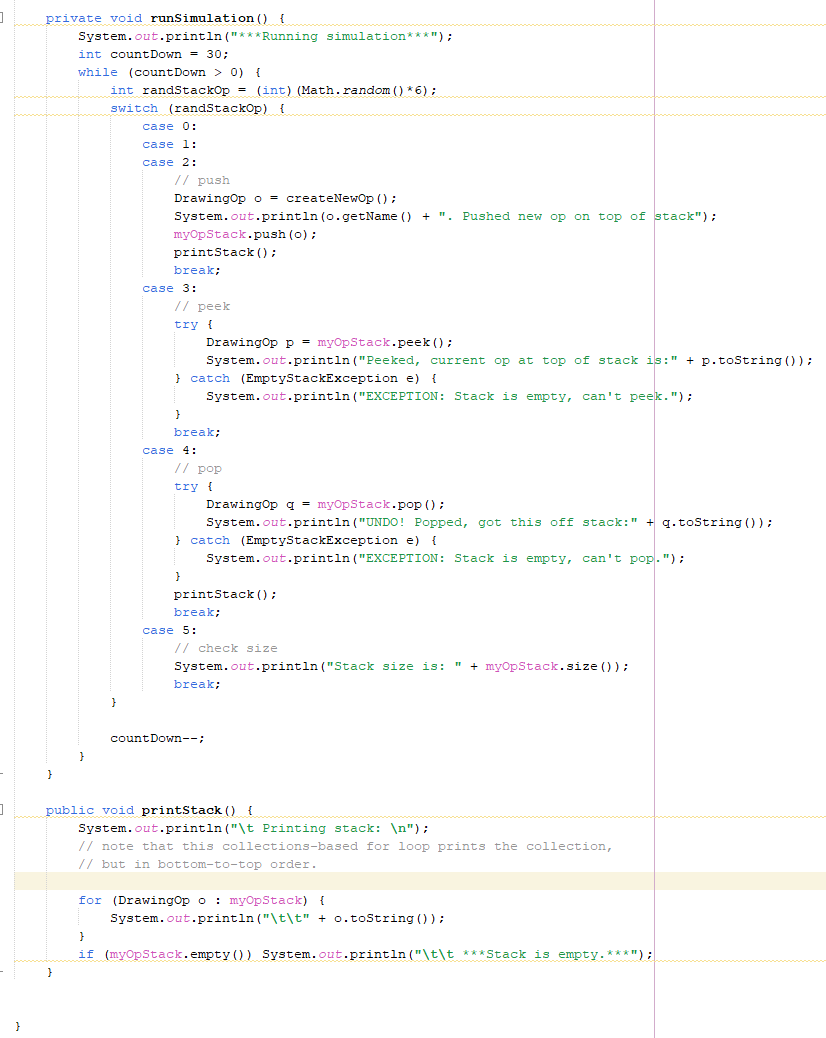
Question: 1.To implement redo capability, you need to create a Redo stack. So, at the top of the DrawingUndoStackSimulation class, add another stack to the simulation
1.To implement redo capability, you need to create a Redo stack. So, at the top of the DrawingUndoStackSimulation class, add another stack to the simulation and call it undone. Initialize this stack in the constructor. It should also hold DrawingOp objects. 2. When the switch statement handles an Undo (pop) operation in the runSimulation method, push the drawingOp that was popped off the myOpsStack onto the undone stack. 3. Add a case 6 to the switch statement for redo. (Make sure to adjust the switch variable computation at the top of the method so this new case can be reached.) Include a print statement that identifies the redo operation like the other cases in the switch statement do. In this case, we need to pop a drawingOp off the undone stack (unless it is empty, then an exception must be caught). If a drawingOp is popped off the undone stack, it then needs to be pushed back on to the myOpsStack. 4. Adjust the printStack method so that it also prints out the undone stack. 5. One last thing: make it so that the Undo stack gets cleared when a new shape is drawn. You will need to add a statement to clear the undone stack to case 2 in the switch statement. 6. When you are finished and you think your simulation is handling both undo and redo, submit DrawingUndoStackSimulation to Canvas.
Step by Step Solution
There are 3 Steps involved in it

Get step-by-step solutions from verified subject matter experts
 Study Help