







Question: 1.Use assembly language. 2.compile and run it. 3. (file type asm) you can find it in Brew as yasm. for the file type if you
1.Use assembly language. 2.compile and run it. 3. (file type asm) you can find it in Brew as yasm. for the file type if you can great if not no big deal.
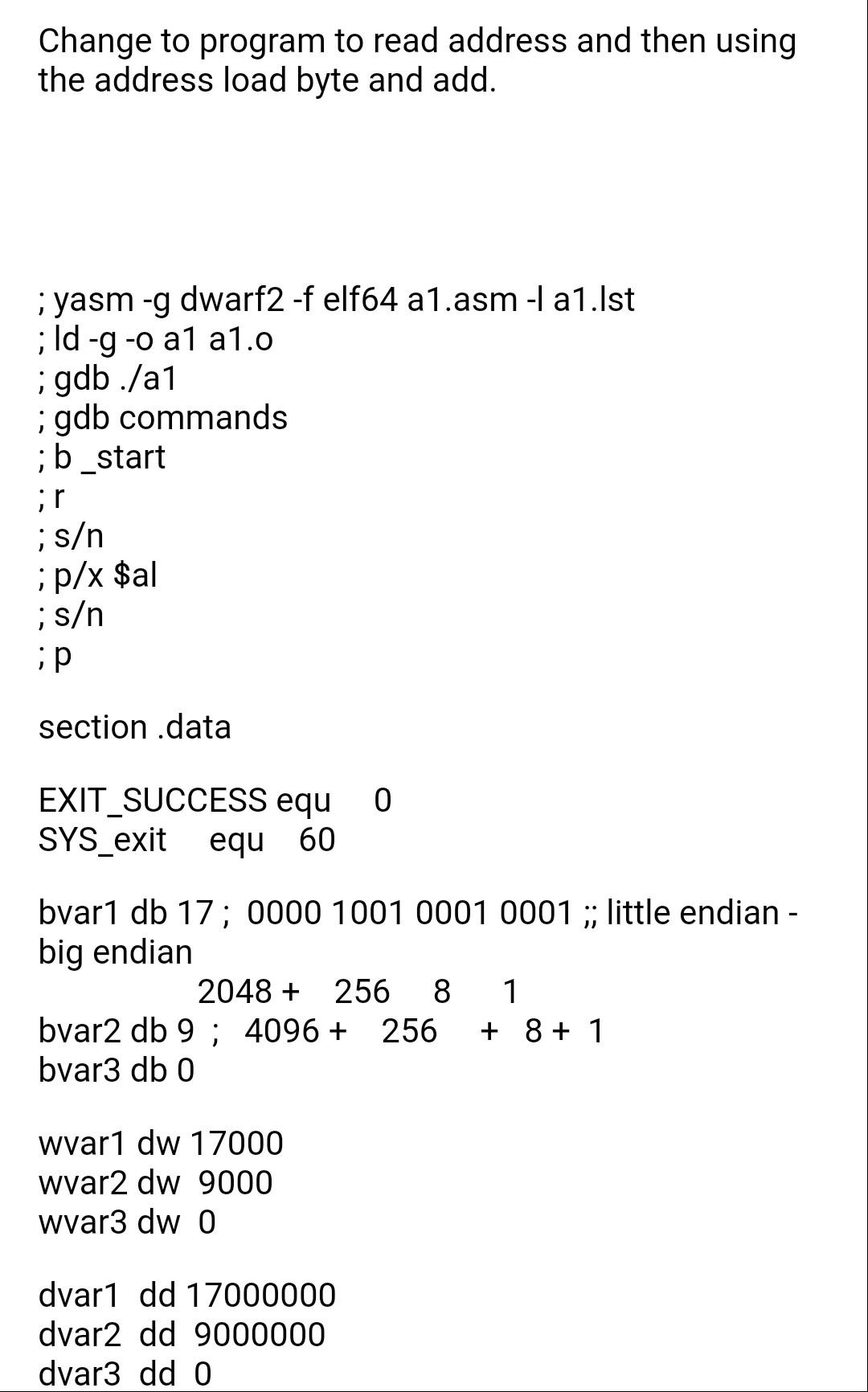
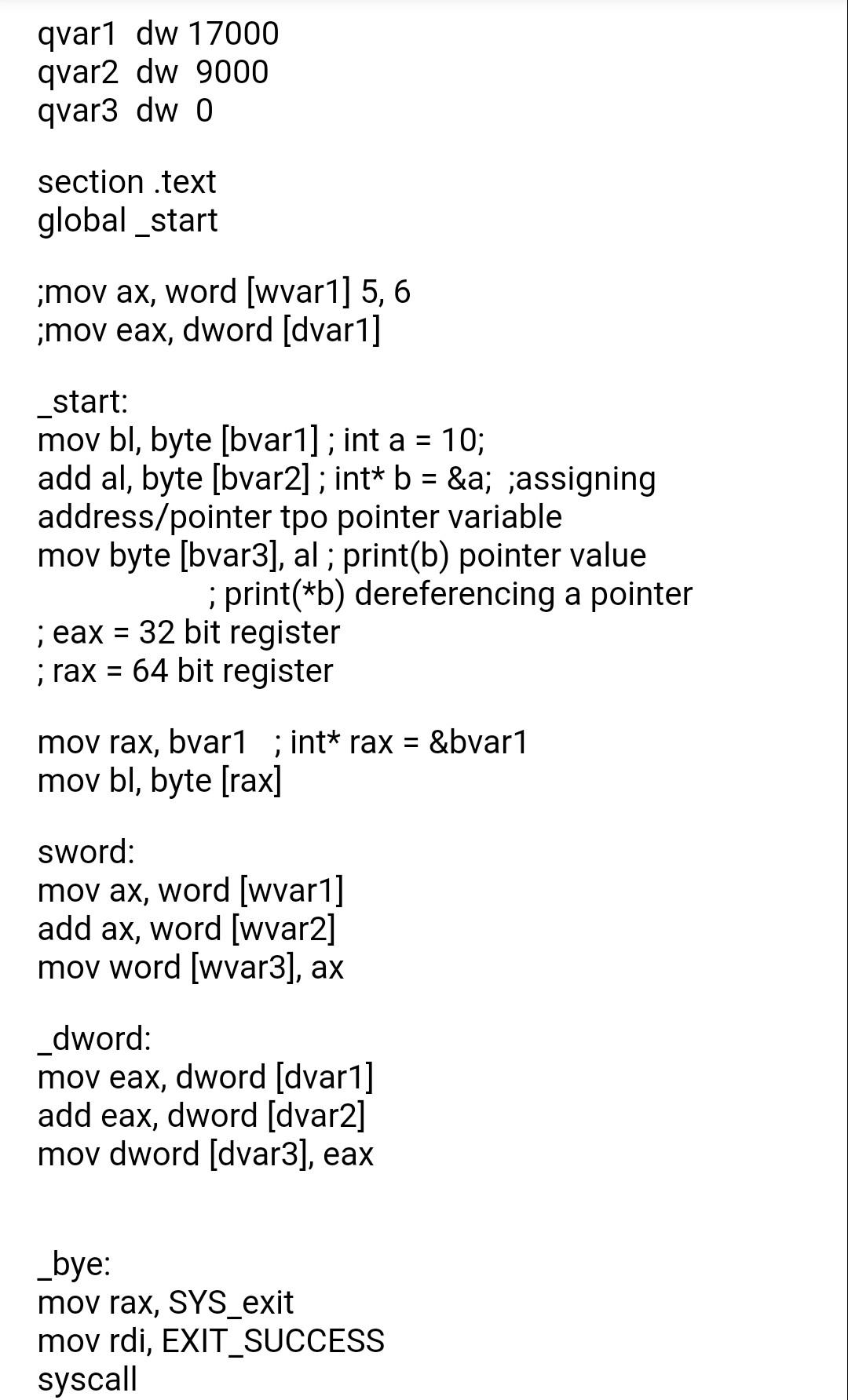
Change to program to read address and then using the address load byte and add. ; yasm -g dwarf2 -f elf64 a1.asm -1 a1.st ;ld -g -o a1 a1.o i gdb./a1 ; gdb commands ;b start ir ; s ; p/x $al ; s ip section data 0 EXIT_SUCCESS equ SYS_exit equ 60 bvar1 db 17; 0000 1001 0001 0001;; little endian - big endian 2048 + 256 8 1 bvar2 db 9: 4096 + 256 + 8 + 1 bvar3 db 0 wvar1 dw 17000 wvar2 dw 9000 wvar3 dw 0 dvar1 dd 17000000 dvar2 dd 9000000 dvar3 dd o qvar1 dw 17000 qvar2 dw 9000 qvar3 dwo section .text global_start imov ax, word [wvar1] 5, 6 imov eax, dword (dvar 1] _start: mov bl, byte [bvarl]; int a = 10; add al, byte [bvar2] ; int* b = &a; jassigning address/pointer tpo pointer variable mov byte [bvar3], al ; print(b) pointer value ;print(*b) dereferencing a pointer ; eax = 32 bit register ;rax = 64 bit register mov rax, bvar1 ; int* rax = &bvar1 mov bl, byte [rax] sword: mov ax, word (wvar1] add ax, word (wvar2] mov word (wvar3), ax dword: mov eax, dword (dvar 1] add eax, dword [dvar2] mov dword (dvar3], eax _bye: mov rax, SYS_exit mov rdi, EXIT_SUCCESS syscall
Step by Step Solution
There are 3 Steps involved in it

Get step-by-step solutions from verified subject matter experts
 Study Help