



Question: 2. (5 pts) Use the Binomial Probabilities section of the document Chapter 5 Excel examples to solve problems 6, 8, 10, and 12 on page
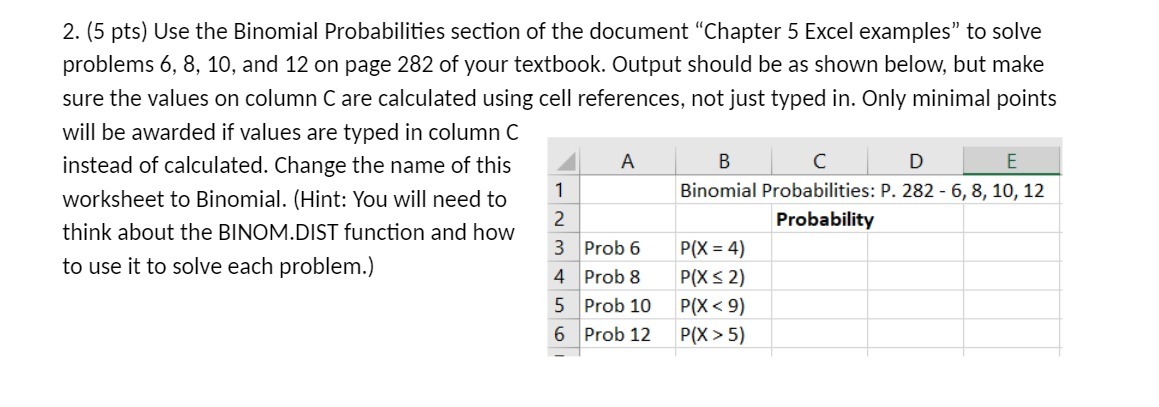
2. (5 pts) Use the Binomial Probabilities section of the document "Chapter 5 Excel examples" to solve problems 6, 8, 10, and 12 on page 282 of your textbook. Output should be as shown below, but make sure the values on column C are calculated using cell references, not just typed in. Only minimal points will be awarded if values are typed in column C instead of calculated. Change the name of this A B C D E worksheet to Binomial. (Hint: You will need to Binomial Probabilities: P. 282 - 6, 8, 10, 12 2 think about the BINOM.DIST function and how Probability 3 Prob 6 P(X = 4) to use it to solve each problem.) 4 Prob 8 P(XS 2) 5 Prob 10 P(X 5)
Step by Step Solution
There are 3 Steps involved in it

Get step-by-step solutions from verified subject matter experts