







Question: 2. Complete the two variable data table in cells FSK20 which shows the payment based upon the numbe of months by interest rate (Note, you
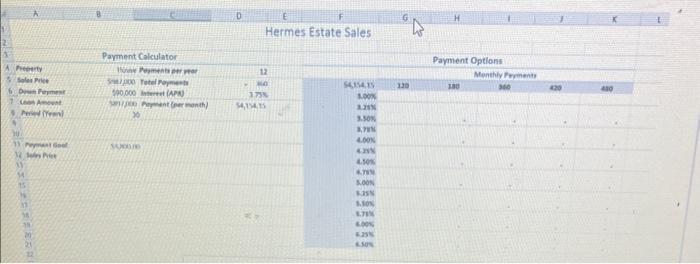
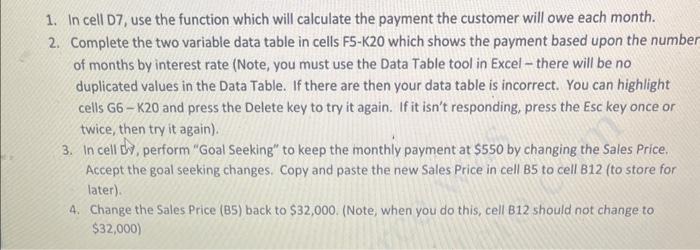
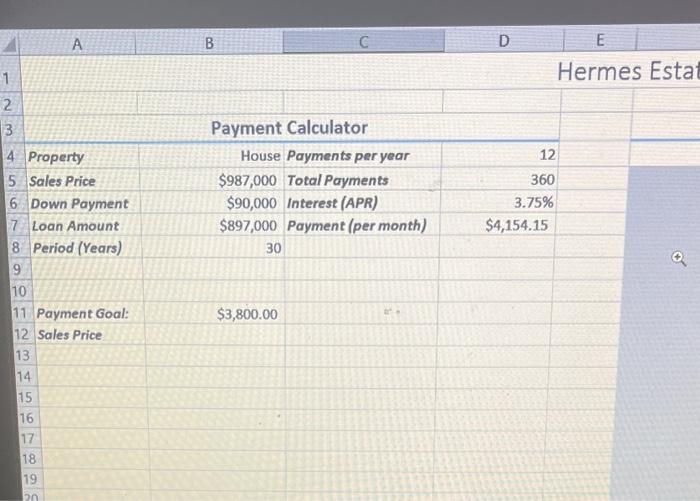
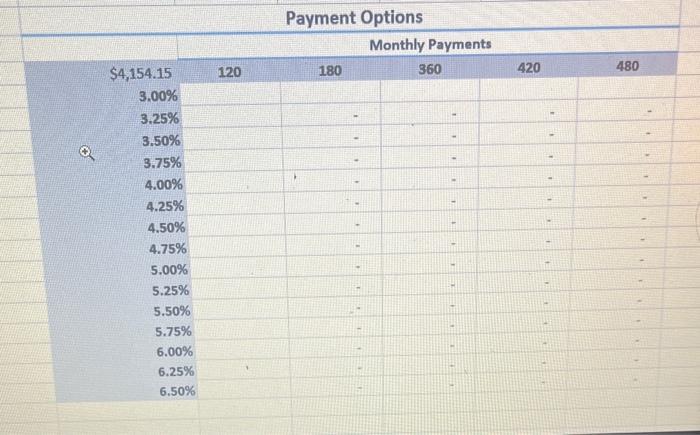
2. Complete the two variable data table in cells FSK20 which shows the payment based upon the numbe of months by interest rate (Note, you must use the Data Table tool in Excel - there will be no duplicated values in the Data Table. If there are then your data table is incorrect. You can highlight cells G6 - K20 and press the Delete key to try it again. If it isn't responding, press the Esc key once or twice, then try it again). 3. In cell dV, perform "Goal Seeking" to keep the monthly payment at $550 by changing the Sales Price. Accept the goal seeking changes. Copy and paste the new Sales Price in cell B5 to cell B12 (to store for later). 4. Change the Sales Price (B5) back to $32,000. (Note, when you do this, cell B12 should not change to $32,000) ermes Esta Payment Options
Step by Step Solution
There are 3 Steps involved in it

Get step-by-step solutions from verified subject matter experts
 Study Help