







Question: 2. Create an AutoLISP program to draw a square. Follow these guidelines: A. Set a variable for the length of one side. B. Set the
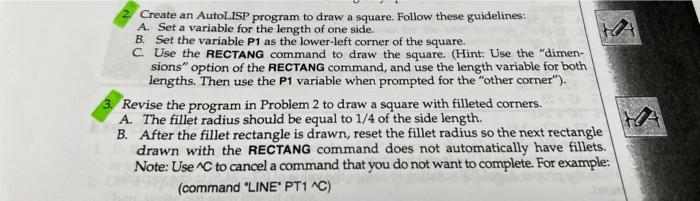
2. Create an AutoLISP program to draw a square. Follow these guidelines: A. Set a variable for the length of one side. B. Set the variable P1 as the lower-left corner of the square. C. Use the RECTANG command to draw the square. (Hint: Use the "dimensions" option of the RECTANG command, and use the length variable for both lengths. Then use the P1 variable when prompted for the "other corner"). 3. Revise the program in Problem 2 to draw a square with filleted corners. A. The fillet radius should be equal to 1/4 of the side length. B. After the fillet rectangle is drawn, reset the fillet radius so the next rectangle drawn with the RECTANG command does not automatically have fillets. Note: Use C to cancel a command that you do not want to complete. For example (command "LINE" PT1 NC)
Step by Step Solution
There are 3 Steps involved in it

Get step-by-step solutions from verified subject matter experts
 Study Help