







Question: 2. Creating your own data. Open a Stata do file then copy and execute the following code: clear all set obs 100 gen x =
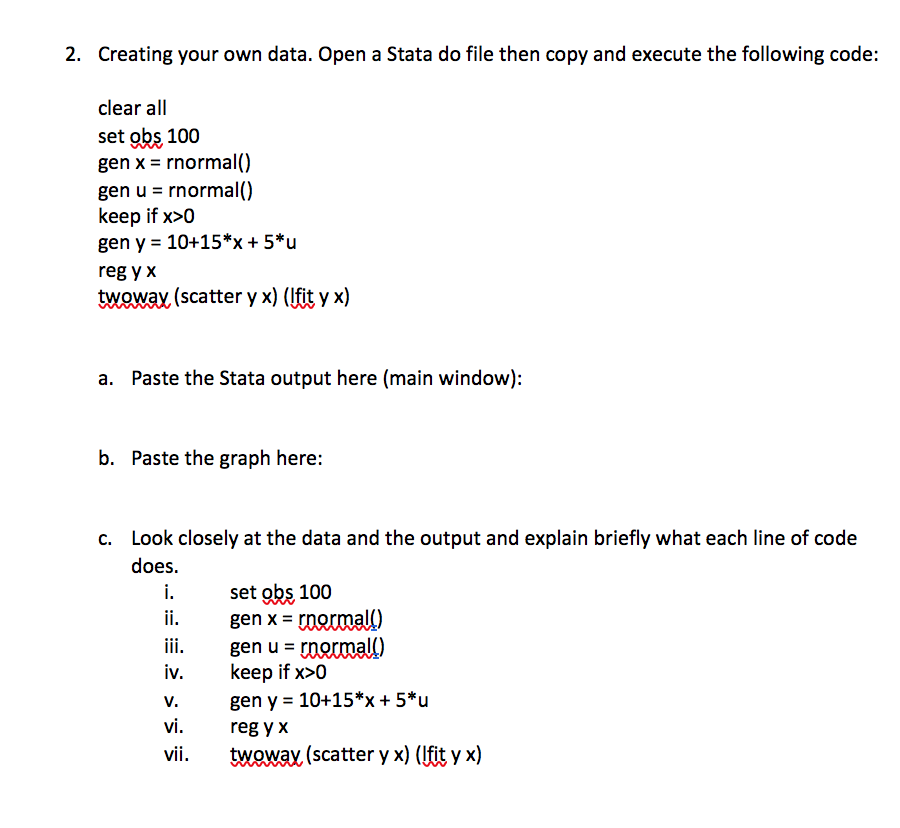
2. Creating your own data. Open a Stata do file then copy and execute the following code: clear all set obs 100 gen x = rnormal() gen u = rnormall) keep if x>0 gen y = 10+15*x + 5*u reg y x twoway (scatter y x) (lfit y x) a. Paste the Stata output here (main window): b. Paste the graph here: :- C. Look closely at the data and the output and explain briefly what each line of code does. set obs 100 gen x = rnormall) gen u = normall) keep if x>0 gen y = 10+15*x + 5*u reg y x twowax (scatter y x) (lfit y x) SS.S 2. Creating your own data. Open a Stata do file then copy and execute the following code: clear all set obs 100 gen x = rnormal() gen u = rnormall) keep if x>0 gen y = 10+15*x + 5*u reg y x twoway (scatter y x) (lfit y x) a. Paste the Stata output here (main window): b. Paste the graph here: :- C. Look closely at the data and the output and explain briefly what each line of code does. set obs 100 gen x = rnormall) gen u = normall) keep if x>0 gen y = 10+15*x + 5*u reg y x twowax (scatter y x) (lfit y x) SS.S
Step by Step Solution
There are 3 Steps involved in it

Get step-by-step solutions from verified subject matter experts
 Study Help