



Question: 2. In the Documentation sheet, eler 3. Go to the Budget worksheet. In cell B7, calculate the couple's total monthly income 4. In row 23,
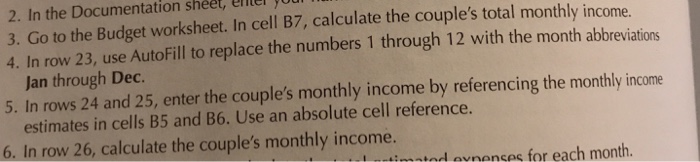
2. In the Documentation sheet, eler 3. Go to the Budget worksheet. In cell B7, calculate the couple's total monthly income 4. In row 23, use AutoFill to replace the numbers 1 through 12 with the month abbreviations S.anowr the couple's monthly income by referencing fhe motlyinome through Dec. 5. In rows 24 and 25, enter the couple's monthly income by referencing the monthly income estimates in cells B5 and B6. Use an absolute cell reference. 6. In row 26, calculate the couple's monthly income. tod evnenses for each month. 2. In the Documentation sheet, eler 3. Go to the Budget worksheet. In cell B7, calculate the couple's total monthly income 4. In row 23, use AutoFill to replace the numbers 1 through 12 with the month abbreviations S.anowr the couple's monthly income by referencing fhe motlyinome through Dec. 5. In rows 24 and 25, enter the couple's monthly income by referencing the monthly income estimates in cells B5 and B6. Use an absolute cell reference. 6. In row 26, calculate the couple's monthly income. tod evnenses for each month
Step by Step Solution
There are 3 Steps involved in it

Get step-by-step solutions from verified subject matter experts