



Question: 2. In the following question, you will create your own Pandas dataframe! a. (5 points) Start by creating a dictionary that contains all the
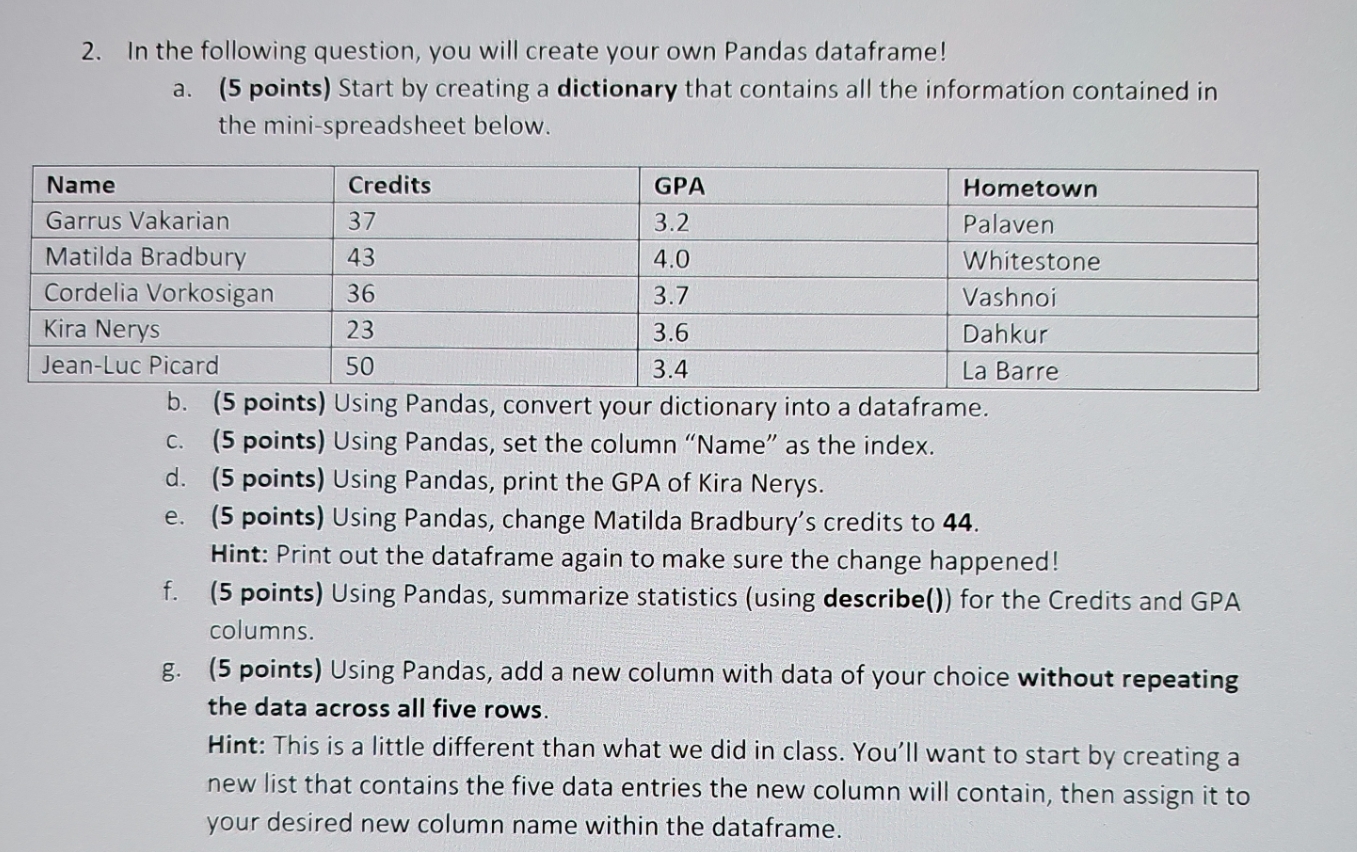
2. In the following question, you will create your own Pandas dataframe! a. (5 points) Start by creating a dictionary that contains all the information contained in the mini-spreadsheet below. Name Credits Garrus Vakarian 37 Matilda Bradbury 43 Cordelia Vorkosigan 36 Kira Nerys 23 Jean-Luc Picard 50 GPA 3.2 4.0 3.7 3.6 3.4 Hometown Palaven Whitestone Vashnoi Dahkur La Barre b. (5 points) Using Pandas, convert your dictionary into a dataframe. c. (5 points) Using Pandas, set the column "Name" as the index. d. (5 points) Using Pandas, print the GPA of Kira Nerys. e. (5 points) Using Pandas, change Matilda Bradbury's credits to 44. f. Hint: Print out the dataframe again to make sure the change happened! (5 points) Using Pandas, summarize statistics (using describe()) for the Credits and GPA columns. g. (5 points) Using Pandas, add a new column with data of your choice without repeating the data across all five rows. Hint: This is a little different than what we did in class. You'll want to start by creating a new list that contains the five data entries the new column will contain, then assign it to your desired new column name within the dataframe.
Step by Step Solution
There are 3 Steps involved in it

Get step-by-step solutions from verified subject matter experts