







Question: 2. Let's create a GPA Calculator Program! Complete the following lines of code: a. Create a variable called letter_grade and set its value to user
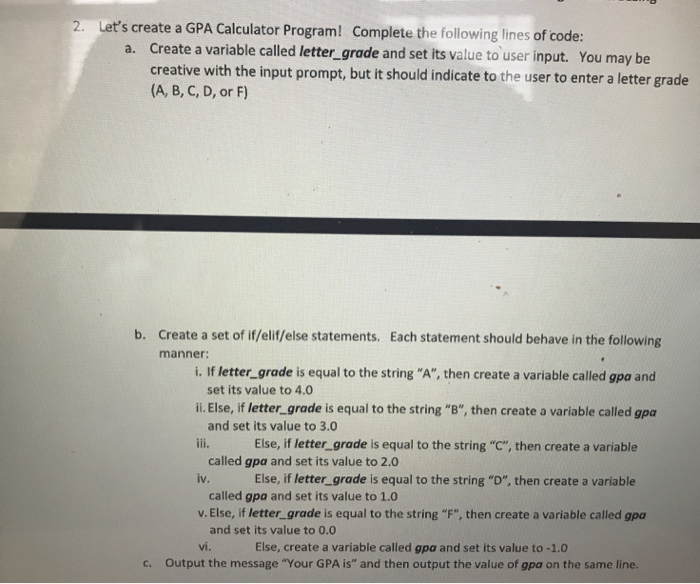
2. Let's create a GPA Calculator Program! Complete the following lines of code: a. Create a variable called letter_grade and set its value to user input. You may be creative with the input prompt, but it should indicate to the user to enter a letter grade (A, B, C, D, or F) Ill. la Fise b. Create a set of if/elif/else statements. Each statement should behave in the following manner: 1. If letter_grade is equal to the string "A", then create a variable called gpa and set its value to 4.0 ii. Else, if letter_grade is equal to the string "B", then create a variable called gpa and set its value to 3.0 Else, if letter_grade is equal to the string "C", then create a variable called gpa and set its value to 2.0 iv. Else, if letter_grade is equal to the string "D", then create a variable called gpa and set its value to 1.0 v. Else, if letter_grade is equal to the string "F", then create a variable called gpa and set its value to 0.0 vi. Else, create a variable called gpo and set its value to -1.0 c. Output the message "Your GPA is" and then output the value of apa on the same line
Step by Step Solution
There are 3 Steps involved in it

Get step-by-step solutions from verified subject matter experts
 Study Help