







Question: 2 of 2 Example: At this point, your spreadsheet should essentially look like this (although you may pick your own inputs for the yellow
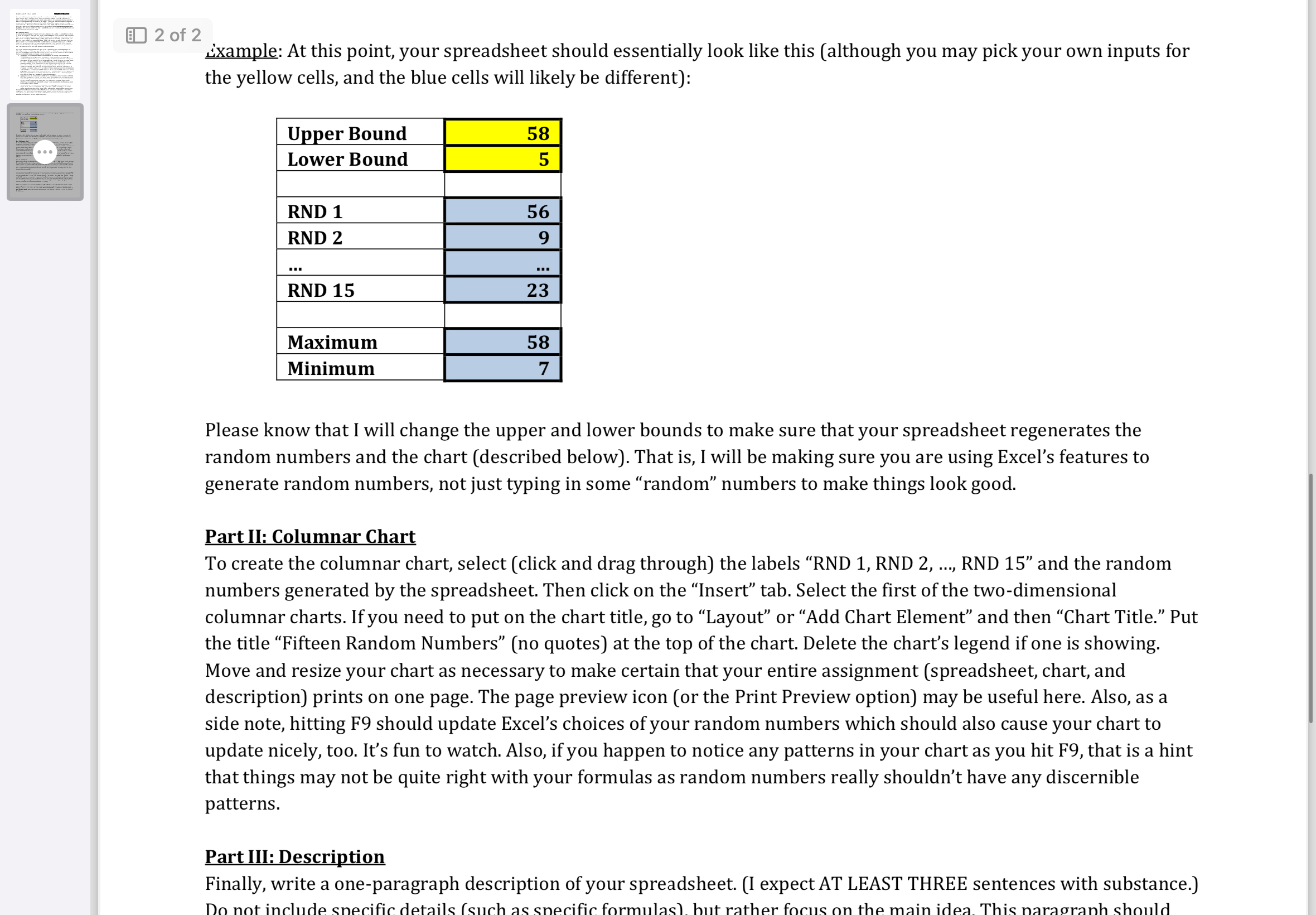
2 of 2 Example: At this point, your spreadsheet should essentially look like this (although you may pick your own inputs for the yellow cells, and the blue cells will likely be different): Upper Bound Lower Bound RND 1 RND 2 58 5 56 9 --- RND 15 23 Maximum Minimum 58 7 Please know that I will change the upper and lower bounds to make sure that your spreadsheet regenerates the random numbers and the chart (described below). That is, I will be making sure you are using Excel's features to generate random numbers, not just typing in some random numbers to make things look good. Part II: Columnar Chart *** To create the columnar chart, select (click and drag through) the labels "RND 1, RND 2, RND 15" and the random numbers generated by the spreadsheet. Then click on the Insert tab. Select the first of the two-dimensional columnar charts. If you need to put on the chart title, go to "Layout" or "Add Chart Element and then Chart Title. Put the title Fifteen Random Numbers" (no quotes) at the top of the chart. Delete the chart's legend if one is showing. Move and resize your chart as necessary to make certain that your entire assignment (spreadsheet, chart, and description) prints on one page. The page preview icon (or the Print Preview option) may be useful here. Also, as a side note, hitting F9 should update Excel's choices of your random numbers which should also cause your chart to update nicely, too. It's fun to watch. Also, if you happen to notice any patterns in your chart as you hit F9, that is a hint that things may not be quite right with your formulas as random numbers really shouldn't have any discernible patterns. Part III: Description Finally, write a one-paragraph description of your spreadsheet. (I expect AT LEAST THREE sentences with substance.) Do not include specific details (such as specific formulas), but rather focus on the main idea. This paragraph should
Step by Step Solution
There are 3 Steps involved in it

Get step-by-step solutions from verified subject matter experts
 Study Help