







Question: 2. TCP based file sending and receiving The previous programming task is about UDP. Now let's start to have a look at TCP, based on
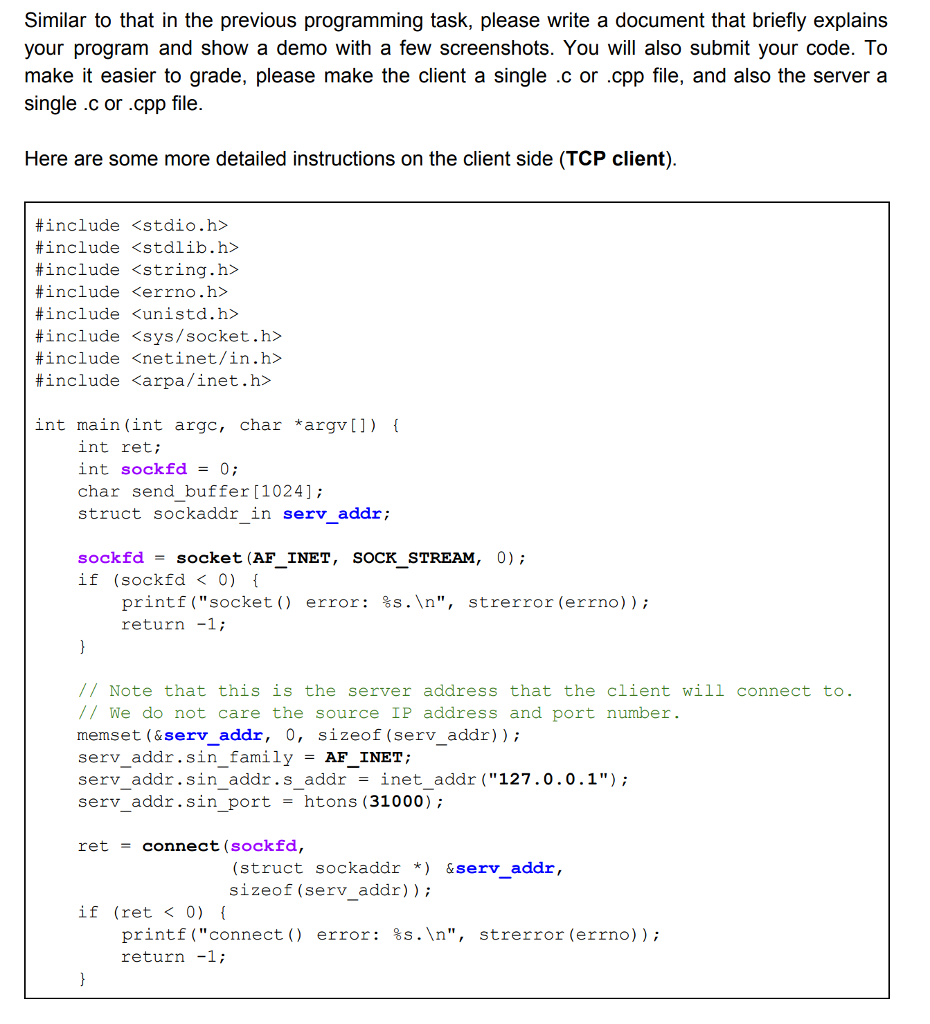
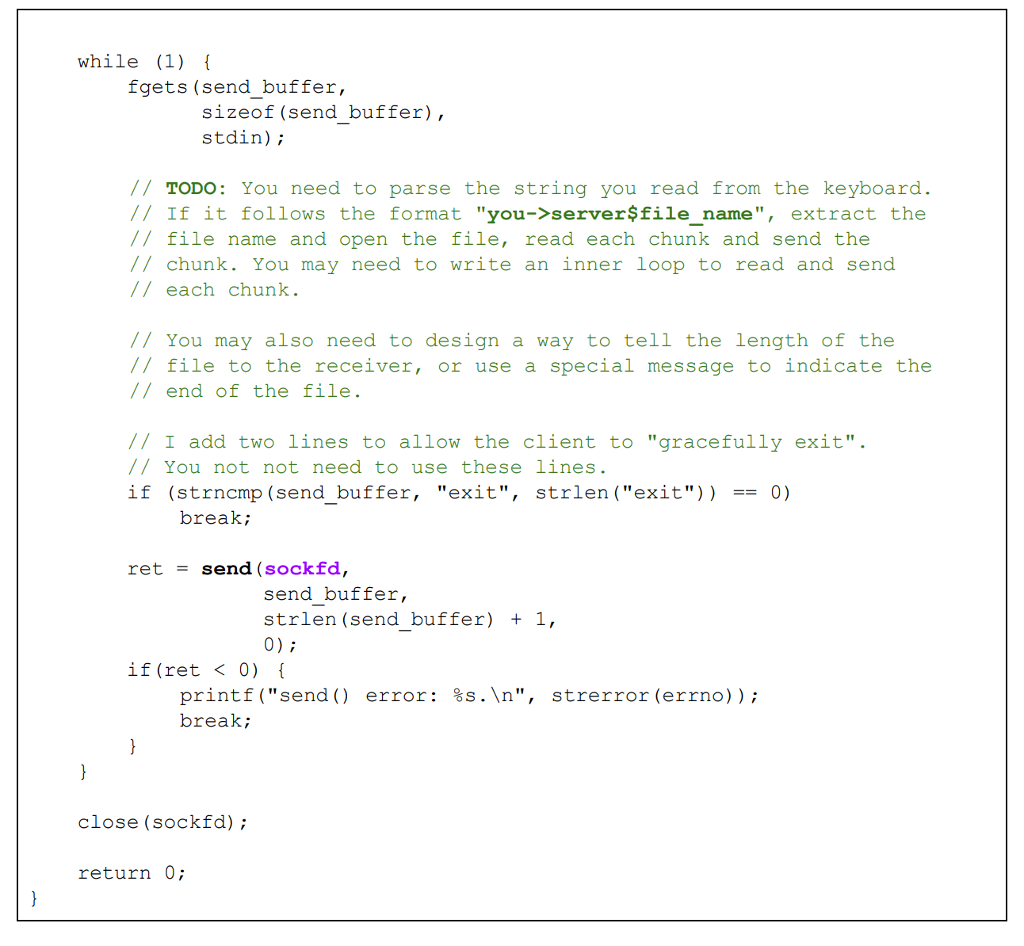
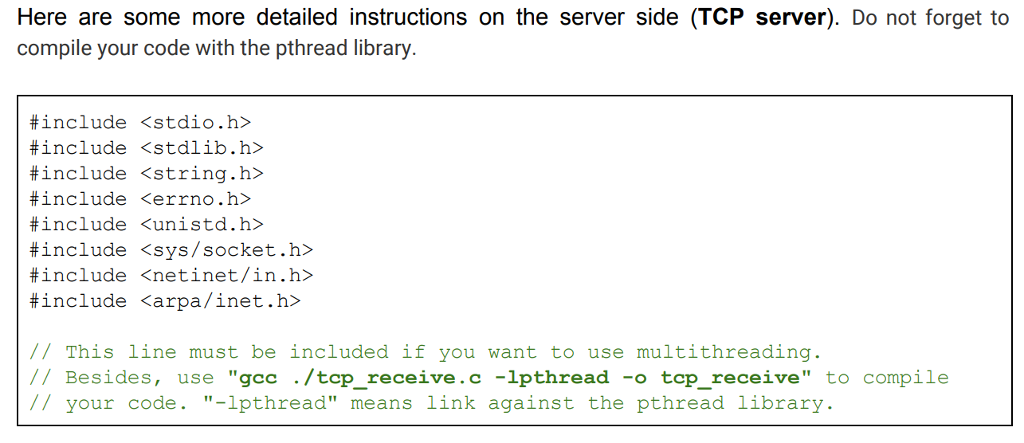
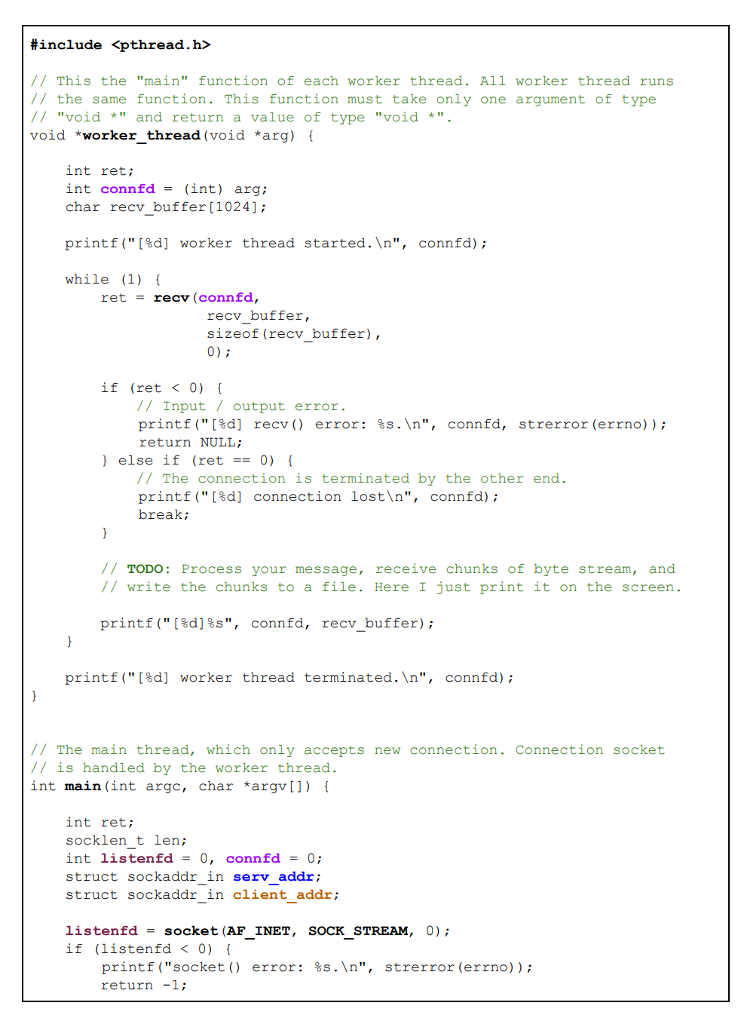
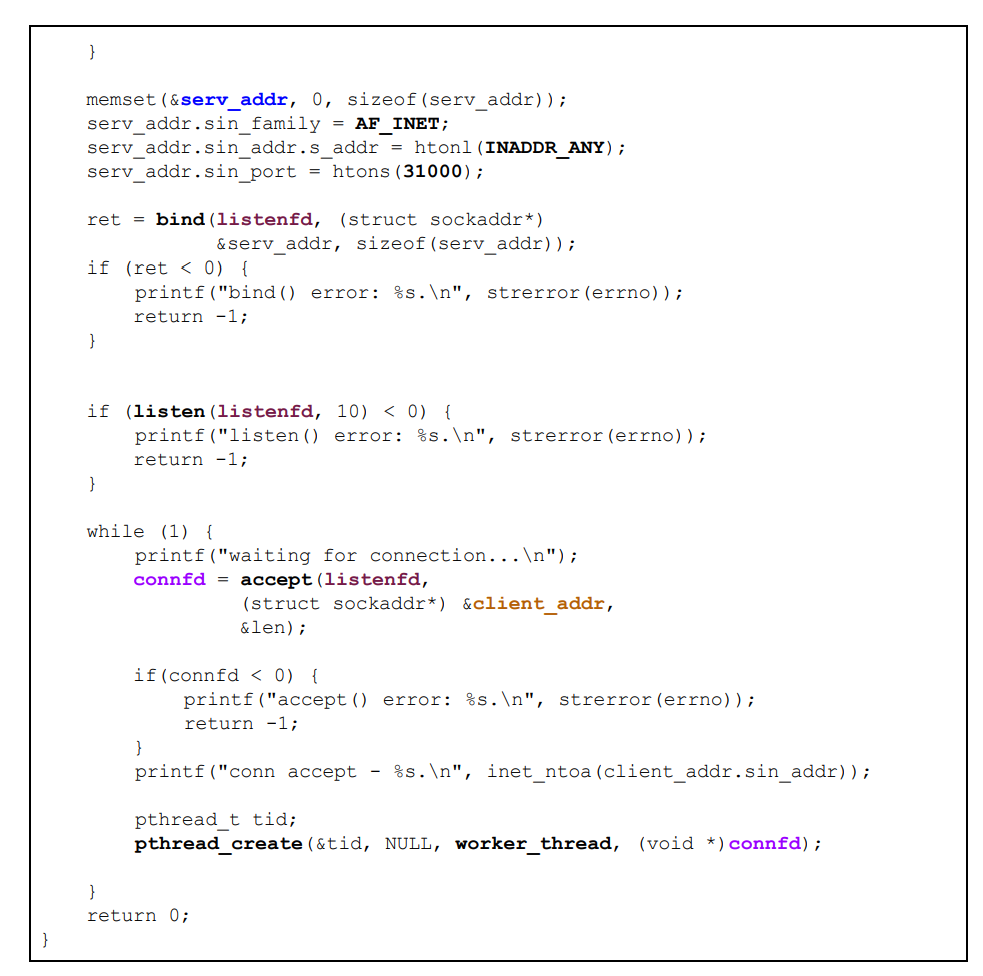
2. TCP based file sending and receiving The previous programming task is about UDP. Now let's start to have a look at TCP, based on the "TCP send" and "TCP receive" code you tried to run in the first assignment. 1) Write a client-server application in C or C++ running on Linux. This is a separate application, not needed to be merged with the previous one. 2) The client and the server can run on the same machine or on different machines (Linux). 3) You can interact with the client machine over the command line, i.e., the program read the line you typed on the command line, like that in "TCP send". You can also write a GUI, but I will not recommend you to spend time on that unless you are very familiar with GUI related coding in C or C++ 4) You can type a line "you->serverSlocal_path_to_a file", and this line is read into the memory on the client like that in "TCP send". The "local_path_to_a_file" part is a file on the local computer. After you hit the enter, the client opens the file, read each byte in the file, and send to the server. Be careful, you are supposed to open the file in binary mode, ie, fopen("file-name", "rb") and read it using binary file read, ie, fread(). Similarly, the server opens a binary file, i.e., fopen("file_name", "wb"), using and write the received bytes using fwrite(). 5) Once the server receives the byte stream from the client, it writes it into a file, i.e., it is uploaded and saved on the server. After the server finishes receiving every byte, the server sends back an acknowledgment message. Once the acknowledgment message is received, the client displays "server->youffile_received" on the screen. 2. TCP based file sending and receiving The previous programming task is about UDP. Now let's start to have a look at TCP, based on the "TCP send" and "TCP receive" code you tried to run in the first assignment. 1) Write a client-server application in C or C++ running on Linux. This is a separate application, not needed to be merged with the previous one. 2) The client and the server can run on the same machine or on different machines (Linux). 3) You can interact with the client machine over the command line, i.e., the program read the line you typed on the command line, like that in "TCP send". You can also write a GUI, but I will not recommend you to spend time on that unless you are very familiar with GUI related coding in C or C++ 4) You can type a line "you->serverSlocal_path_to_a file", and this line is read into the memory on the client like that in "TCP send". The "local_path_to_a_file" part is a file on the local computer. After you hit the enter, the client opens the file, read each byte in the file, and send to the server. Be careful, you are supposed to open the file in binary mode, ie, fopen("file-name", "rb") and read it using binary file read, ie, fread(). Similarly, the server opens a binary file, i.e., fopen("file_name", "wb"), using and write the received bytes using fwrite(). 5) Once the server receives the byte stream from the client, it writes it into a file, i.e., it is uploaded and saved on the server. After the server finishes receiving every byte, the server sends back an acknowledgment message. Once the acknowledgment message is received, the client displays "server->youffile_received" on the screen
Step by Step Solution
There are 3 Steps involved in it

Get step-by-step solutions from verified subject matter experts
 Study Help