







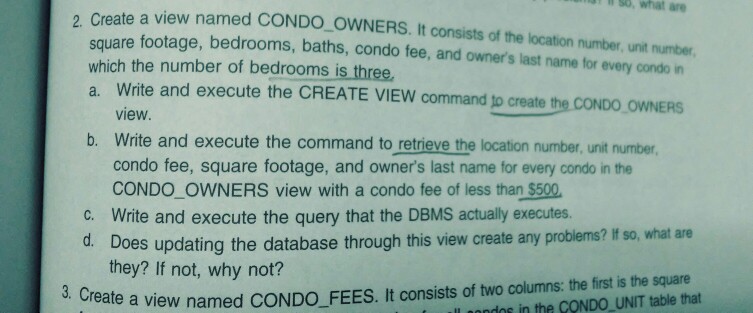
Question: #2 using SQL Server Management Studio and run to see the output, thanks l90, what 2 Create a view named CONDO OWNERS. It consists of
#2 using SQL Server Management Studio and run to see the output, thanks
l90, what 2 Create a view named CONDO OWNERS. It consists of the location number are square footage, bedrooms, baths, condo fee, and owner's last name for every condo in which the number of bedrooms is three, a. Write and execute the CREATE VIEW command to create the COND0 OWNERS unit number view b. Write and execute the command to retrieve the location number, unit number condo fee, square footage, and owner's last name for every condo in the CONDO OWNERS view with a condo fee of less than $500 c. Write and execute the query that the DBMS actually executes d. Does updating the database through this view create any problems? If so, what are they? If not, why not? ate a view named CONDO FEES. It consists of two columns: the first is the square dos in the CONDO UNIT table that l90, what 2 Create a view named CONDO OWNERS. It consists of the location number are square footage, bedrooms, baths, condo fee, and owner's last name for every condo in which the number of bedrooms is three, a. Write and execute the CREATE VIEW command to create the COND0 OWNERS unit number view b. Write and execute the command to retrieve the location number, unit number condo fee, square footage, and owner's last name for every condo in the CONDO OWNERS view with a condo fee of less than $500 c. Write and execute the query that the DBMS actually executes d. Does updating the database through this view create any problems? If so, what are they? If not, why not? ate a view named CONDO FEES. It consists of two columns: the first is the square dos in the CONDO UNIT table that
Step by Step Solution
There are 3 Steps involved in it

Get step-by-step solutions from verified subject matter experts
 Study Help