







Question: 2. Writing a simple code A program in java should belong to a package, which in turn belongs to a project. Follow the steps below
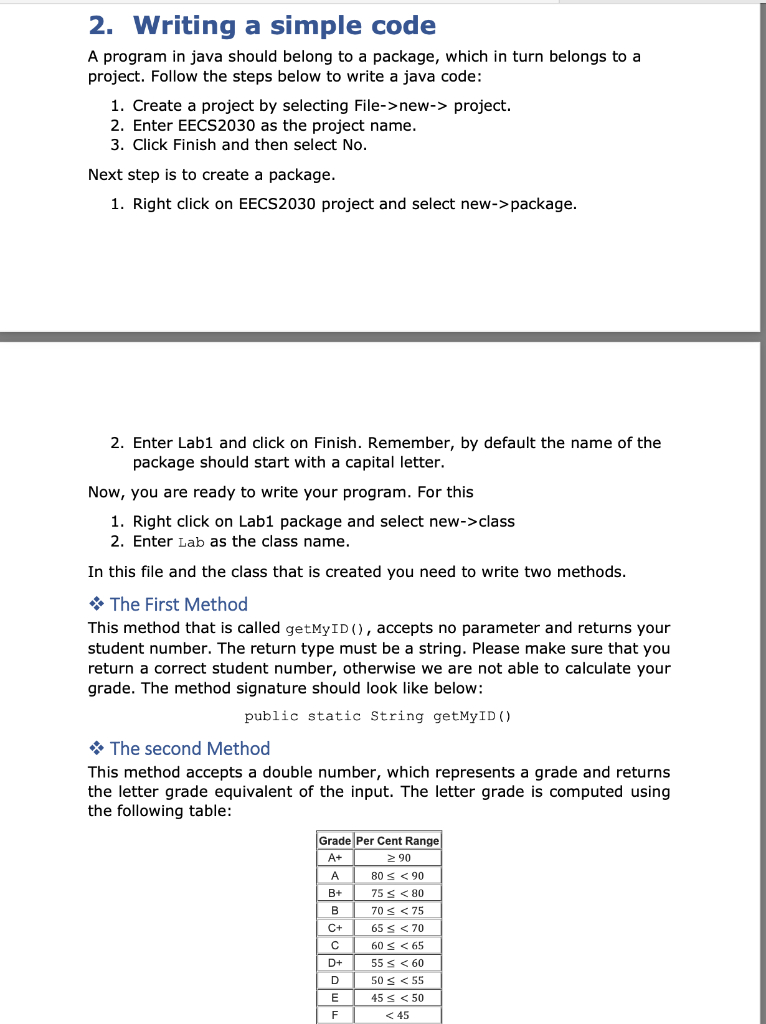
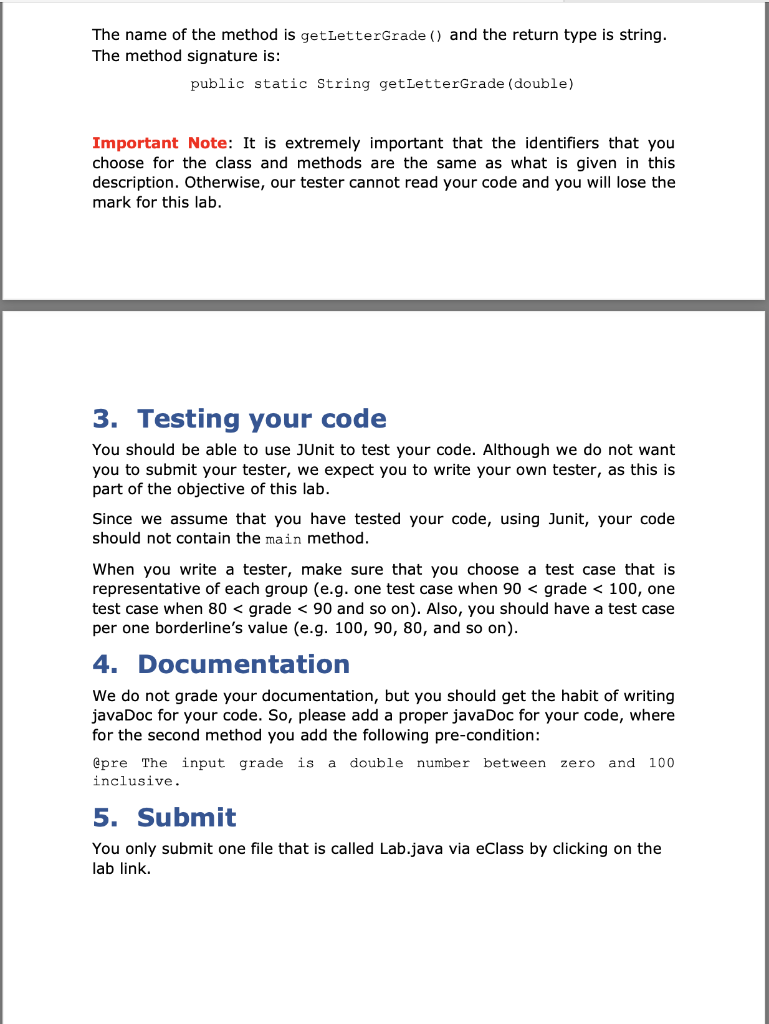
2. Writing a simple code A program in java should belong to a package, which in turn belongs to a project. Follow the steps below to write a java code: 1. Create a project by selecting File->new-> project. 2. Enter EECS2030 as the project name. 3. Click Finish and then select No. Next step is to create a package. 1. Right click on EECS2030 project and select new->package. 2. Enter Lab1 and click on Finish. Remember, by default the name of the package should start with a capital letter. Now, you are ready to write your program. For this 1. Right click on Lab1 package and select new->class 2. Enter Lab as the class name. In this file and the class that is created you need to write two methods. The First Method This method that is called getMyID(), accepts no parameter and returns your student number. The return type must be a string. Please make sure that you return a correct student number, otherwise we are not able to calculate your grade. The method signature should look like below: public static String getMyID() The second Method This method accepts a double number, which represents a grade and returns the letter grade equivalent of the input. The letter grade is computed using the following table: Grade Per Cent Range A+ 90 A 80 s
Step by Step Solution
There are 3 Steps involved in it

Get step-by-step solutions from verified subject matter experts
 Study Help