







Question: 20 On the Session 1 worksheet, type Total in cell C13 and Average in 6 cell C14. In cell D13, type the formula (using a
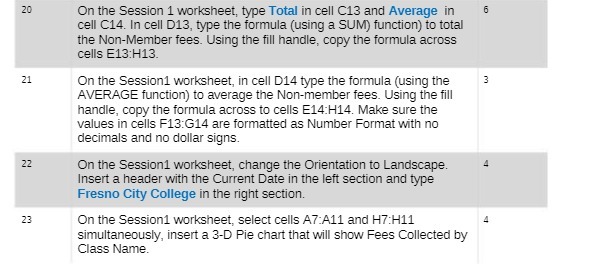
20 On the Session 1 worksheet, type Total in cell C13 and Average in 6 cell C14. In cell D13, type the formula (using a SUM) function) to total the Non-Member fees. Using the fill handle, copy the formula across cells E13:H13. 21 On the Session1 worksheet, in cell D14 type the formula (using the AVERAGE function) to average the Non-member fees. Using the fill handle, copy the formula across to cells E14:H14. Make sure the values in cells F13:G14 are formatted as Number Format with no decimals and no dollar signs. 22 On the Session1 worksheet, change the Orientation to Landscape. Insert a header with the Current Date in the left section and type Fresno City College in the right section. 23 On the Session1 worksheet, select cells A7:A11 and H7:H11 simultaneously, insert a 3-D Pie chart that will show Fees Collected by Class Name
Step by Step Solution
There are 3 Steps involved in it

Get step-by-step solutions from verified subject matter experts
 Study Help