







Question: 215 Multiple Choice Question When opening a file in python, you can specify how you want to open it with a second parameter. Select the
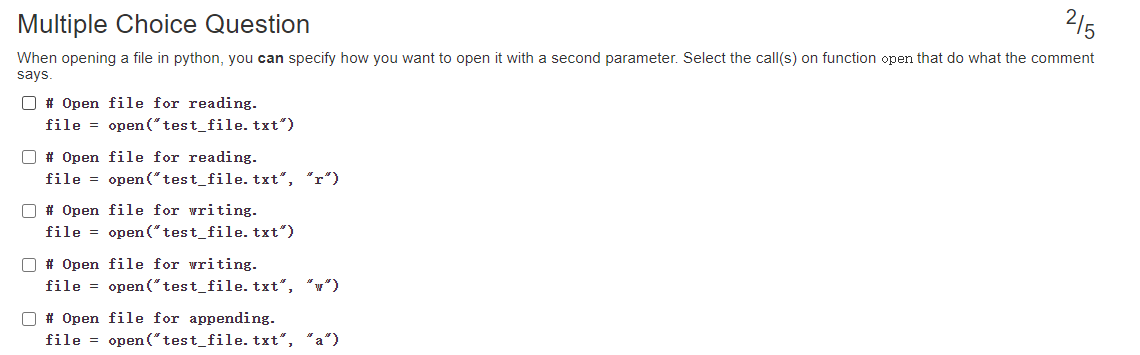
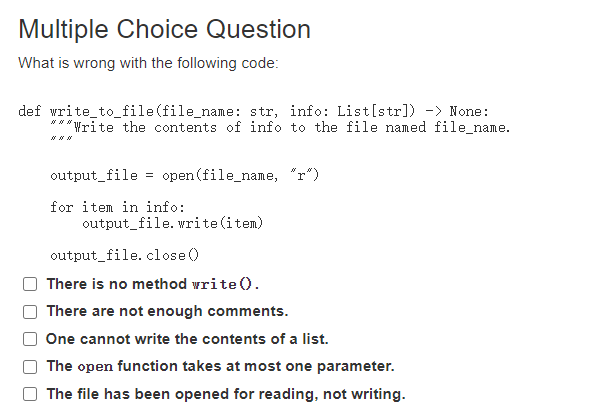
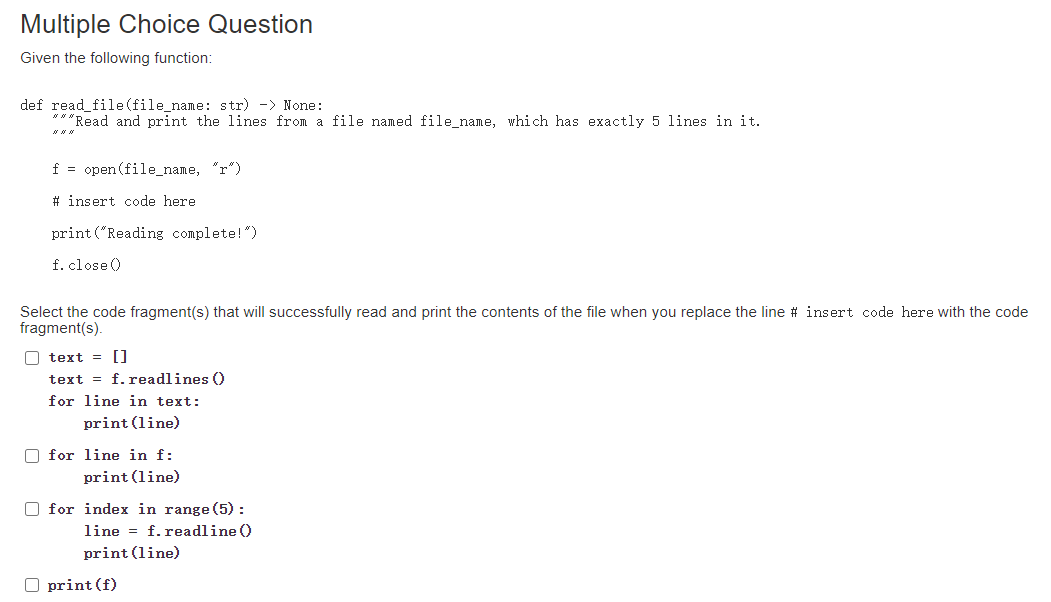
215 Multiple Choice Question When opening a file in python, you can specify how you want to open it with a second parameter. Select the call(s) on function open that do what the comment says. # Open file for reading. file = open("test_file.txt') # Open file for reading. file = open("test_file.txt", "r") # Open file for writing. file = open("test_file. txt') # Open file for vriting. file = open("test_file. txt", "Y) # Open file for appending. file = open("test_file.txt", "a") Multiple Choice Question What is wrong with the following code: def write_to_file(file_name: str, info: List[str]) -> None: ***Write the contents of info to the file named file_name. or output_file = open(file_name, "r") for item in info: output_file.write(item) output_file. close There is no method vrite(). There are not enough comments. One cannot write the contents of a list. The open function takes at most one parameter. The file has been opened for reading, not writing. Multiple Choice Question Given the following function: def read_file(file_name: str) -> None: *** Read and print the lines from a file named file_name, which has exactly 5 lines in it. f = open(file_name, "r") # insert code here print("Reading complete!") f.close Select the code fragment(s) that will successfully read and print the contents of the file when you replace the line # insert code here with the code fragment(s). O text = [] text = f.readlines 0 for line in text: print(line) for line in f: print(line) for index in range(5): line = f.readline print(line) O print (f)
Step by Step Solution
There are 3 Steps involved in it

Get step-by-step solutions from verified subject matter experts
 Study Help