Question: 2.23 LAB: Product class Given main() and Producth, define the Product class (in Product.cpp) that will manage product invertory Product class has three private data
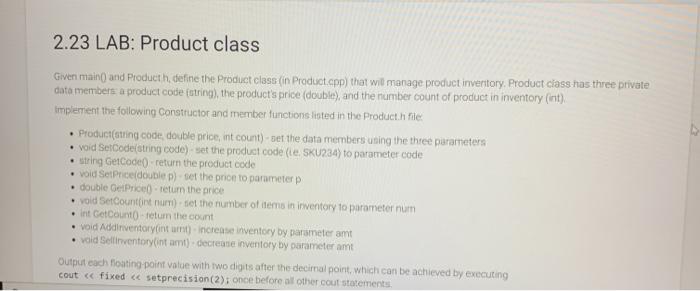
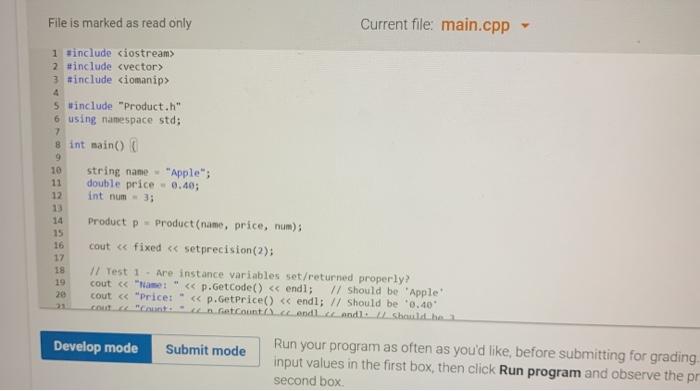
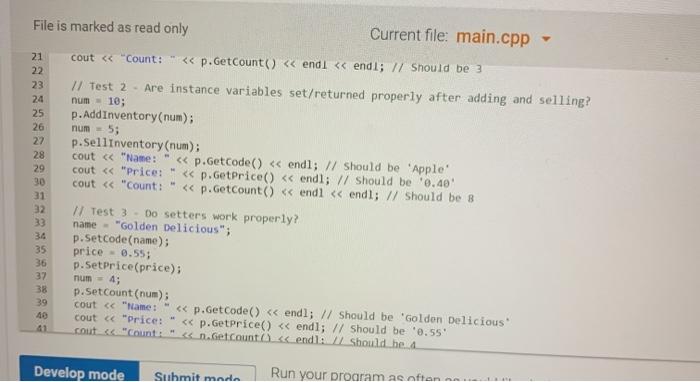
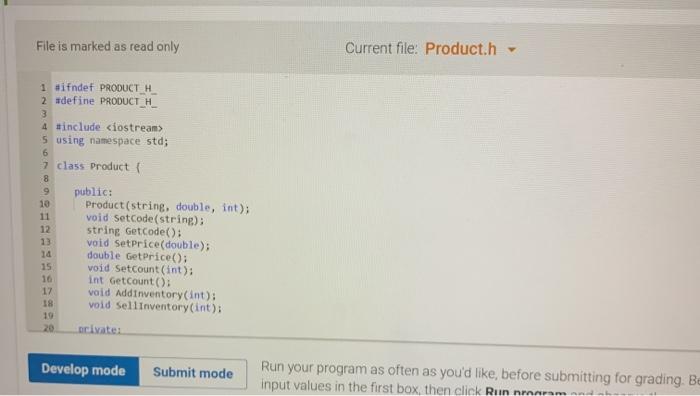
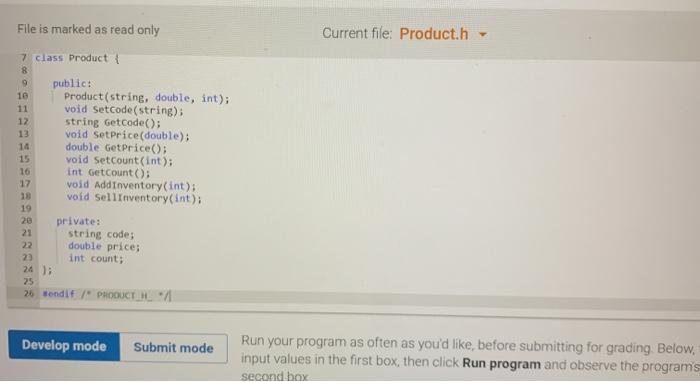
2.23 LAB: Product class Given main() and Producth, define the Product class (in Product.cpp) that will manage product invertory Product class has three private data members a product code (string), the product's price (double), and the number count of product in inventory (int) implement the following Constructor and member functions listed in the Product.h file. Product(string code double price, int count)- set the data members using the three parameters void setoode(string code)- set the product code (le, SKU234) to parameter code string GetCode() return the product code void Set Price double p) set the price to parameterp double GetPrice) return the price vold Set Countint num) set the number of items in inventory to parameter num Int GetCounto - return the count vold Addinventorylintut) increase inventory by parameter amt vold Sellinventory intamt) - decrease inventory by parameter amt Output each floating point value with two digits after the decimal point, which can be achieved by executing cout 2 #include 3 #include 5 #include "Product.h" 6 using namespace std; 7 8 int main 9 10 string name "Apple"; 11 double price - 0.40; 12 int num= 3; 14 15 16 17 18 19 20 23 Product p - Product (name, price, num); cout 5 using namespace std; 6 7 class Product 8 9 public: 10 Product(string, double, int); 11 void setcode(string); 12 string GetCode(): void SetPrice(double); 14 double GetPrice(); 15 void Setcount(int): 16 int GetCount(); 17 void Addinventory(int); 18 void sellinventory(int); 19 20 bivate: Develop mode Submit mode Run your program as often as you'd like, before submitting for grading. Be input values in the first box, then click Runnmaram Current file: Product.h File is marked as read only 7 class Product 9 public: 10 Product(string, double, int); 11 void setcode(string), 12 string GetCode(); 13 void SetPrice(double); 14 double GetPrice(); 15 void Setcount(int); 16 int GetCount(); void Add Inventory(int); void sell Inventory (int); 19 20 private: 21 string code: 22 double price; 22 int count: 25 26 Wondit/" PRODUCTIE Develop mode Submit mode Run your program as often as you'd like, before submitting for grading. Below, input values in the first box, then click Run program and observe the program's second box Current file: Product.cpp 1 include 2 #include 3 winclude "Product.h" 4 5 using namespace std; 6 7 double inventoryValue(); 8); 9 10 InventoryItem: InventoryItem() { product - **; inventory - ; 13 price - 0.8; 12 15 17 16 InventoryItem: InventoryItem(string prod, int in double p) product - prod; 18 inventory - in; 19 price-P 20) Develop mode Submit mode Run your program as often as yowd like, before submitting for grading input values in the first box, then click Run program and observe the p Current file: Product.cpp LOE 26 29 33 25 void Inventoryitem::set Inventory(int in) inventory - in; 27 ) 28 vold InventoryItent: setPrice(double ) { price - P: 11 12 string InventoryttemgetProduct() return product; 34) 35 int Inventory Item::getInventory return inventory: 37) 38 double Inventorytent getPrice() return prices 40) 42 double Inventorytent inventoryvalue) return Inventory price: M 16 39 41 Develop mode Submit mode Run your program as often as you'd like before submitting for grading, Below input values in the first box, then click Run program and observe the program second box