







Question: 2.3 There are three main areas to enter data when creating a customer general data, company code data, and sales area data. As you enter
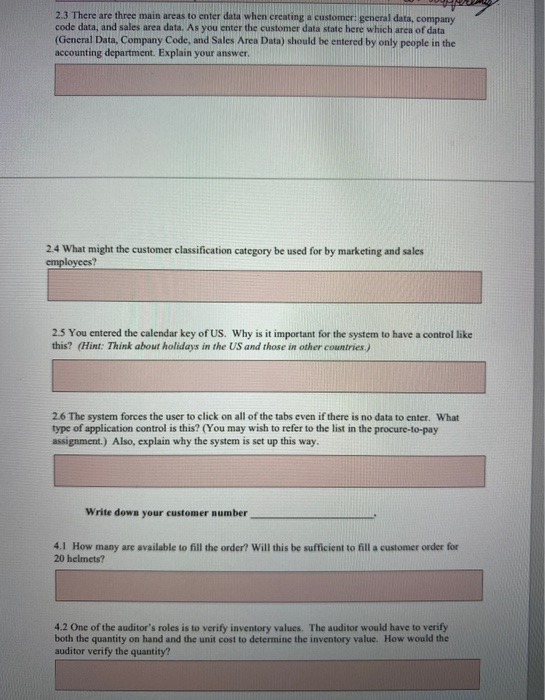
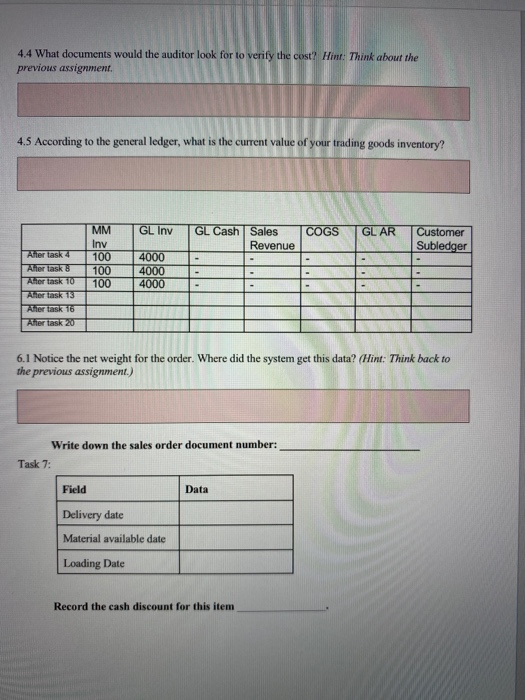
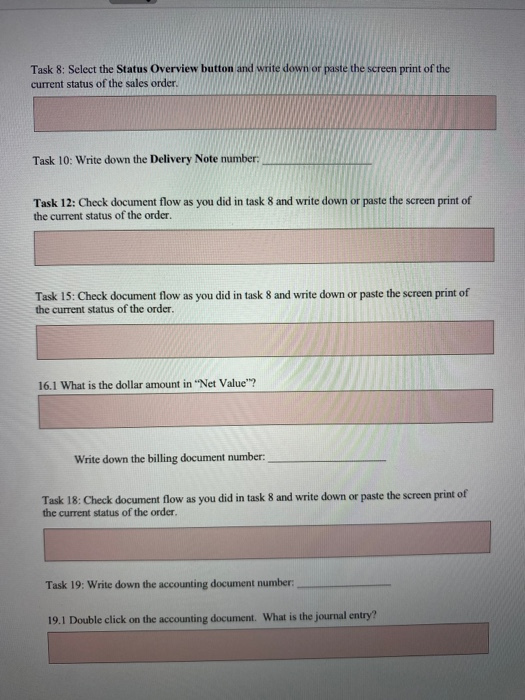
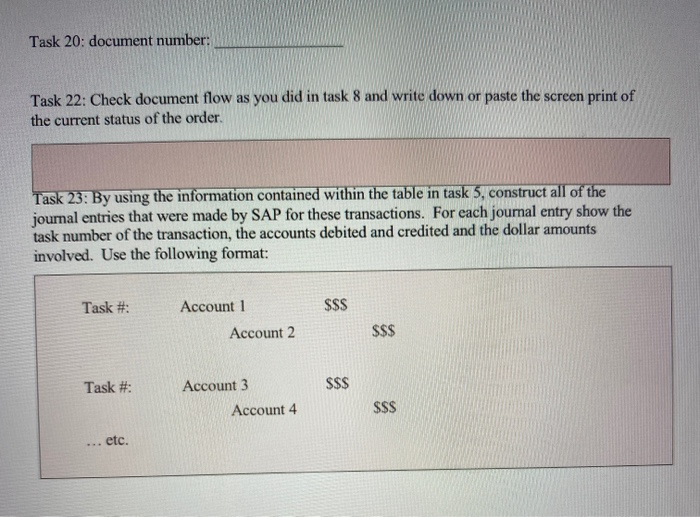
2.3 There are three main areas to enter data when creating a customer general data, company code data, and sales area data. As you enter the customer data state here which area of data (General Data, Company Code, and Sales Area Data) should be entered by only people in the accounting department. Explain your answer. 2.4 What might the customer classification category be used for by marketing and sales employees? 2.5 You entered the calendar key of US. Why is it important for the system to have a control like this? (Hint: Think about holidays in the US and those in other countries) 2.6 The system forces the user to click on all of the tabs even if there is no data to enter. What type of application control is this? (You may wish to refer to the list in the procure-to-pay assignment.) Also, explain why the system is set up this way. Write down your customer number 4.1 How many are available to fill the order? Will this be sufficient to fill a customer order for 20 helmets? 4.2 One of the auditor's roles is to verify inventory values. The auditor would have to verify both the quantity on hand and the unit cost to determine the inventory value. How would the auditor verify the quantity? 4.4 What documents would the auditor look for to verify the cost? Hint: Think about the previous assignment 4.5 According to the general ledger, what is the current value of your trading goods inventory? GL Inv GLAR GL Cash Sales Revenue Customer Subledger MM Inv 100 100 100 After task 4 Alter task After task 10 Ather task 13 Ather task 16 After task 20 4000 4000 4000 6.1 Notice the net weight for the order. Where did the system get this data? (Hint: Think back to the previous assignment.) Write down the sales order document number: Task 7: Field Data Delivery date Material available date Loading Date Record the cash discount for this item Task 8: Select the Status Overview button and write down or paste the screen print of the current status of the sales order. Task 10: Write down the Delivery Note number: Task 12: Check document flow as you did in task 8 and write down or paste the screen print of the current status of the order. Task 15: Check document flow as you did in task 8 and write down or paste the screen print of the current status of the order. 16.1 What is the dollar amount in "Net Value"? Write down the billing document number: Task 18: Check document flow as you did in task 8 and write down or paste the screen print of the current status of the order Task 19: Write down the accounting document number: 19.1 Double click on the accounting document. What is the journal entry? Task 20: document number: Task 22: Check document flow as you did in task 8 and write down or paste the screen print of the current status of the order. Task 23: By using the information contained within the table in task 5, construct all of the journal entries that were made by SAP for these transactions. For each journal entry show the task number of the transaction, the accounts debited and credited and the dollar amounts involved. Use the following format: Task #: Account 1 $SS Account 2 $$$ Task #: SSS Account 3 Account 4 $$$ ... etc
Step by Step Solution
There are 3 Steps involved in it

Get step-by-step solutions from verified subject matter experts
 Study Help