



Question: 24 0 Replace (University Name in the first paragraph on the third page with the merge field of University. Be sure to include the brackets
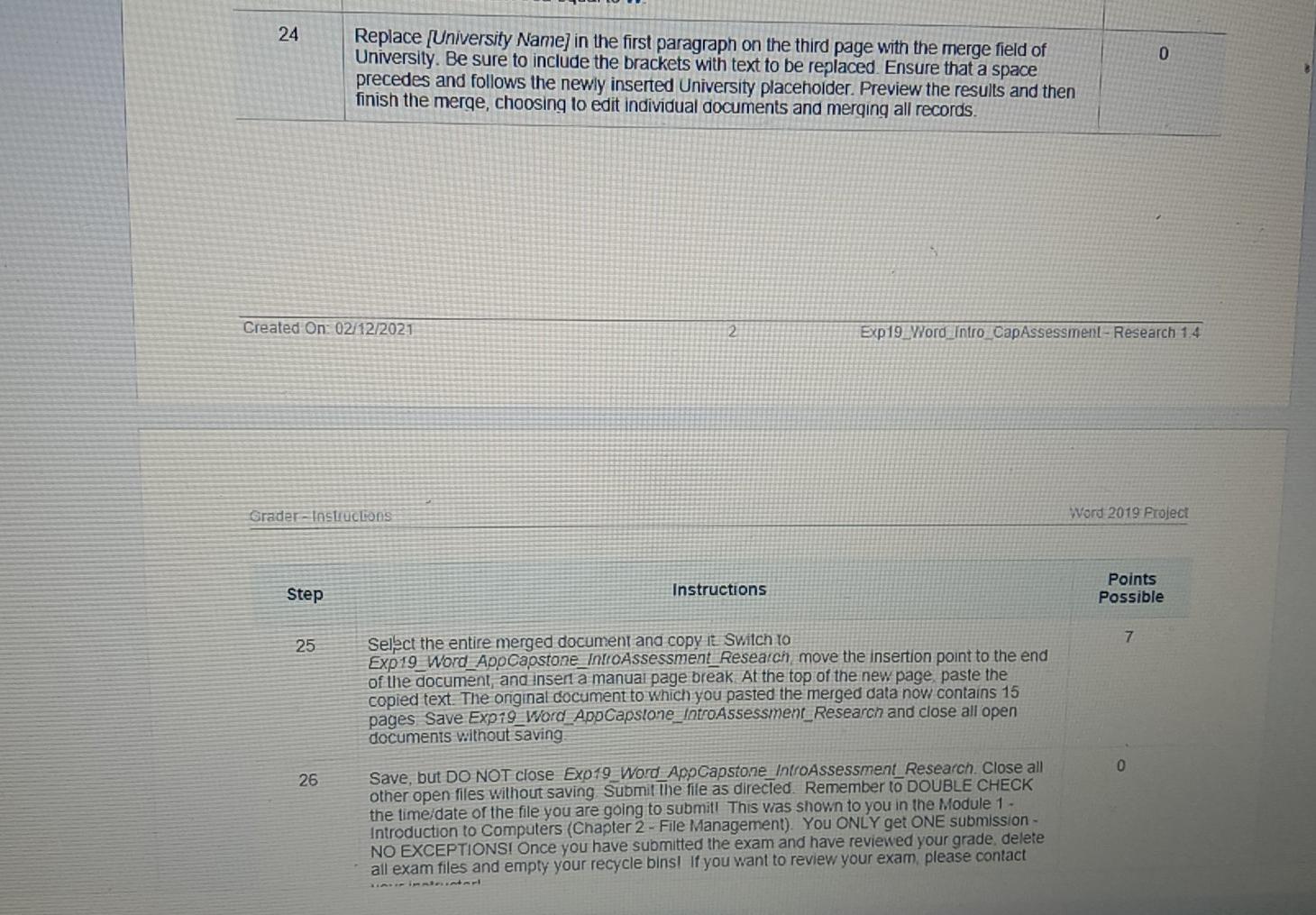
24 0 Replace (University Name in the first paragraph on the third page with the merge field of University. Be sure to include the brackets with text to be replaced. Ensure that a space precedes and follows the newly inserted University placeholder. Preview the results and then finish the merge, choosing to edit individual documents and merging all records. Created On: 02/12/2021 2 Exp 19 Word_intro_CapAssessment - Research 1.4 Grader-Instructons Word 2019 Project Step Instructions Points Possible 7 25 Select the entire merged document and copy it Switch to Exp19_Word_AppCapstone_IntroAssessment_Research move the insertion point to the end of the document, and inser a manual page break At the top of the new page paste the copied text. The original document to which you pasted the merged data now contains 15 pages Save Exp19_Word_AppCapstone_IntroAssessment_Research and close all open documents without saving 0 26 Save, but DO NOT close Exp19_Word_AppCapstone_IntroAssessment Research Close all other open files without saving Submit the file as directed. Remember to DOUBLE CHECK the time date of the file you are going to submit! This was shown to you in the Module 1 - Introduction to Computers (Chapter 2 - File Management). You ONLY get ONE submission- NO EXCEPTIONS! Once you have submitted the exam and have reviewed your grade delete all exam files and empty your recycle bins! If you want to review your exam, please contact
Step by Step Solution
There are 3 Steps involved in it
1 Expert Approved Answer
Step: 1 Unlock

Question Has Been Solved by an Expert!
Get step-by-step solutions from verified subject matter experts
Step: 2 Unlock
Step: 3 Unlock