







Question: 25. Where do you run nmap for the exploit? a) You must run nmap on the machine you are hacking i.e. metasploitable-ll machine b) You
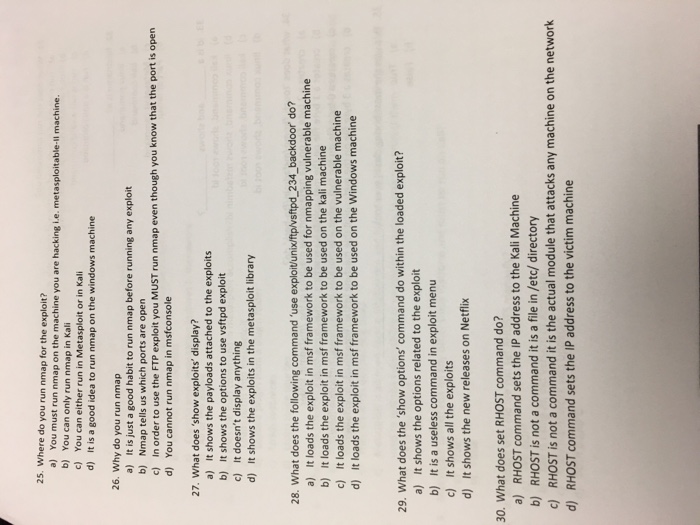
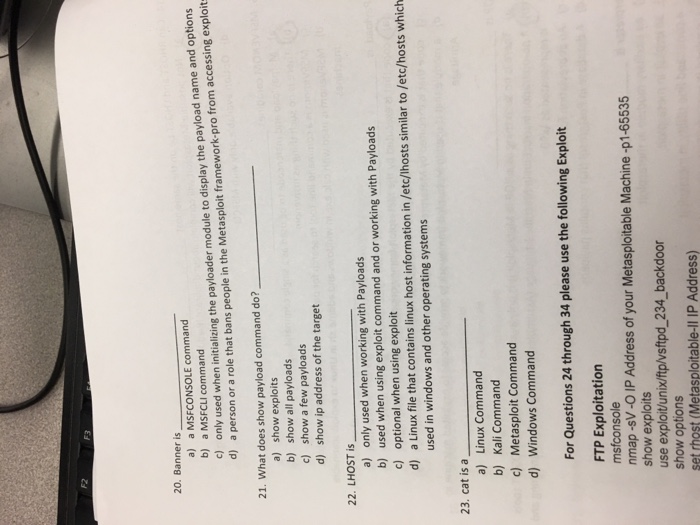
25. Where do you run nmap for the exploit? a) You must run nmap on the machine you are hacking i.e. metasploitable-ll machine b) You can only run nmap in Kali c) You can either run in Metasploit or in Kali d) It is a good idea to run nmap on the windows machine 26. Why do you run nmap a) It is just a good habit to run nmap before running any exploit b) Nmap tells us which ports are open c) In order to use the FTP exploit you MUST run nmap even though you know that the port is opern d) You cannot run nmap in msfconsole 27. What does 'show exploits' display? a) It shows the payloads attached to the exploits b) It shows the options to use vsftpd exploit c) It doesn't display anything d) It shows the exploits in the metasploit library 28. What does the following command 'use exploitunix/ftp/vsftpd 234_backdoor' do? a) It loads the exploit in msf framework to be used for nmapping vulnerable machine b) It loads the exploit in msf framework to be used on the kali machine c) It loads the exploit in msf framework to be used on the vulnerable machine d) It loads the exploit in msf framework to be used on the Windows machine 29. What does the 'show options' command do within the loaded exploit? a) It shows the options related to the exploit b) It is a useless command in exploit menu c) It shows all the exploits d) It shows the new releases on Netflix 30. What does set RHOST command do? a) RHOST command sets the IP address to the Kali Machine b) RHOST is not a command it is a file in /etc/directory c) RHOST is not a command it is the actual module that attacks any machine on the network d) RHOST command sets the IP address to the victim machine
Step by Step Solution
There are 3 Steps involved in it

Get step-by-step solutions from verified subject matter experts
 Study Help