





Question: 28 Complete the Chapter 5 Comprehensive Exercise using the instructions and resources listed above. For your Connect assignment, Sections 1 and 2 should be attempted
28 Complete the Chapter 5 Comprehensive Exercise
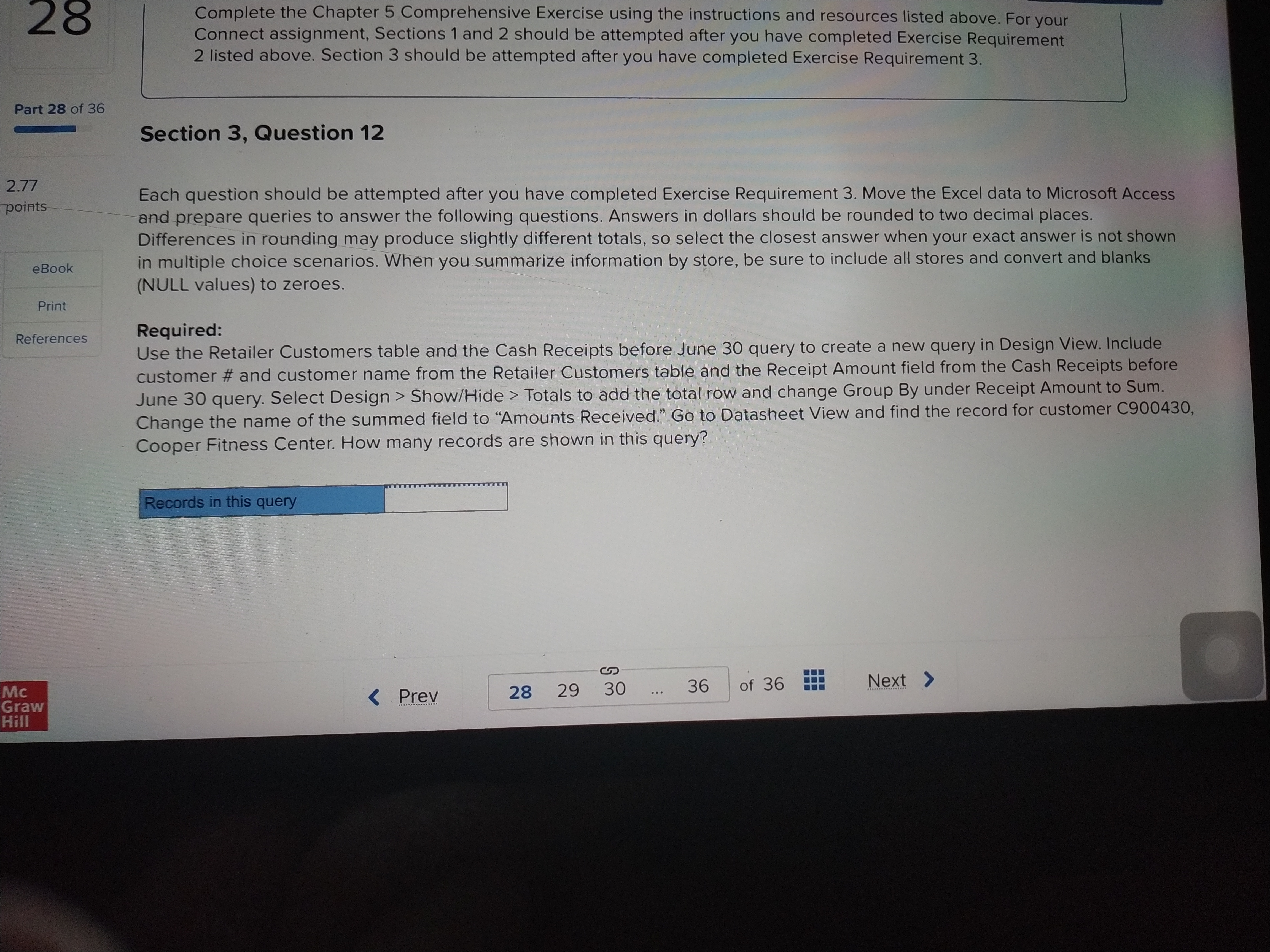
28 Complete the Chapter 5 Comprehensive Exercise using the instructions and resources listed above. For your Connect assignment, Sections 1 and 2 should be attempted after you have completed Exercise Requirement 2 listed above. Section 3 should be attempted after you have completed Exercise Requirement 3. Part 28 of 36 Section 3, Question 12 2.77 points Each question should be attempted after you have completed Exercise Requirement 3. Move the Excel data to Microsoft Access and prepare queries to answer the following questions. Answers in dollars should be rounded to two decimal places. Differences in rounding may produce slightly different totals, so select the closest answer when your exact answer is not shown eBook in multiple choice scenarios. When you summarize information by store, be sure to include all stores and convert and blanks (NULL values) to zeroes. Print References Required: Use the Retailer Customers table and the Cash Receipts before June 30 query to create a new query in Design View. Include customer # and customer name from the Retailer Customers table and the Receipt Amount field from the Cash Receipts before June 30 query. Select Design > Show/Hide > Totals to add the total row and change Group By under Receipt Amount to Sum. Change the name of the summed field to "Amounts Received." Go to Datasheet View and find the record for customer C900430, Cooper Fitness Center. How many records are shown in this query? Records in this query Graw

Step by Step Solution

There are 3 Steps involved in it

1 Expert Approved Answer
Step: 1 Unlock blur-text-image
Question Has Been Solved by an Expert!

Get step-by-step solutions from verified subject matter experts

Step: 2 Unlock
Step: 3 Unlock

Students Have Also Explored These Related Accounting Questions!