





Question: 3. Create 3 tables with headings in a Word document similar to Figure 4.2 on page 112 (bottom of textbook page), one for each of
3. Create 3 tables with headings in a Word
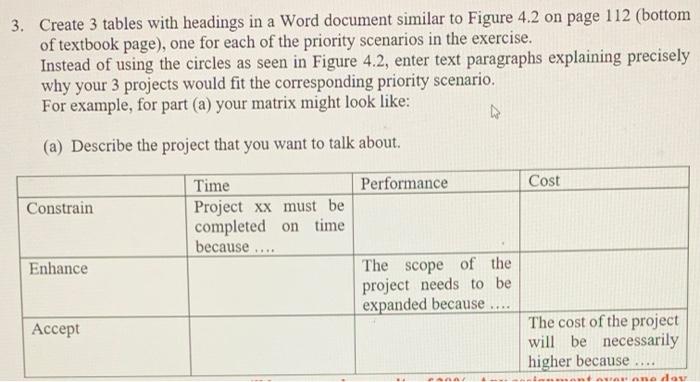
3. Create 3 tables with headings in a Word document similar to Figure 4.2 on page 112 (bottom of textbook page), one for each of the priority scenarios in the exercise. Instead of using the circles as seen in Figure 4.2, enter text paragraphs explaining precisely why your 3 projects would fit the corresponding priority scenario. For example, for part (a) your matrix might look like: (a) Describe the project that you want to talk about. Cost Constrain Time Performance Project xx must be completed on time because The scope of the project needs to be expanded because Enhance ## Accept The cost of the project will be necessarily higher because A dou 3. Create 3 tables with headings in a Word document similar to Figure 4.2 on page 112 (bottom of textbook page), one for each of the priority scenarios in the exercise. Instead of using the circles as seen in Figure 4.2, enter text paragraphs explaining precisely why your 3 projects would fit the corresponding priority scenario. For example, for part (a) your matrix might look like: (a) Describe the project that you want to talk about. Cost Constrain Time Performance Project xx must be completed on time because The scope of the project needs to be expanded because Enhance ## Accept The cost of the project will be necessarily higher because A dou

Step by Step Solution

There are 3 Steps involved in it

1 Expert Approved Answer
Step: 1 Unlock blur-text-image

Question Has Been Solved by an Expert!

Get step-by-step solutions from verified subject matter experts

Step: 2 Unlock
Step: 3 Unlock

Students Have Also Explored These Related General Management Questions!