







Question: 3. Create a Python function called encoder which expects two arguments. The first argument is a string representing a message to be translated into a
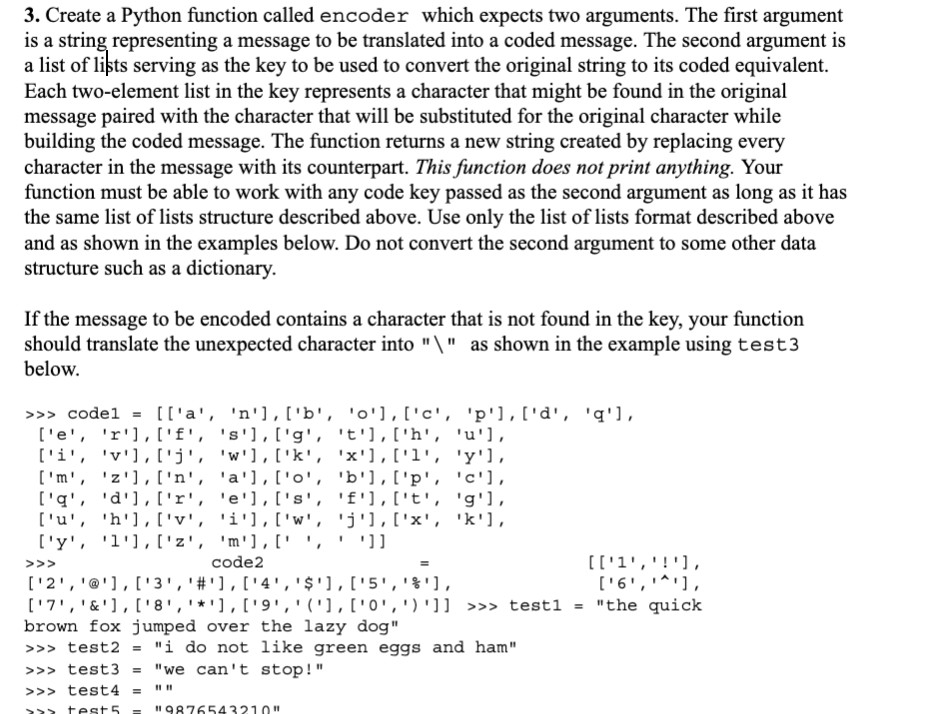
3. Create a Python function called encoder which expects two arguments. The first argument is a string representing a message to be translated into a coded message. The second argument is a list of lits serving as the key to be used to convert the original string to its coded equivalent. Each two-element list in the key represents a character that might be found in the original message paired with the character that will be substituted for the original character while building the coded message. The function returns a new string created by replacing every character in the message with its counterpart. This function does not print anything. Your function must be able to work with any code key passed as the second argument as long as it has the same list of lists structure described above. Use only the list of lists format described above and as shown in the examples below. Do not convert the second argument to some other data structure such as a dictionary. If the message to be encoded contains a character that is not found in the key, your function should translate the unexpected character into "\" as shown in the example using test3 below. >>> codel = [['a', 'n'], ['b', 'd'],['c', 'p'],['d', 'q'], ['e', 'r'],['f', 's'], ['g', 't'],['h', 'u'l, ['i', 'v'],['j', 'W'], ['k', 'x'], ['l', 'y'], ['m', 'Z'],['n', 'a'],['o', 'b'],['p', 'c'], ['a', 'd'],['r', 'e'], ['s', 'f'], ['t', 'g'l, ['u', 'h'],['y', 'i'], ['w', 'j'), ('x', 'k'), ['y', 'l'],['z', 'm'],['', '']] code2 [['1','!'), ['2','@'], ['3','#'],['4','$'],['5','f'], ,'' ['6','*'), ['7','&'], ['8','*'), ('9','1'],['0',')']] >>> testi = "the quick brown fox jumped over the lazy dog" >>> test2 = "i do not like green eggs and ham" >>> test3 = "we can't stop!" >>> test4 >>> 1111 = >>> test5 Il 9876543210 11
Step by Step Solution
There are 3 Steps involved in it

Get step-by-step solutions from verified subject matter experts
 Study Help