







Question: 3. Create a shell script that accepts a single command line argument representing a file () name and creates a backup of the gi tory
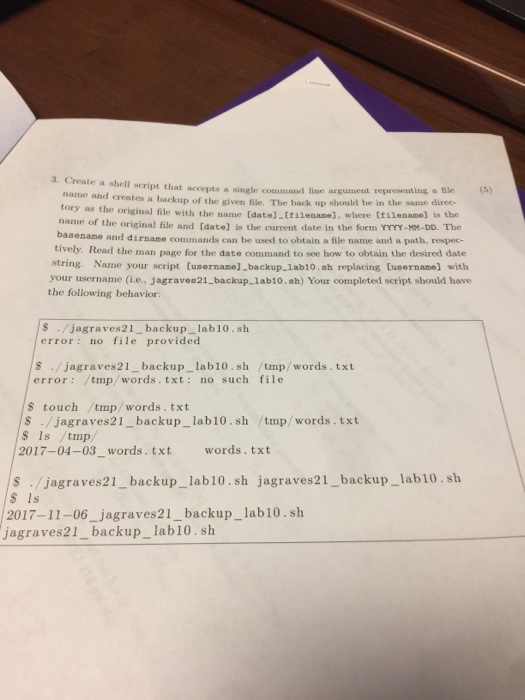
3. Create a shell script that accepts a single command line argument representing a file () name and creates a backup of the gi tory as the original file with th name of the original file and (date] is the current date in the form YYYY-MM-DD. The basename and dirname commands can be used to obtain a file name and a path, respec- tively. Read the man page for the date command to see how to obtain the desired date ven Ble. The back up should be in the same direc- e name Idate].tt1lename], where ttilename] is the string. Name your script (usernane] backup 1ab10. sh replacing tusername] with your username (i.e., jagraves21 backuplab10.sh) Your completed script should have the following behavior s . /jagraves21-backup-lab10. sh error no file provided s./jagraves21_backup_ lab10.sh /tmp/words.txt error /tmp/words. txt: no such file S touch tmp/words. txt s/jagraves21_ backup_lab10.sh tmp/words.txt S Is /tmp/ 2017-04-03_words. txt words.txt s /jagraves21_backup_lab10.sh jagraves21_backup_lab10.sh S 1s 2017-11-06_jagraves21_backup_lab10.sh jagraves21_backup_lab10.sh
Step by Step Solution
There are 3 Steps involved in it

Get step-by-step solutions from verified subject matter experts
 Study Help