







Question: 3 -D references allow formulas and functions to use data from cells and cell ranges across worksheets. On the Summary worksheet, enter a 3-D SUM
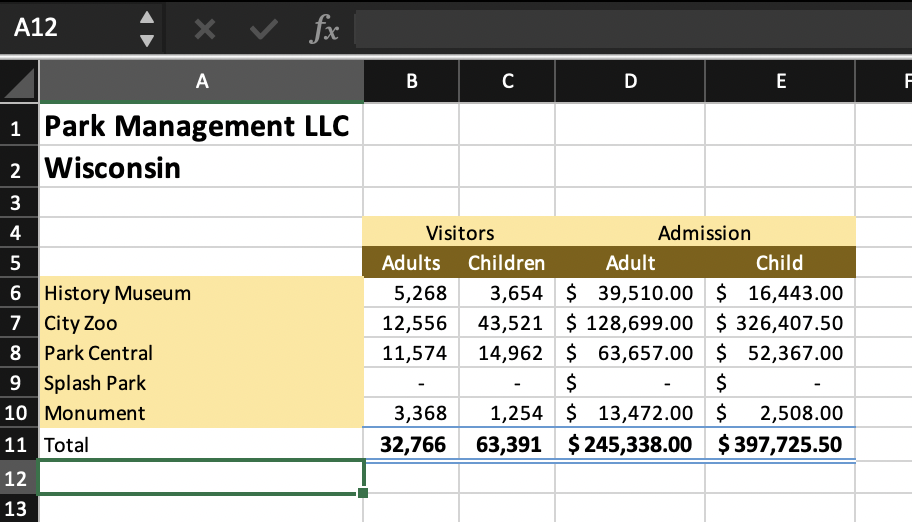
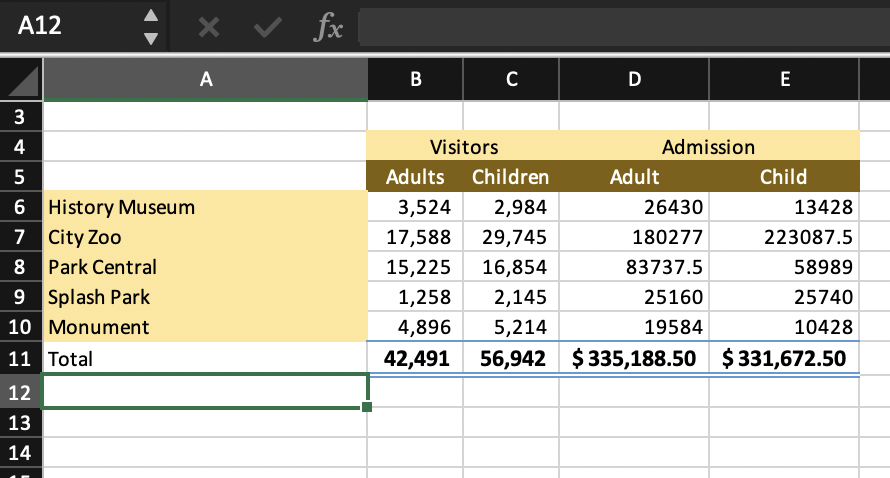
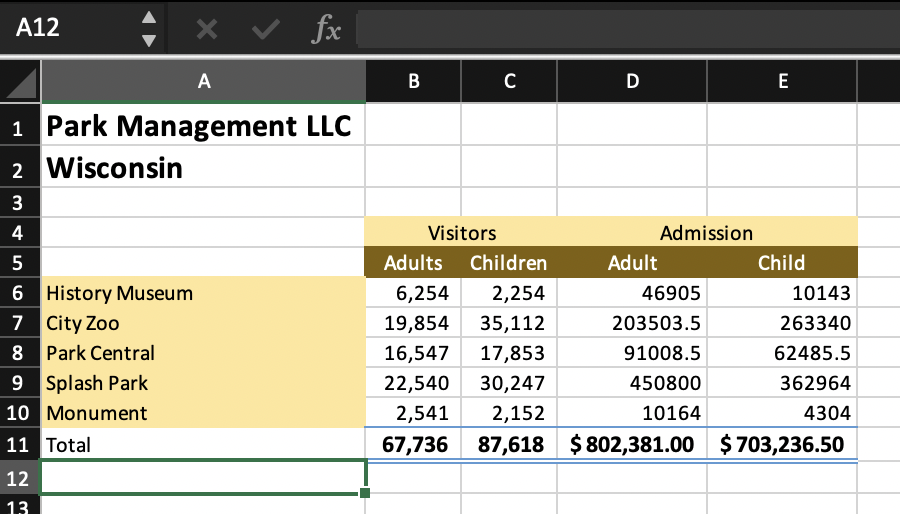
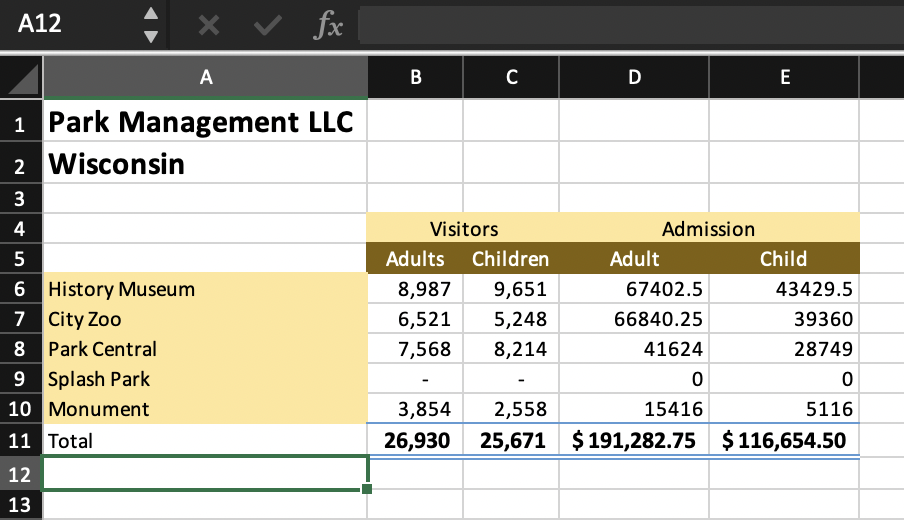
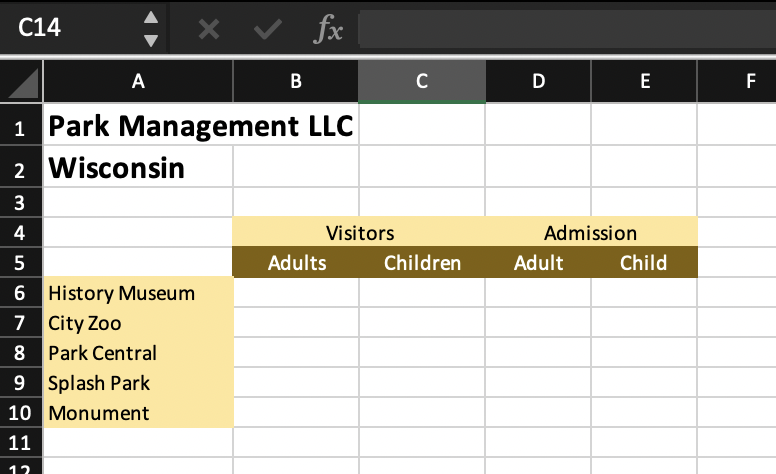
3 -D references allow formulas and functions to use data from cells and cell ranges across worksheets. On the Summary worksheet, enter a 3-D SUM function in cells B6:E10 to calculate the total visitors and admissions for each category and location from Quarter1 through Quarter4. 3 -D references allow formulas and functions to use data from cells and cell ranges across worksheets. On the Summary worksheet, enter a 3-D SUM function in cells B6:E10 to calculate the total visitors and admissions for each category and location from Quarter1 through Quarter4
Step by Step Solution
There are 3 Steps involved in it
1 Expert Approved Answer
Step: 1 Unlock

Question Has Been Solved by an Expert!
Get step-by-step solutions from verified subject matter experts
Step: 2 Unlock
Step: 3 Unlock
 Study Help