







Question: 3. Input and Output Devices are constantly being developed. Do some research (textbook/internet) into new technologies e.g. 3D Printers, Laser Projection Virtual Keyboards (have a
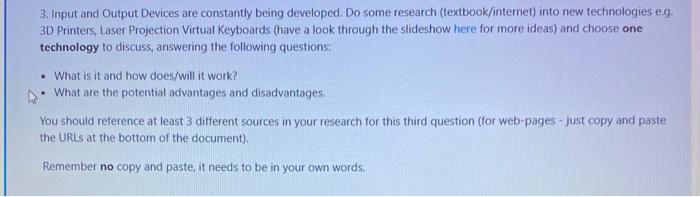
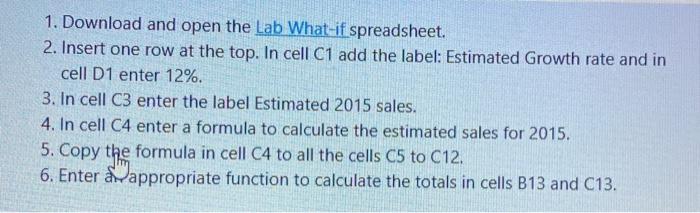
3. Input and Output Devices are constantly being developed. Do some research (textbook/internet) into new technologies e.g. 3D Printers, Laser Projection Virtual Keyboards (have a look through the slideshow here for more ideas) and choose ono technology to discuss, answering the following questions: . What is it and how does/will it work? What are the potential advantages and disadvantages. You should reference at least 3 different sources in your research for this third question (for web pages - just copy and paste the URLs at the bottom of the document) Remember no copy and paste, it needs to be in your own words. 1. Download and open the Lab What-if spreadsheet. 2. Insert one row at the top. In cell C1 add the label: Estimated Growth rate and in cell D1 enter 12%. 3. In cell C3 enter the label Estimated 2015 sales. 4. In cell C4 enter a formula to calculate the estimated sales for 2015. 5. Copy the formula in cell C4 to all the cells C5 to C12. 6. Enter appropriate function to calculate the totals in cells B13 and C13. 3. Input and Output Devices are constantly being developed. Do some research (textbook/internet) into new technologies e.g. 3D Printers, Laser Projection Virtual Keyboards (have a look through the slideshow here for more ideas) and choose ono technology to discuss, answering the following questions: . What is it and how does/will it work? What are the potential advantages and disadvantages. You should reference at least 3 different sources in your research for this third question (for web pages - just copy and paste the URLs at the bottom of the document) Remember no copy and paste, it needs to be in your own words. 1. Download and open the Lab What-if spreadsheet. 2. Insert one row at the top. In cell C1 add the label: Estimated Growth rate and in cell D1 enter 12%. 3. In cell C3 enter the label Estimated 2015 sales. 4. In cell C4 enter a formula to calculate the estimated sales for 2015. 5. Copy the formula in cell C4 to all the cells C5 to C12. 6. Enter appropriate function to calculate the totals in cells B13 and C13
Step by Step Solution
There are 3 Steps involved in it

Get step-by-step solutions from verified subject matter experts
 Study Help