







Question: 3) Menu functionality a) If 1 is selected i) Prompt the user for the radius of the circle and store the radius in a double
3) Menu functionality a) If 1 is selected i) Prompt the user for the radius of the circle and store the radius in a double variable called radius. ii) Calculate the area of the circle using the formula: areaCircle = PI * r2 where r is the radius of the circle iii) Store the results of the calculation in a double called areaCircle iv) Display the area of the Circle such as: The area of the circle is 98.5203 b) If 2 is selected i) Prompt the user for the length and width of the rectangle and store those values in integer variables called length and width ii) Calculate the area of the rectangle using the formula: areaRectangle = length * width; iii) Store the results of the calculation in a double called areaRectangle iv) Display the area of the Circle such as: The area of the rectange is 36 c) If 3 is selected i) Prompt the user for the length of the triangles base and the height of the triangle and store those values in integer variables called base and height ii) Calculate the area of the triangle e using the formula: areaTriangle = base * height * .5; iii) Store the results of the calculation in a double called areaTriangle iv) Display the area of the Circle such as: The area of the triangle is 36.3 d) If 4 is selected i) Display a message No select made ii) End the program
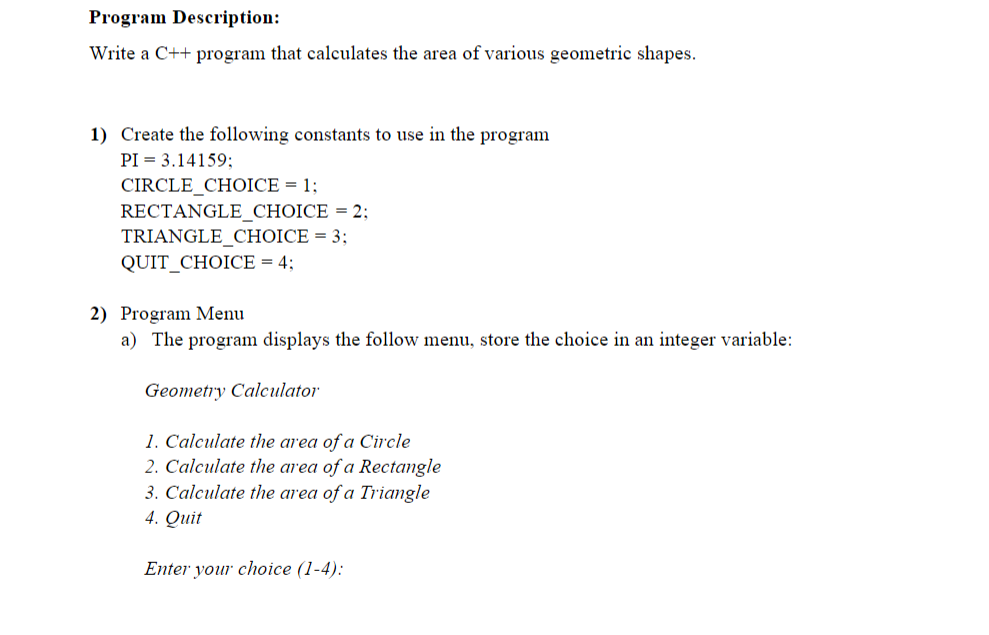
Program Description: Write a C++ program that calculates the area of various geometric shapes. 1) Create the following constants to use in the program PI = 3.14159; CIRCLE CHOICE = 1; RECTANGLE CHOICE = 2; TRIANGLE_CHOICE = 3; QUIT_CHOICE = 4; 2) Program Menu a) The program displays the follow menu, store the choice in an integer variable: Geometry Calculator 1. Calculate the area of a Circle 2. Calculate the area of a Rectangle 3. Calculate the area of a Triangle 4. Quit Enter your choice (1-4)
Step by Step Solution
There are 3 Steps involved in it

Get step-by-step solutions from verified subject matter experts
 Study Help