







Question: 3. Program Logic: import Stmts: List the classes to be imported so your program can use their code. import Scanner Class Header: What is
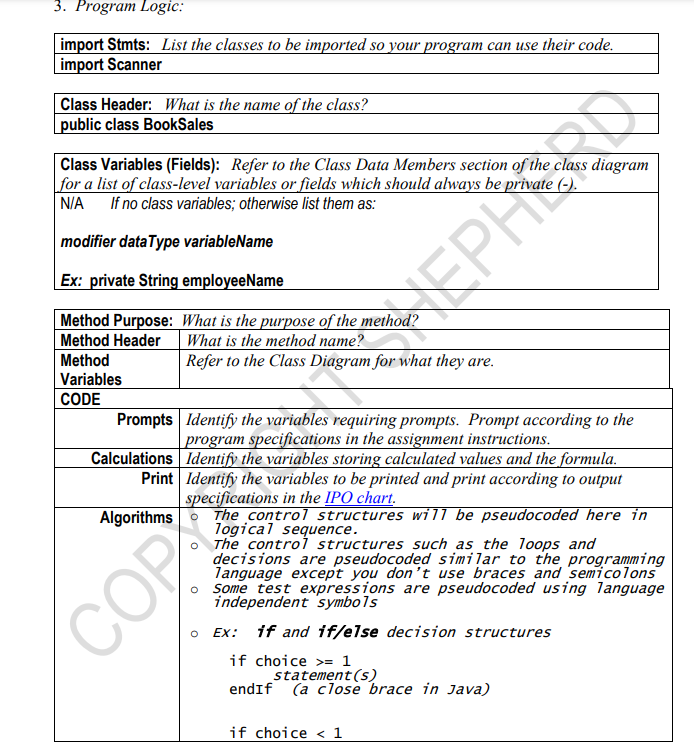
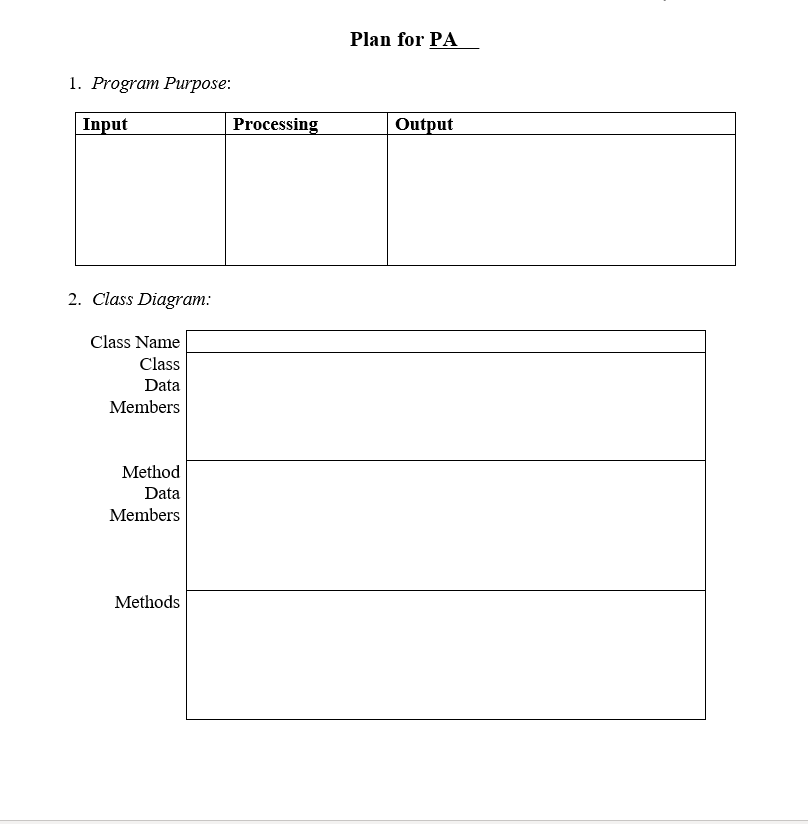
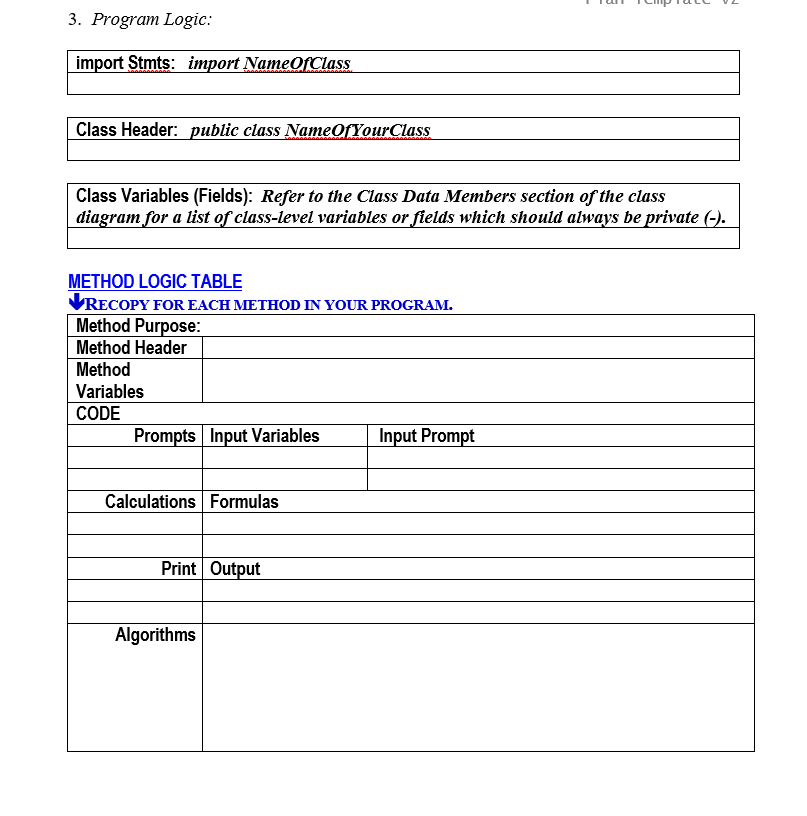
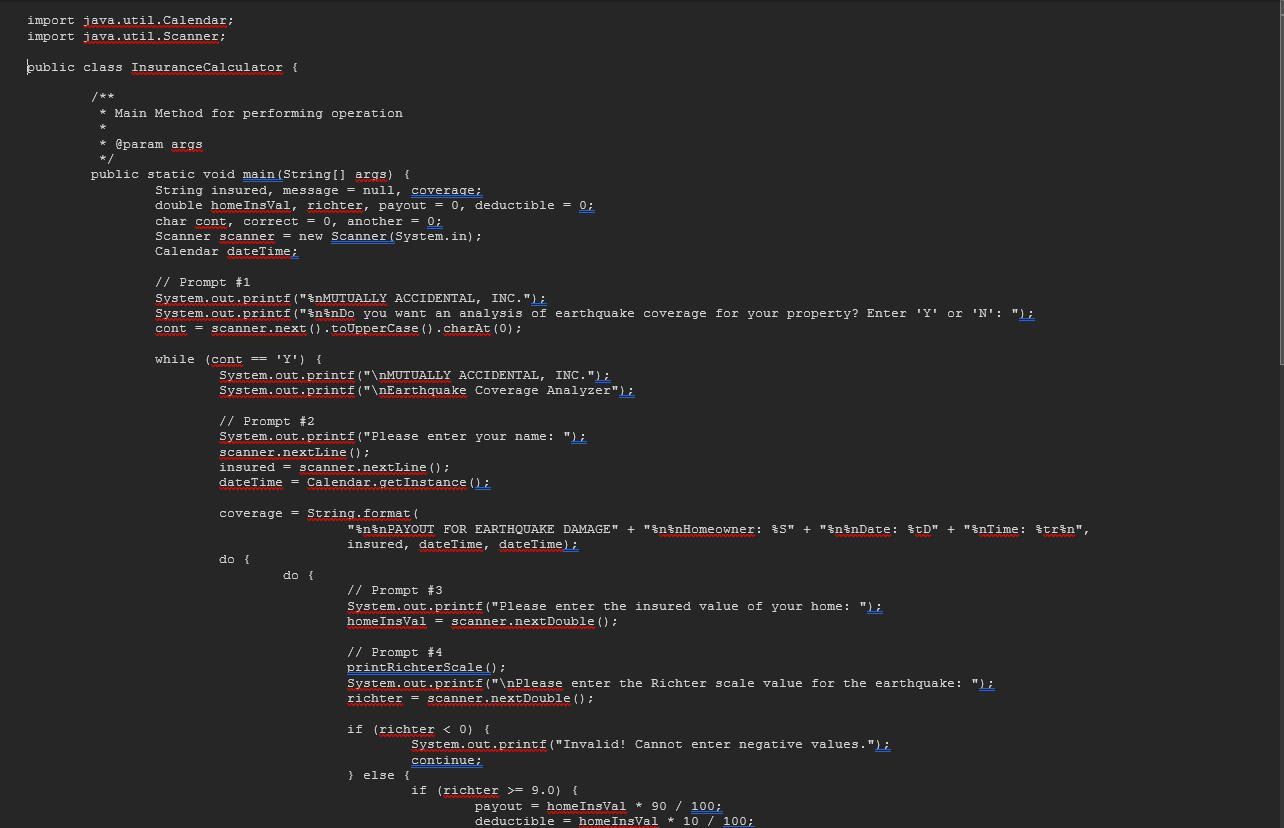
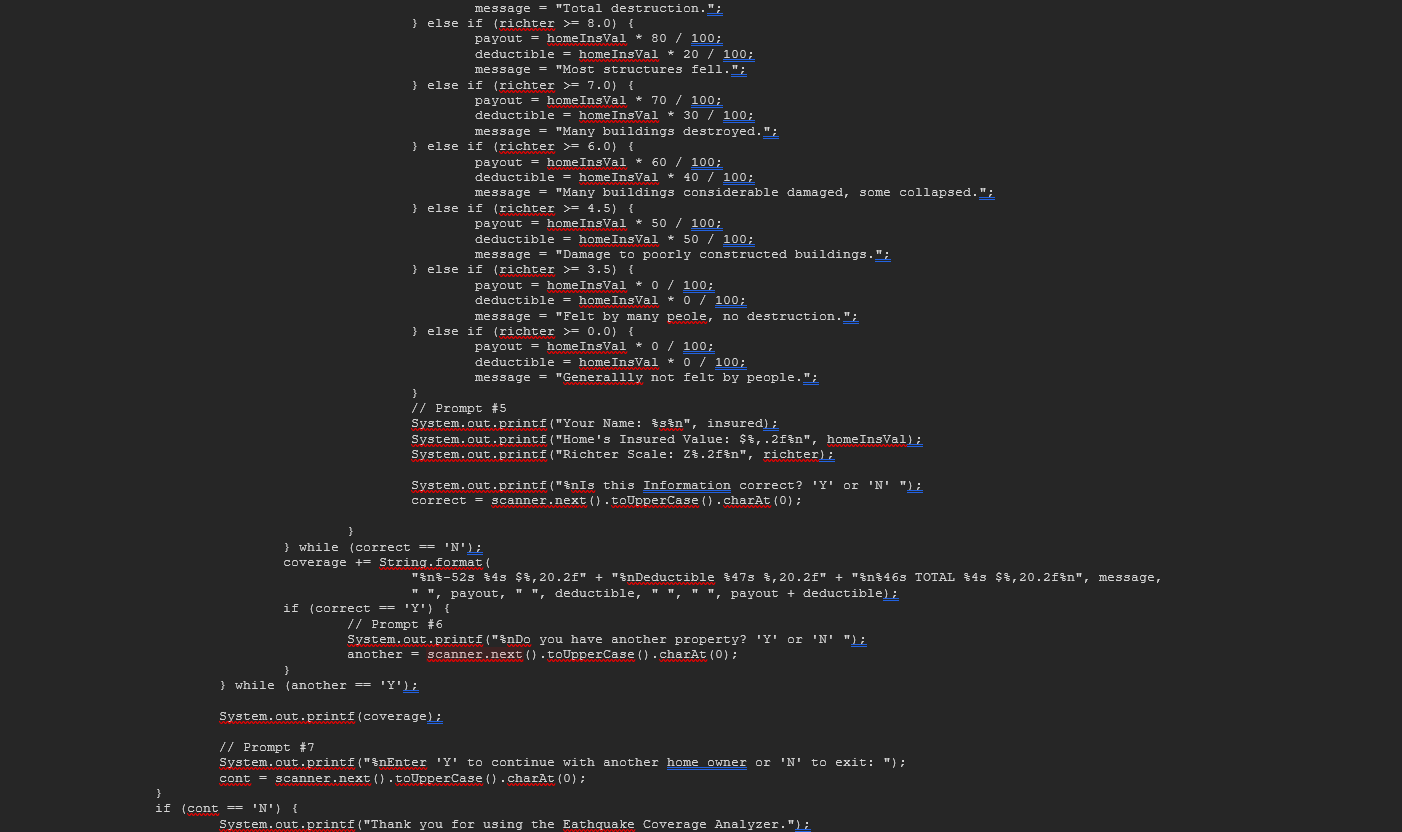
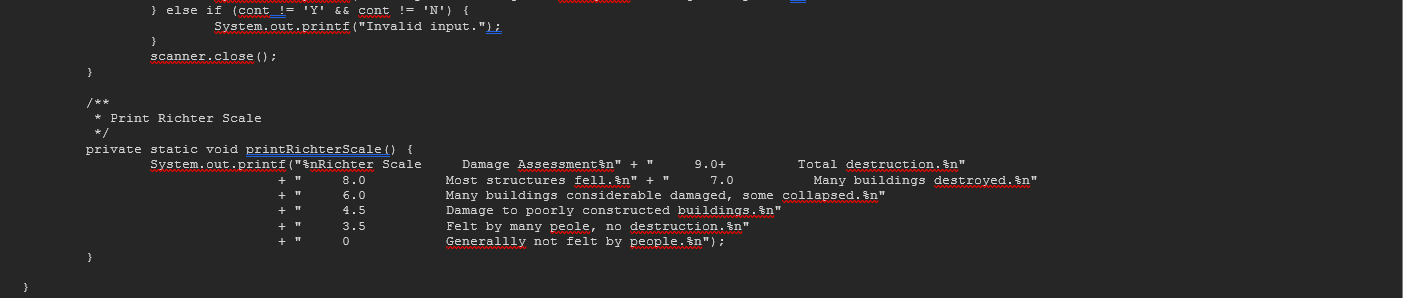
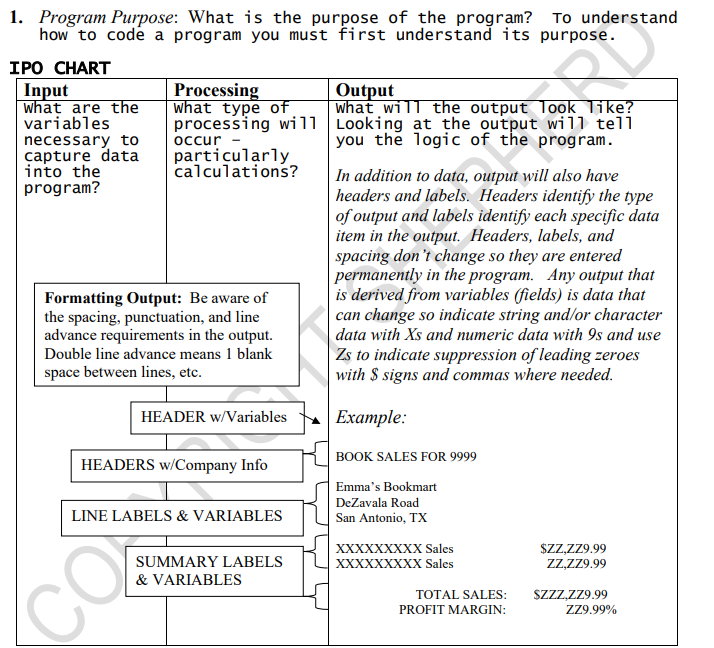
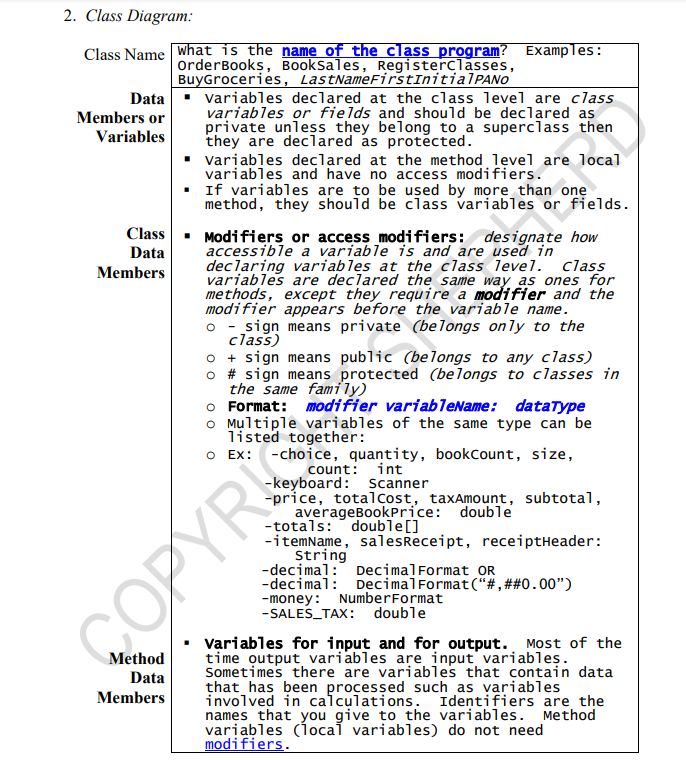
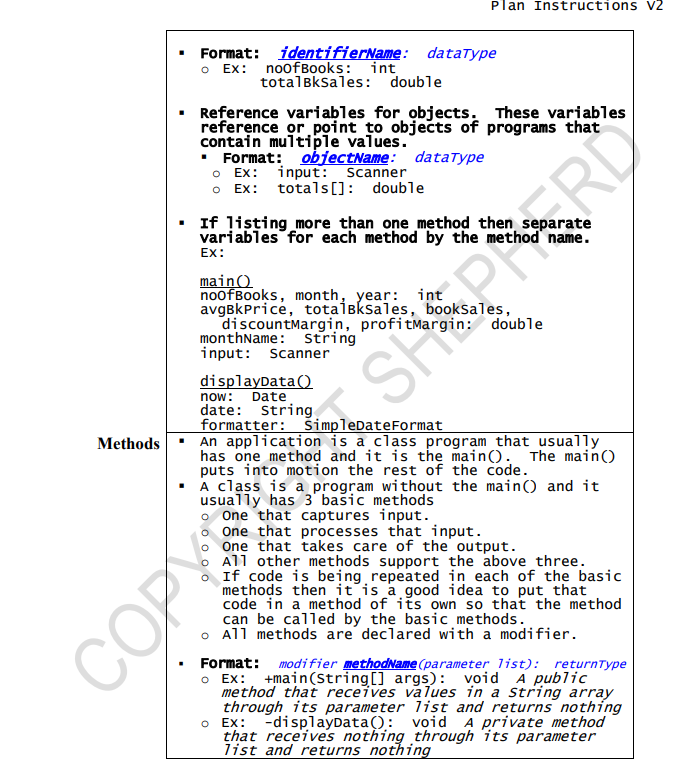
3. Program Logic: import Stmts: List the classes to be imported so your program can use their code. import Scanner Class Header: What is the name of the class? public class BookSales Class Variables (Fields): Refer to the Class Data Members section of the class diagram for a list of class-level variables or fields which should always be private (-). N/A If no class variables; otherwise list them as: modifier dataType variableName Ex: private String employee Name EPH Method Purpose: What is the purpose of the method? Method Header Method Variables CODE What is the method name? Refer to the Class Diagram for what they are. Prompts Identify the variables requiring prompts. Prompt according to the program specifications in the assignment instructions. Calculations Identify the variables storing calculated values and the formula. Print Identify the variables to be printed and print according to output specifications in the IPO chart. Algorithms COP The control structures will be pseudocoded here in logical sequence. The control structures such as the loops and decisions are pseudocoded similar to the programming language except you don't use braces and semicolons Some test expressions are pseudocoded using language independent symbols Ex: if and if/else decision structures if choice> 1 statement(s) endIf (a close brace in Java) if choice < 1 1. Program Purpose: Input 2. Class Diagram: Class Name Class Data Members Method Data Members Methods Plan for PA Processing Output 3. Program Logic: import Stmts: import NameOfClass Class Header: public class Name Of YourClass Class Variables (Fields): Refer to the Class Data Members section of the class diagram for a list of class-level variables or fields which should always be private (-). METHOD LOGIC TABLE RECOPY FOR EACH METHOD IN YOUR PROGRAM. Method Purpose: Method Header Method Variables CODE Prompts Input Variables Input Prompt Calculations Formulas Print Output Algorithms import java.util.Calendar; import java.util.Scanner; public class Insurance Calculator { /** * Main Method for performing operation * @param args */ public static void main(String[] args) { String insured, message = null, coverage; double homeInsVal, richter, payout = 0, deductible = 0; char cont, correct = 0, another = 0; Scanner scanner = new Scanner(System.in); Calendar dateTime; // Prompt #1 System.out.printf(" MUTUALLY ACCIDENTAL, INC."); System.out.printf(" Do you want an analysis of earthquake coverage for your property? Enter 'Y' or 'N': "); cont = scanner.next().toUpperCase().charAt(0); while (cont == 'Y') { System.out.printf(" MUTUALLY ACCIDENTAL, INC."); System.out.printf(" Earthquake Coverage Analyzer"); // Prompt #2 System.out.printf("Please enter your name: "); scanner.nextLine(); insured = scanner.nextLine(); dateTime = Calendar.getInstance(); coverage = String.format( " PAYOUT FOR EARTHQUAKE DAMAGE" + "%n Homeowner: %s" + " Date: %tD" + "%nTime: Strn", insured, dateTime, dateTime); do { do { // Prompt #3 System.out.printf("Please enter the insured value of your home: "); home InsVal = scanner.nextDouble(); // Prompt #4 printRichterScale(); System.out.printf(" Please enter the Richter scale value for the earthquake: "); richter = scanner.nextDouble(); if (richter < 0) { } else { System.out.printf("Invalid! Cannot enter negative values."); continue; if (richter >= 9.0) { payout home InsVal * 90 / 100; deductible = home InsVal * 10 / 100; message = "Total destruction. } else if (richter >= 8.0) { payout = home InsVal * 80 / 100; deductible = home InsVal * 20 / 100; message = "Most structures fell."; } else if (richter >= 7.0) { payout home InsVal * 70 / 100; deductible = homeInsVal * 30 / 100; message = "Many buildings destroyed."; } else if (richter >= 6.0) { payout = home InsVal * 60 / 100; deductible = home InsVal * 40 / 100; message = "Many buildings considerable damaged, some collapsed."; } else if (richter > 4.5) { payout home InsVal * 50 / 100; deductible = home InsVal * 50 / 100; message = "Damage to poorly constructed buildings."; } else if (richter >= 3.5) { payout home InsVal * 0 / 100; deductible = home InsVal * 0 / 100; message = "Felt by many peole, no destruction."; } else if (richter >= 0.0) { } payout = homeInsVal * 0 / 100; deductible = home InsVal * 0 / 100; message = "Generallly not felt by people."; // Prompt #5 System.out.printf("Your Name: %s%n", insured); System.out.printf("Home's Insured Value: $%, .2f%n", home InsVal); System.out.printf("Richter Scale: Z%.2f ", richter); System.out.printf(" Is this Information correct? 'Y' or 'N' "); correct = scanner.next().toUpperCase().charAt(0); } } } while (correct == 'N'); coverage += String.format( "%%-52s $43 $%,20.2f" + " Deductible 475 %,20.2f" + "%n %46 TOTAL %43 $ %,20.2f ", message, "", payout, "", deductible, "", , payout + deductible); if (correct == 'Y') { // Prompt #6 } System.out.printf("%nDo you have another property? 'Y' or 'N' "); another = scanner.next().toUpperCase().charAt(0); } while (another == 'Y'); System.out.printf (coverage); // Prompt #7 System.out.printf(" Enter 'Y' to continue with another home owner or 'N' to exit: "); cont = scanner.next().toUpperCase().charAt(0); if (cont == 'N') { System.out.printf("Thank you for using the Eathquake Coverage Analyzer."); } else if (cont_!= 'Y' && cont != 'N') { System.out.printf("Invalid input."); } scanner.close(); } /** * Print Richter Scale */ private static void printRichterScale() { System.out.printf(" Richter Scale + " 8.0 6.0 Damage Assessment " + " Most structures fell. " + " 9.0+ 7.0 Total destruction. " Many buildings destroyed. " 4.5 3.5 0 Many buildings considerable damaged, some collapsed. " Damage to poorly constructed buildings. " Felt by many peole, no destruction. " Generallly not felt by people. "); 1. Program Purpose: What is the purpose of the program? To understand how to code a program you must first understand its purpose. IPO CHART Input What are the variables necessary to capture data into the program? Processing What type of processing will occur - particularly calculations? Formatting Output: Be aware of the spacing, punctuation, and line advance requirements in the output. Double line advance means 1 blank space between lines, etc. HEADER w/Variables HEADERS w/Company Info LINE LABELS & VARIABLES C SUMMARY LABELS & VARIABLES Output What will the output look like? Looking at the output will tell you the logic of the program. In addition to data, output will also have headers and labels. Headers identify the type of output and labels identify each specific data item in the output. Headers, labels, and spacing don't change so they are entered permanently in the program. Any output that is derived from variables (fields) is data that can change so indicate string and/or character data with Xs and numeric data with 9s and use Zs to indicate suppression of leading zeroes with $ signs and commas where needed. Example: BOOK SALES FOR 9999 Emma's Bookmart DeZavala Road San Antonio, TX XXXXXXXXX Sales XXXXXXXXX Sales TOTAL SALES: PROFIT MARGIN: $ZZ,ZZ9.99 ZZ,ZZ9.99 SZZZ.ZZ9.99 ZZ9.99% 2. Class Diagram: Class Name What is the name of the class program? Examples: OrderBooks, BookSales, Registerclasses, BuyGroceries, LastNameFirstInitialPANO Data Members or Variables Data Members variables declared at the class level are class variables or fields and should be declared as private unless they belong to a superclass then they are declared as protected. Variables declared at the method level are local variables and have no access modifiers. If variables are to be used by more than one method, they should be class variables or fields. Class Modifiers or access modifiers: designate how accessible a variable is and are used in declaring variables at the class level. Class variables are declared the same way as ones for methods, except they require a modifier and the modifier appears before the variable name. o sign means private (belongs only to the class) o + sign means public (belongs to any class) o # sign means protected (belongs to classes in the same family) o Format: modifier variableName: dataType o Multiple variables of the same type can be listed together: o Ex: -choice, quantity, bookCount, size, count: int -keyboard: Scanner -price, total cost, taxAmount, subtotal, averageBookPrice: double -totals: double[] -itemName, sales Receipt, receiptHeader: String -decimal: COPYR Data Members DecimalFormat OR -decimal: Decimal Format("#,##0.00") -money: NumberFormat -SALES TAX: double Variables for input and for output. Most of the time output variables are input variables. Sometimes there are variables that contain data that has been processed such as variables involved in calculations. Identifiers are the names that you give to the variables. variables (local variables) do not need modifiers. Method Plan Instructions V2 Methods Format: identifierName: dataType o Ex: noOfBooks: int totalBkSales: double Reference variables for objects. These variables reference or point to objects of programs that contain multiple values. Format: objectName: dataType o Ex: input: Scanner o Ex: totals []: double If listing more than one method then separate variables for each method by the method name. Ex: main() SPARDY noofBooks, month, year: int avgBkPrice, totalkSales, booksales, discountMargin, profitMargin: double monthName: String input: Scanner displayData() now: Date date: String formatter: SimpleDateFormat An application is a class program that usually has one method and it is the main(). The main() puts into motion the rest of the code. A class is a program without the main() and it usually has 3 basic methods one that captures input. One that processes that input. o One that takes care of the output. All other methods support the above three. If code is being repeated in each of the basic methods then it is a good idea to put that code in a method of its own so that the method can be called by the basic methods. o All methods are declared with a modifier. COP Format: modifier methodName (parameter list): returnType o Ex: +main(String[] args): void A public method that receives values in a string array through its parameter list and returns nothing o Ex: -displayData(): void A private method that receives nothing through its parameter list and returns nothing
Step by Step Solution
3.41 Rating (145 Votes )
There are 3 Steps involved in it
Program Logic Import Stmts java import javautilScanner Class Header java public class BookSales Clas... View full answer

Get step-by-step solutions from verified subject matter experts
 Study Help