







Question: 3 ) Task 3 - UDP Client - Server Trivia Game Using Socket Programming In this task, you are required to implement an interactive multiplayer
Task UDP ClientServer Trivia Game Using Socket Programming
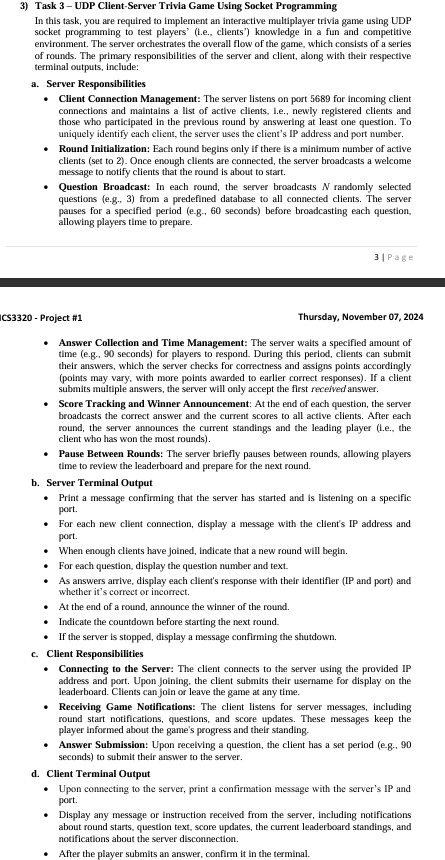
In this task, you are required to implement an interactive multiplayer trivia game using UDP socket programming to test players' ie clients' knowledge in a fun and competitive environment. The server orchestrates the overall flow of the game, which consists of a series of rounds. The primary responsibilities of the server and client, along with their respective terminal outputs, include:
a Server Responsibilities
Client Connection Management: The server listens on port for incoming client connections and maintains a list of active clients, ie newly registered clients and those who participated in the previous round by answering at least one question. To uniquely identify each client, the server uses the client's IP address and port number.
Round Initialization: Each round begins only if there is a minimum number of active clients set to Once enough clients are connected, the server broadcasts a welcome message to notify clients that the round is about to start.
Question Broadcast: In each round, the server broadcasts N randomly selected questions eg from a predefined database to all connected clients. The server pauses for a specified period eg seconds before broadcasting each question, allowing players time to prepare.
Answer Collection and Time Management: The server waits a specified amount of time eg seconds for players to respond. During this period, clients can submit their answers, which the server checks for correctness and assigns points accordingly points may vary, with more points awarded to earlier correct responses If a client submits multiple answers, the server will only accept the first received answer.
Score Tracking and Winner Announcement: At the end of each question, the server broadcasts the correct answer and the current scores to all active clients. After each round, the server announces the current standings and the leading player ie the client who has won the most rounds
Pause Between Rounds: The server briefly pauses between rounds, allowing players time to review the leaderboard and prepare for the next round.
b Server Terminal Output
Print a message confirming that the server has started and is listening on a specific port.
For each new client connection, display a message with the client's IP address and port.
When enough clients have joined, indicate that a new round will begin.
For each question, display the question number and text.
As answers arrive, display each client's response with their identifier IP and port and whether it's correct or incorrect.
At the end of a round, announce the winner of the round.
Indicate the countdown before starting the next round.
If the server is stopped, display a message confirming the shutdown.
c Client Responsibilities
Connecting to the Server: The client connects to the server using the provided IP address and port. Upon joining, the client submits their username for display on the leaderboard. Clients can join or leave the game at any time.
Receiving Game Notifications: The client listens for server messages, including round start notifications, questions, and score updates. These messages keep the player informed about the game's progress and their standing.
Answer Submission: Upon recelving a question, the client has a set period eg seconds to submit their answer to the server.
d Client Terminal Output
Upon connecting to the server, print a confirmation message with the server's IP and port.
Display any message or instruction recelved from the server, including notifications about round starts, question text, score updates, the current leaderboard standings, and notifications about the server disconnection.
After the player submits an answer, confirm it in the terminal.
Step by Step Solution
There are 3 Steps involved in it
1 Expert Approved Answer
Step: 1 Unlock

Question Has Been Solved by an Expert!
Get step-by-step solutions from verified subject matter experts
Step: 2 Unlock
Step: 3 Unlock
 Study Help