







Question: 3. Write a bash script that will dynamically print out the day of the week (i.e., Sunday, Monday, Tuesday, Wednesday, Thursday, Friday, or Saturday) that
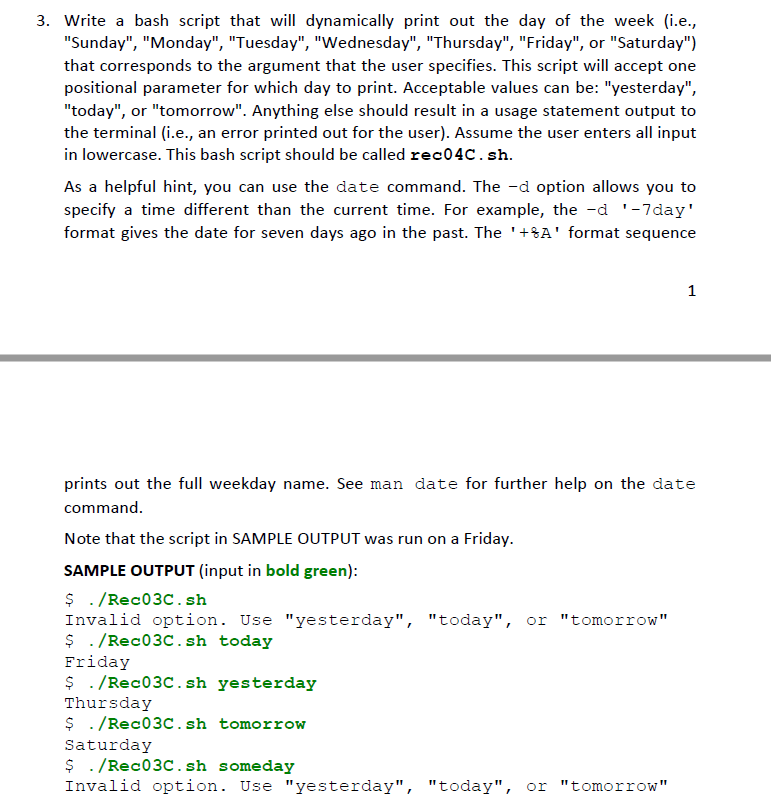
3. Write a bash script that will dynamically print out the day of the week (i.e., "Sunday", "Monday", "Tuesday", "Wednesday", "Thursday", "Friday", or "Saturday") that corresponds to the argument that the user specifies. This script will accept one positional parameter for which day to print. Acceptable values can be: "yesterday", "today", or "tomorrow". Anything else should result in a usage statement output to the terminal (i.e., an error printed out for the user). Assume the user enters all input in lowercase. This bash script should be called rec04C. sh As a helpful hint, you can use the date command. The -d option allows you to specify a time different than the current time. For example, the -d'-7day" format gives the date for seven days ago in the past. The '+A' format sequence prints out the full weekday name. See man date for further help on the date command Note that the script in SAMPLE OUTPUT was run on a Friday SAMPLE OUTPUT (input in bold green): $ ./Rec03C.sh Invalid option. Use "yesterday", "today", or "tomorrow" $ ./Rec03C.sh today Friday $ ./Rec03C. sh vesterday Thursday ./Rec03C.sh tomorrow Saturday $ ./Rec03C.sh someday Invalid option. Use "yesterday", "today", or "tomorrow" 3. Write a bash script that will dynamically print out the day of the week (i.e., "Sunday", "Monday", "Tuesday", "Wednesday", "Thursday", "Friday", or "Saturday") that corresponds to the argument that the user specifies. This script will accept one positional parameter for which day to print. Acceptable values can be: "yesterday", "today", or "tomorrow". Anything else should result in a usage statement output to the terminal (i.e., an error printed out for the user). Assume the user enters all input in lowercase. This bash script should be called rec04C. sh As a helpful hint, you can use the date command. The -d option allows you to specify a time different than the current time. For example, the -d'-7day" format gives the date for seven days ago in the past. The '+A' format sequence prints out the full weekday name. See man date for further help on the date command Note that the script in SAMPLE OUTPUT was run on a Friday SAMPLE OUTPUT (input in bold green): $ ./Rec03C.sh Invalid option. Use "yesterday", "today", or "tomorrow" $ ./Rec03C.sh today Friday $ ./Rec03C. sh vesterday Thursday ./Rec03C.sh tomorrow Saturday $ ./Rec03C.sh someday Invalid option. Use "yesterday", "today", or "tomorrow
Step by Step Solution
There are 3 Steps involved in it

Get step-by-step solutions from verified subject matter experts
 Study Help