







Question: 3.15 LAB: Quote web API (XMLHttpRequest) In this lab, you will use a web API to fetch and display quotes on a selected topic, as
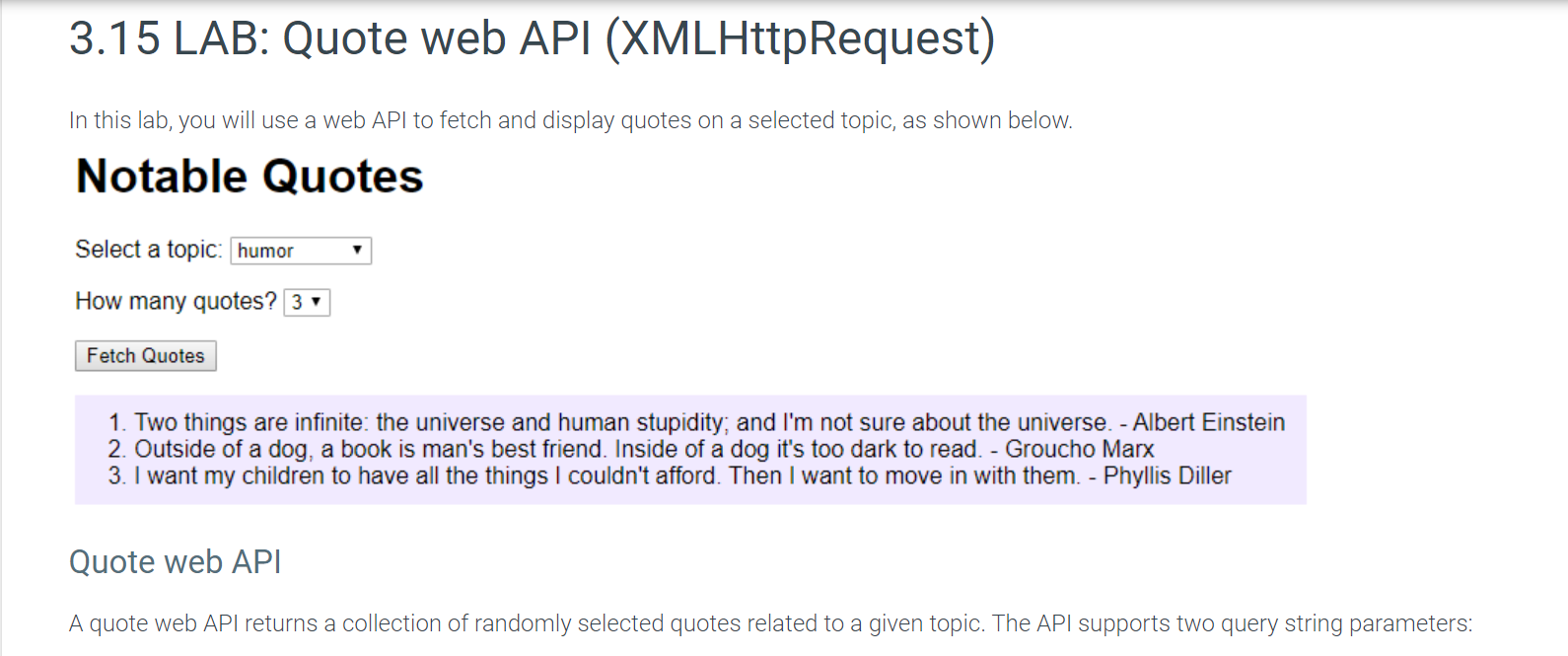
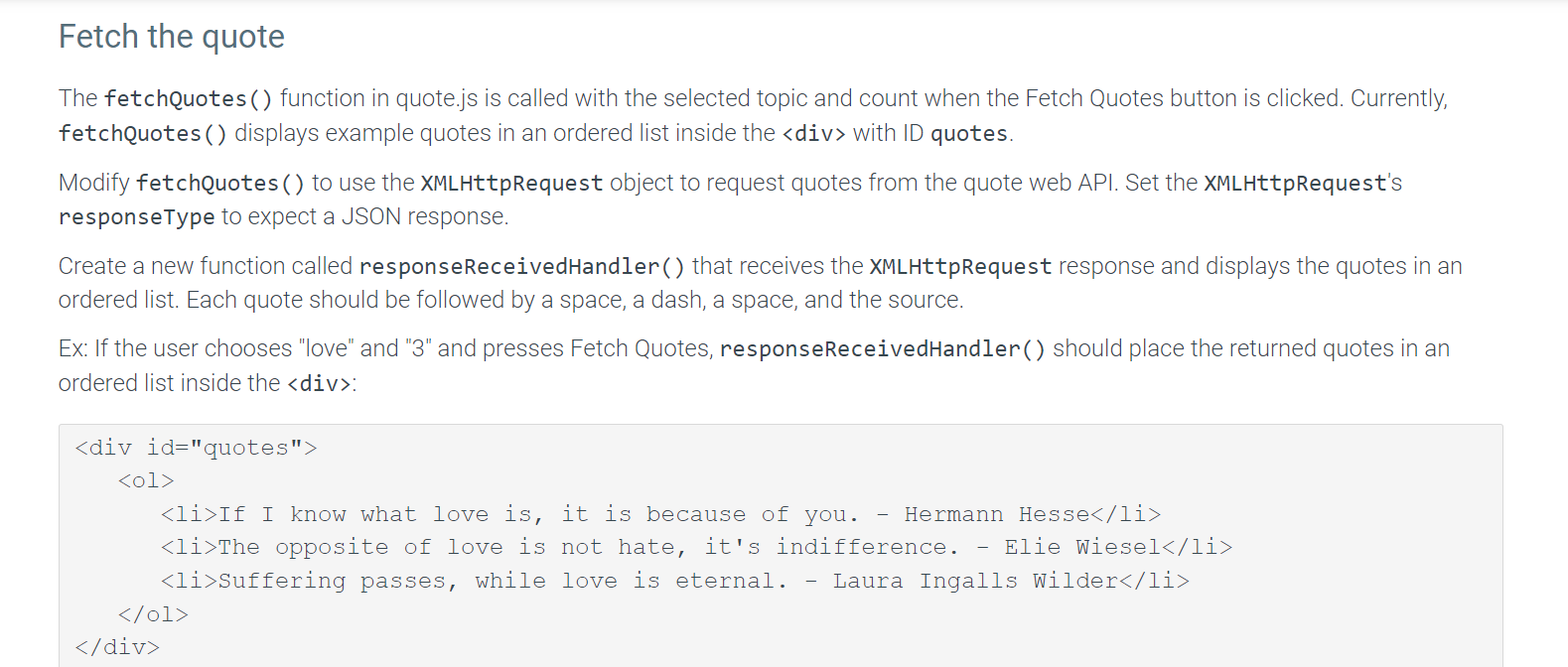

3.15 LAB: Quote web API (XMLHttpRequest) In this lab, you will use a web API to fetch and display quotes on a selected topic, as shown below. Notable Quotes Select a topic: How many quotes? 1. Two things are infinite: the universe and human stupidity; and I'm not sure about the universe. - Albert Einstein 2. Outside of a dog, a book is man's best friend. Inside of a dog it's too dark to read. - Groucho Marx 3. I want my children to have all the things I couldn't afford. Then I want to move in with them. - Phyllis Diller Quote web API A quote web API returns a collection of randomly selected quotes related to a given topic. The API supports two query string parameters: retch the quote The fetchQuotes( ) function in quote.js is called with the selected topic and count when the Fetch Quotes button is clicked. Currently, fetchQuotes ( ) displays example quotes in an ordered list inside the div with ID quotes. Modify fetchQuotes() to use the XMLHttpRequest object to request quotes from the quote web API. Set the XMLHttpRequest's responseType to expect a JSON response. Create a new function called responseReceivedHandler( ) that receives the XMLHttpRequest response and displays the quotes in an ordered list. Each quote should be followed by a space, a dash, a space, and the source. Ex: If the user chooses "love" and "3" and presses Fetch Quotes, responsereceivedHandler ( ) should place the returned quotes in an ordered list inside the div : If an error message is received, the error message should be displayed in the div. Ex: > Topic 'success' not found div >
Step by Step Solution
There are 3 Steps involved in it

Get step-by-step solutions from verified subject matter experts
 Study Help