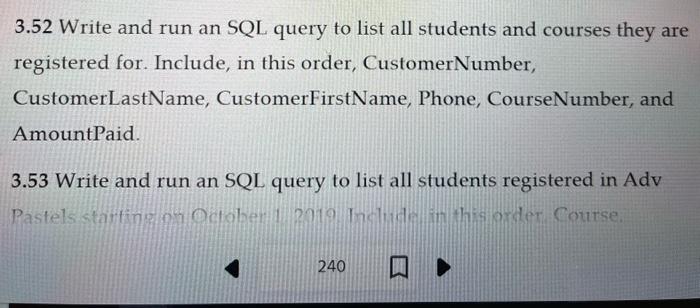
Question: 3.52 Write and run an SQL query to list all students and courses they are registered for. Include, in this order, CustomerNumber, CustomerLastName, CustomerFirstName, Phone,
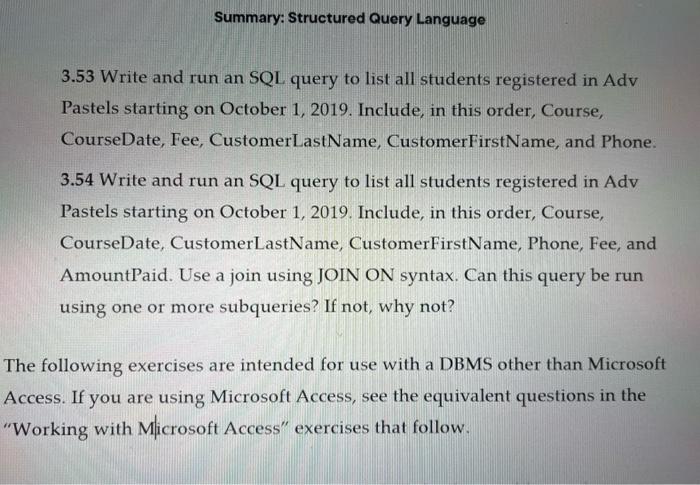
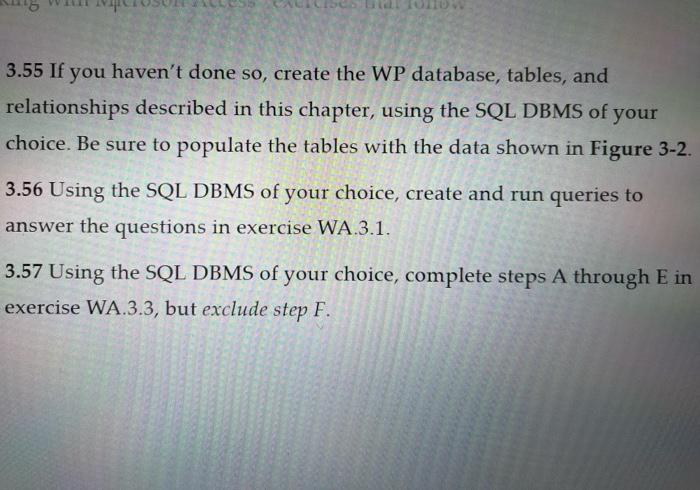
3.52 Write and run an SQL query to list all students and courses they are registered for. Include, in this order, CustomerNumber, CustomerLastName, CustomerFirstName, Phone, CourseNumber, and AmountPaid. 3.53 Write and run an SQL query to list all students registered in Adv Pastels stantinusun oclobet 1 2019 Inclusal iththis order Course. 3.53 Write and run an SQL query to list all students registered in Adv Pastels starting on October 1, 2019. Include, in this order, Course, CourseDate, Fee, CustomerLastName, CustomerFirstName, and Phone. 3.54 Write and run an SQL query to list all students registered in Adv Pastels starting on October 1, 2019. Include, in this order, Course, CourseDate, CustomerLastName, CustomerFirstName, Phone, Fee, and AmountPaid. Use a join using JOIN ON syntax. Can this query be run using one or more subqueries? If not, why not? following exercises are intended for use with a DBMS other than Microsoft ess. If you are using Microsoft Access, see the equivalent questions in the orking with Microsoft Access" exercises that follow. 3.55 If you haven't done so, create the WP database, tables, and relationships described in this chapter, using the SQL DBMS of your choice. Be sure to populate the tables with the data shown in Figure 3-2. 3.56 Using the SQL DBMS of your choice, create and run queries to answer the questions in exercise WA.3.1. 3.57 Using the SQL DBMS of your choice, complete steps A through E in exercise WA.3.3, but exclude step F. 3.52 Write and run an SQL query to list all students and courses they are registered for. Include, in this order, CustomerNumber, CustomerLastName, CustomerFirstName, Phone, CourseNumber, and AmountPaid. 3.53 Write and run an SQL query to list all students registered in Adv Pastels stantinusun oclobet 1 2019 Inclusal iththis order Course. 3.53 Write and run an SQL query to list all students registered in Adv Pastels starting on October 1, 2019. Include, in this order, Course, CourseDate, Fee, CustomerLastName, CustomerFirstName, and Phone. 3.54 Write and run an SQL query to list all students registered in Adv Pastels starting on October 1, 2019. Include, in this order, Course, CourseDate, CustomerLastName, CustomerFirstName, Phone, Fee, and AmountPaid. Use a join using JOIN ON syntax. Can this query be run using one or more subqueries? If not, why not? following exercises are intended for use with a DBMS other than Microsoft ess. If you are using Microsoft Access, see the equivalent questions in the orking with Microsoft Access" exercises that follow. 3.55 If you haven't done so, create the WP database, tables, and relationships described in this chapter, using the SQL DBMS of your choice. Be sure to populate the tables with the data shown in Figure 3-2. 3.56 Using the SQL DBMS of your choice, create and run queries to answer the questions in exercise WA.3.1. 3.57 Using the SQL DBMS of your choice, complete steps A through E in exercise WA.3.3, but exclude step F









 Study Help