







Question: 3.7 Shared Memory Example Read man pages for the following commands. Shared Memory -shmget, shmctl, shmat, shmdt Review the source code for shm server.c and
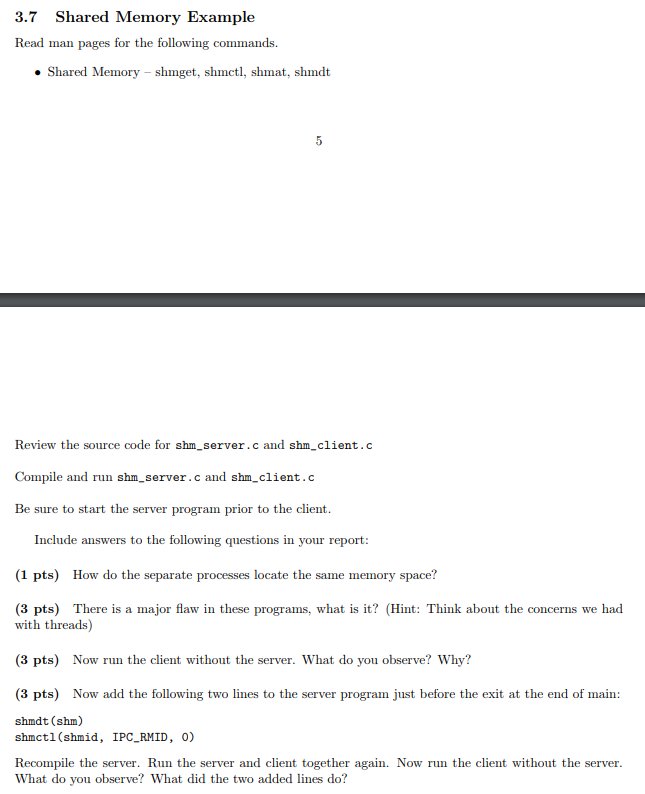
3.7 Shared Memory Example Read man pages for the following commands. Shared Memory -shmget, shmctl, shmat, shmdt Review the source code for shm server.c and shm_client.c Compile and run shm_server.cand shm_client.c Be sure to start the server program prior to the client. Include answers to the following questions in your report (1 pts) How do the separate processes locate the same memory space? (3 pts) There is a major flaw in these programs, what is it? (Hint: Think about the concerns we had with threads) (3 pts) Now run the client without the server. What do you observe? Why? (3 pts) Now add the following two lines to the server program just before the exit at the end of main: shmdt (shm) shmct1 (shmid, IPC_RMID, 0) Recompile the server. Run the server and client together again. Now run the client without the server. What do you observe? What did the two added lines do? 3.7 Shared Memory Example Read man pages for the following commands. Shared Memory -shmget, shmctl, shmat, shmdt Review the source code for shm server.c and shm_client.c Compile and run shm_server.cand shm_client.c Be sure to start the server program prior to the client. Include answers to the following questions in your report (1 pts) How do the separate processes locate the same memory space? (3 pts) There is a major flaw in these programs, what is it? (Hint: Think about the concerns we had with threads) (3 pts) Now run the client without the server. What do you observe? Why? (3 pts) Now add the following two lines to the server program just before the exit at the end of main: shmdt (shm) shmct1 (shmid, IPC_RMID, 0) Recompile the server. Run the server and client together again. Now run the client without the server. What do you observe? What did the two added lines do
Step by Step Solution
There are 3 Steps involved in it

Get step-by-step solutions from verified subject matter experts
 Study Help